Book Update
I recently and quite literally stumbled across an image online that was provided as part of a challenge, involving a compromised system. I contacted the author, as well as discussed the idea of updating the book with my tech editor, and the result of both conversations is that I will be extending the book with an additional chapter. This image is from a Windows 2008 web server that had been "compromised", and I thought it would be great to add this to the book, given the types of "cases" that were already being covered in the book.
RDP Bitmap Cache Parser
I ran across this French web site recently, and after having Google translate it for me, got a bit better view into what went into the RDP bitmap cache parsing tool. This is a pretty fascinating idea; I know that I've run across a number of cases involving the use of RDP, either by an intruder or a malicious insider, and there could have been valuable clues left behind in the bitmap cache file.
Pancake Viewer
I learned from David Dym recently that Matt (works with David Cowen) is working on something called the "pancake viewer", which is as DFVFS-backed image viewer using wxPython for the GUI. This looks like a fascinating project, and something that will likely have considerable use, particularly as the "future functionality" is added.
Web Shells
Web shells are nothing new; here is a Security Disclosures blog post regarding web shells from 3 years ago. What's "new" is what is has recently been shared on the topic of web shells.
This DFIR.IT blog post provides some references (at the bottom of the post) where other firms have discussed the use of web shells, and this post on the SecureWorks site provides insight as to how a web shell was used as a mechanism to deploy ransomware.
This DFIR.IT blog post (#3 in the series) provides a review of tools used to detect web shells.
A useful resource for Yara rules used to detect web shells includes this one by 1aNOrmus.
Sunday, July 17, 2016


Wednesday, July 06, 2016
Updates and Stuff
Registry Analysis
I received a question recently, asking if it were possible to manipulate Registry key LastWrite time stamps in a manner similar to file system time stomping. Page 30 of Windows Registry Forensics addresses this; there's a Warning sidebar on that page that refers to SetRegTime, which directly answers this question.
The second part of the question was asking if I'd ever seen this in the wild, and to this point, I haven't. Then I thought to myself, how would I identify or confirm this? I think one way would be to make use of historical data within the acquired image; let's say that the key in question is available within Software hive, with a LastWrite time of 6 months prior to the image being acquired. I'd start by examining the Software hive within the RegBack folder, as well as the Software hives within any available VSCs. So, if the key has a LastWrite time of 6 months ago, and the Software hive from the RegBack folder was created 4 days ago and does NOT include any indication of the key existing, then you might have an issue where the key was created and time stomped.
Powershell Logging
I personally don't use Powershell (much, yet), but there have been times when I've been investigating a Windows system and found some entries in the Powershell Event Log that do little more than tell me that something happened. While conducting analysis, I have no idea if the use of Powershell is pervasive throughout the infrastructure, if it's something one or two admins prefer to use, or if it was used by an attacker...the limited information available by default doesn't give me much of a view into what happened on the system.
The good news is that we can fix this; FireEye provides some valuable instructions for enabling a much greater level of visibility within the Windows Event Log regarding activity that may have occurred via Powershell. This Powershell Logging Cheat Sheet provides an easy reference for enabling a lot of FireEye's recommendations.
So, what does this mean to an incident responder?
Well, if you're investigating Powershell-based attacks, it can be extremely valuable, IF Powershell has been updated and the logging configured. If you're a responder in an FTE position, then definitely push for the appropriate updates to systems, be it upgrading the Powershell installed, or upgrading the systems themselves. When dealing with an attack, visibility is everything...you don't want the attacker moving through an obvious blind spot.
This is also really valuable for testing purposes; set up your VM, upgrade the Powershell and configure logging, and then go about testing various attacks; the FireEye instructions mentioned above refer to Mimikatz.
Powershell PSReadLine Module
One of the things that's "new" to Windows 10 is the incorporation of the PSReadLine module into Powershell v5.0, which provides a configurable command history (similar to a bash_history file). Once everything's up and running correctly, the history file is found in the user profile at C:\Users\user\AppData\Roaming\Microsoft\Windows\PowerShell\PSReadline\ConsoleHost_history.txt.
For versions of Windows prior to 10, you can update Powershell and install the module.
This is something else I'd definitely upgrade, configure and enable in a testing environment.
CLI Tools
As someone who's written a number of CLI tools in Perl, I found this presentation by Brad Lhotsky to be pretty interesting.
Tool Listing
Speaking of tools, I recently ran across this listing of tools, and what caught my attention wasn't the listing itself as much as the format. I like the Windows Explorer-style listing that lets you click to see what tools are listed...pretty slick.
Ransomware
I was doing some preparation for a talking I'm giving at ArchC0N in August, and was checking out the MMPC site. The first thing I noticed was that the listing on the right-hand side of the page had 10 new malware families identified, 6 of which were ransomware.
My talk at ArchC0N is on the misconceptions of ransomware, something we saw early on in Feb and March of this year, but continue to see even now. In an attempt to get something interesting out on the topic, a number of media sites were either adding content to their articles that had little to do with what was actually happening at a site infected with ransomware, or they were simply parroting what someone else had said. This has let to a great deal of confusion as infection vectors for ransomware in general, as well as what occurred during specific incidents.
More on the Registry...
With respect to the Registry, there're more misconceptions that continue unabated, particularly from Microsoft. For example, take a look at the write-up for the ThreatFin ransomware, which states:
It can create the following registry entries to ensure it runs each time you start your PC:
The write-up then goes on to identify values added to the Run key within the HKCU hive. However, this doesn't cause the malware to run each time the system is started, but rather when that user logs into the system.
I received a question recently, asking if it were possible to manipulate Registry key LastWrite time stamps in a manner similar to file system time stomping. Page 30 of Windows Registry Forensics addresses this; there's a Warning sidebar on that page that refers to SetRegTime, which directly answers this question.
The second part of the question was asking if I'd ever seen this in the wild, and to this point, I haven't. Then I thought to myself, how would I identify or confirm this? I think one way would be to make use of historical data within the acquired image; let's say that the key in question is available within Software hive, with a LastWrite time of 6 months prior to the image being acquired. I'd start by examining the Software hive within the RegBack folder, as well as the Software hives within any available VSCs. So, if the key has a LastWrite time of 6 months ago, and the Software hive from the RegBack folder was created 4 days ago and does NOT include any indication of the key existing, then you might have an issue where the key was created and time stomped.
Powershell Logging
I personally don't use Powershell (much, yet), but there have been times when I've been investigating a Windows system and found some entries in the Powershell Event Log that do little more than tell me that something happened. While conducting analysis, I have no idea if the use of Powershell is pervasive throughout the infrastructure, if it's something one or two admins prefer to use, or if it was used by an attacker...the limited information available by default doesn't give me much of a view into what happened on the system.
The good news is that we can fix this; FireEye provides some valuable instructions for enabling a much greater level of visibility within the Windows Event Log regarding activity that may have occurred via Powershell. This Powershell Logging Cheat Sheet provides an easy reference for enabling a lot of FireEye's recommendations.
So, what does this mean to an incident responder?
Well, if you're investigating Powershell-based attacks, it can be extremely valuable, IF Powershell has been updated and the logging configured. If you're a responder in an FTE position, then definitely push for the appropriate updates to systems, be it upgrading the Powershell installed, or upgrading the systems themselves. When dealing with an attack, visibility is everything...you don't want the attacker moving through an obvious blind spot.
This is also really valuable for testing purposes; set up your VM, upgrade the Powershell and configure logging, and then go about testing various attacks; the FireEye instructions mentioned above refer to Mimikatz.
Powershell PSReadLine Module
One of the things that's "new" to Windows 10 is the incorporation of the PSReadLine module into Powershell v5.0, which provides a configurable command history (similar to a bash_history file). Once everything's up and running correctly, the history file is found in the user profile at C:\Users\user\AppData\Roaming\Microsoft\Windows\PowerShell\PSReadline\ConsoleHost_history.txt.
For versions of Windows prior to 10, you can update Powershell and install the module.
This is something else I'd definitely upgrade, configure and enable in a testing environment.
CLI Tools
As someone who's written a number of CLI tools in Perl, I found this presentation by Brad Lhotsky to be pretty interesting.
Tool Listing
Speaking of tools, I recently ran across this listing of tools, and what caught my attention wasn't the listing itself as much as the format. I like the Windows Explorer-style listing that lets you click to see what tools are listed...pretty slick.
Ransomware
I was doing some preparation for a talking I'm giving at ArchC0N in August, and was checking out the MMPC site. The first thing I noticed was that the listing on the right-hand side of the page had 10 new malware families identified, 6 of which were ransomware.
My talk at ArchC0N is on the misconceptions of ransomware, something we saw early on in Feb and March of this year, but continue to see even now. In an attempt to get something interesting out on the topic, a number of media sites were either adding content to their articles that had little to do with what was actually happening at a site infected with ransomware, or they were simply parroting what someone else had said. This has let to a great deal of confusion as infection vectors for ransomware in general, as well as what occurred during specific incidents.
More on the Registry...
With respect to the Registry, there're more misconceptions that continue unabated, particularly from Microsoft. For example, take a look at the write-up for the ThreatFin ransomware, which states:
It can create the following registry entries to ensure it runs each time you start your PC:
The write-up then goes on to identify values added to the Run key within the HKCU hive. However, this doesn't cause the malware to run each time the system is started, but rather when that user logs into the system.
Monday, June 20, 2016
New Book
So, yeah...I'm working on another book (go figure, right?). This one is different than the previous books I've written; rather than listing the various artifacts available within an acquired image, the purpose of this book is to provide a walk-through of the investigative process, illustrate how the various artifacts can be used to complete analysis, and more importantly, illustrate and describe the various decisions made throughout the course of the examination. The focus of this book is the process, and all along the way, various "analysis decisions" will be highlighted and detailed.
The current table of contents, with a short description of each chapter, is as follows:
Chapter 1 - Introduction
Introduction to the core concepts that I'll be reinforcing throughout the remaining chapters of the book, including documentation (eeewww, I know, right?).
Chapter 2 - Malware Detection Scenarios
In Ch 2, there are two malware detection scenarios. Again, these are detection scenarios, not analysis scenarios. I will discuss somethings that an analyst can do in order to move the analysis along, documenting and confirming the malware that they found, but there are plenty of resources available that discuss malware analysis in much greater detail. One of the analysis scenarios that I've seen a great deal of during my time as a DFIR analyst has been, "...we don't for sure, but we think that this system may have malware on it..."; as such I thought that this would be a great scenario to present.
In this chapter, I will be walking through the analysis process for two scenarios, one using a WinXP image that's available online, the other using a Win7 image that's available online. That way, when reading the book, you can download a copy of the image (if you choose to do so) and follow along with the analysis process. However, the process will be detailed enough that you won't have to have the image available to follow along.
Chapter 3 - User Activity Scenarios
This chapter addresses tracking user activity during an examination, determining/following the actions that a user took while logged into the system. Of course, a "user" can also be an intruder who has either compromised an account, or created one that they're now using.
As with chapter 2, I'll be walking through two scenarios, one using a WinXP image, the other using a Win7 image, both of which are available online.
The purpose of chapters 2 and 3 is to illustrate the end-to-end analysis process; its not about this tool or that tool, its about the overall process. Throughout the scenarios, I will be presenting analysis decisions that are made, describing why I decided to go a certain direction, and illustrating what the various findings mean to the overall analysis.
Chapter 4 - Setting up and using a test environment
Many times, an analyst may need to test a hypothesis in order to confirm (or deny) the creation of an artifact or indicator. Or, the analyst may opted to test malware or malicious documents to determine what occurred on the system, and to illustrate what the user saw, and what actions the user had to have taken. In this chapter, we'll walk through setting up a virtual environment that would allow the analyst to test such things.
This may seem like a pretty obvious chapter to many...hey, this sort of thing is covered in a lot of other resources, right? Well, something I see a great deal of, even today, is that these virtual testing environments are not instrumented in a way that provides sufficient detail to allow the analyst to then collect intelligence, or propagate protection mechanisms through their environment.
This chapter is not about booting an image. There are plenty of resources out there that address this topic, covering a variety of formats (i.e., "...what if I have an *.E01 image, not a raw/dd image...?").
Chapter 5 - RTFM for DFIR
If you're familiar with the Red Team Field Manual, chapter 5 will be a DFIR version of this manual. Like RTFM, there will not be detailed explanations of the various tools; the assumption is made that you (a) already know about the tool, or (b) will put in the effort to go find out about the tool. In fact, (b) is relatively easy...sometimes just typing the name of the CLI tool at the prompt, or typing the name followed by "/?", "-h", or "--help" is all you really need to do to get a description of the tool, its syntax, and maybe even example command lines illustrating how to use the tool.
Okay, so, yeah...I know that this is a bit different from the way I've done things in the past...most often I've just posted that the book was available. With my last book, I had a "contest" to get submissions for the book...ultimately, I just got one single submission.
The reason I am posting this is due to this post from the ThisWeekIn4n6 blog, specifically this statement...
My only comment on this article is that maybe he could be slightly more transparent with how he’s going in the book writing process. I recall seeing a couple of posts about the competition, and then the next one was that he had completed the book. Unfortunately I missed the boat in passing on some research into the SAM file (by several months) however Harlan posted about it here.
With that in mind, I imagine he will be working on an update to Windows Forensic Analysis to cover some additional Windows 10 artifacts (and potentially further updates to other versions). Maybe a call out (yes, I know these haven’t been super successful in the past; maybe a call out to specific people? Or universities?)....
With respect to the Windows Registry Forensics book, I thought I was entirely "transparent"...I asked for assistance, and in the course of time...not just to the "end" of the contest time limit, but throughout the rest of the time I was writing the book...I received a single submission.
The "Ask"
Throughout the entire time that I've written books, the one recurring question that comes up over and over again is, "...does it cover Windows? " Ever time the question is asked, I have the same answer...no, because I don't have access to that version of Windows.
This time, in an attempt to head off those questions, I'm putting out a request to the DFIR community at large. Specifically, if you have access to an image of a Windows 10 system (or to an image of any of the server versions of Windows after 2003) that have been compromised in some manner (i.e., malware, unauthorized access, etc.), and are worth of investigation, can you share them? The images I'm using in this book are already available online, and I'm not asking that these images also be available online; if you don't mind sharing a copy of the images with me, I will walk through the analysis and include it in the book, and I will destroy/return the images after I'm done with them, whichever you would like.
Anyone who shares an image of a Windows server version beyond (not including) Windows 2003, or an image of a Windows 10 system, for which I can include the analysis of that image in my book will receive a free, signed (yes, by me...) copy of the book once it comes out.
Addendum: Something that I wanted to add for clarity...I do not have, nor do I have access to, any system (or an image thereof) running Cortana, or anything special. The laptop that I write the books (and blog posts) from is a Dell Latitude E6510. My point is that if you have questions such as, "what are the artifacts of someone using Cortana?" or of any other application specific to Windows 10, please understand that I do not have unlimited access to all types of equipment. This is why I made the request I did in this blog post.
The current table of contents, with a short description of each chapter, is as follows:
Chapter 1 - Introduction
Introduction to the core concepts that I'll be reinforcing throughout the remaining chapters of the book, including documentation (eeewww, I know, right?).
Chapter 2 - Malware Detection Scenarios
In Ch 2, there are two malware detection scenarios. Again, these are detection scenarios, not analysis scenarios. I will discuss somethings that an analyst can do in order to move the analysis along, documenting and confirming the malware that they found, but there are plenty of resources available that discuss malware analysis in much greater detail. One of the analysis scenarios that I've seen a great deal of during my time as a DFIR analyst has been, "...we don't for sure, but we think that this system may have malware on it..."; as such I thought that this would be a great scenario to present.
In this chapter, I will be walking through the analysis process for two scenarios, one using a WinXP image that's available online, the other using a Win7 image that's available online. That way, when reading the book, you can download a copy of the image (if you choose to do so) and follow along with the analysis process. However, the process will be detailed enough that you won't have to have the image available to follow along.
Chapter 3 - User Activity Scenarios
This chapter addresses tracking user activity during an examination, determining/following the actions that a user took while logged into the system. Of course, a "user" can also be an intruder who has either compromised an account, or created one that they're now using.
As with chapter 2, I'll be walking through two scenarios, one using a WinXP image, the other using a Win7 image, both of which are available online.
The purpose of chapters 2 and 3 is to illustrate the end-to-end analysis process; its not about this tool or that tool, its about the overall process. Throughout the scenarios, I will be presenting analysis decisions that are made, describing why I decided to go a certain direction, and illustrating what the various findings mean to the overall analysis.
Chapter 4 - Setting up and using a test environment
Many times, an analyst may need to test a hypothesis in order to confirm (or deny) the creation of an artifact or indicator. Or, the analyst may opted to test malware or malicious documents to determine what occurred on the system, and to illustrate what the user saw, and what actions the user had to have taken. In this chapter, we'll walk through setting up a virtual environment that would allow the analyst to test such things.
This may seem like a pretty obvious chapter to many...hey, this sort of thing is covered in a lot of other resources, right? Well, something I see a great deal of, even today, is that these virtual testing environments are not instrumented in a way that provides sufficient detail to allow the analyst to then collect intelligence, or propagate protection mechanisms through their environment.
This chapter is not about booting an image. There are plenty of resources out there that address this topic, covering a variety of formats (i.e., "...what if I have an *.E01 image, not a raw/dd image...?").
Chapter 5 - RTFM for DFIR
If you're familiar with the Red Team Field Manual, chapter 5 will be a DFIR version of this manual. Like RTFM, there will not be detailed explanations of the various tools; the assumption is made that you (a) already know about the tool, or (b) will put in the effort to go find out about the tool. In fact, (b) is relatively easy...sometimes just typing the name of the CLI tool at the prompt, or typing the name followed by "/?", "-h", or "--help" is all you really need to do to get a description of the tool, its syntax, and maybe even example command lines illustrating how to use the tool.
Okay, so, yeah...I know that this is a bit different from the way I've done things in the past...most often I've just posted that the book was available. With my last book, I had a "contest" to get submissions for the book...ultimately, I just got one single submission.
The reason I am posting this is due to this post from the ThisWeekIn4n6 blog, specifically this statement...
My only comment on this article is that maybe he could be slightly more transparent with how he’s going in the book writing process. I recall seeing a couple of posts about the competition, and then the next one was that he had completed the book. Unfortunately I missed the boat in passing on some research into the SAM file (by several months) however Harlan posted about it here.
With that in mind, I imagine he will be working on an update to Windows Forensic Analysis to cover some additional Windows 10 artifacts (and potentially further updates to other versions). Maybe a call out (yes, I know these haven’t been super successful in the past; maybe a call out to specific people? Or universities?)....
With respect to the Windows Registry Forensics book, I thought I was entirely "transparent"...I asked for assistance, and in the course of time...not just to the "end" of the contest time limit, but throughout the rest of the time I was writing the book...I received a single submission.
The "Ask"
Throughout the entire time that I've written books, the one recurring question that comes up over and over again is, "...does it cover Windows
This time, in an attempt to head off those questions, I'm putting out a request to the DFIR community at large. Specifically, if you have access to an image of a Windows 10 system (or to an image of any of the server versions of Windows after 2003) that have been compromised in some manner (i.e., malware, unauthorized access, etc.), and are worth of investigation, can you share them? The images I'm using in this book are already available online, and I'm not asking that these images also be available online; if you don't mind sharing a copy of the images with me, I will walk through the analysis and include it in the book, and I will destroy/return the images after I'm done with them, whichever you would like.
Anyone who shares an image of a Windows server version beyond (not including) Windows 2003, or an image of a Windows 10 system, for which I can include the analysis of that image in my book will receive a free, signed (yes, by me...) copy of the book once it comes out.
Addendum: Something that I wanted to add for clarity...I do not have, nor do I have access to, any system (or an image thereof) running Cortana, or anything special. The laptop that I write the books (and blog posts) from is a Dell Latitude E6510. My point is that if you have questions such as, "what are the artifacts of someone using Cortana?" or of any other application specific to Windows 10, please understand that I do not have unlimited access to all types of equipment. This is why I made the request I did in this blog post.
Updates

Something I caught over on Weare4n6 recently was that there's a new book on it's way out, due to be available in Oct, 2016, entitled, "Data Hiding Techniques in Windows OS". The description of the book on the blog is kind of vague, with references to steganography, but I'm hoping that it will also include discussions of things like ADSs, and using Unicode to "hide" files and Registry keys/values in plain sight.
My initial reaction to the book, however, had to do with the cover. To the right is a copy of the cover of my latest book, Windows Registry Forensics. Compare that to the book cover at the web site. In short, it looks as if Elsevier is doing it again...previous editions of my books not only had the same color scheme amongst the books, but shared that color scheme with books from other authors. This led to massive confusion; I once received a box of books just before I left for a conference, and I took a couple of copies to give away while I was there. When I tried to give the books away, people told me that they "...already had the book...", which I thought was odd because I had just received the box. It turned out that they were looking at the color scheme and not actually reading the title of the book.
Right now I have nine books on my shelf that have the same or very similar color schemes...black and green. I am the sole author, or co-author, of four of them. The other five have an identical color scheme...a slightly different shade of green...but I am the author of only one of them.
Imaging
Mari's got another great post up, this one about using a Linux distro to image a Mac. Yeah, I know, this blog isn't about Macs, but this same method could potentially be used to image a Windows server that you're having trouble with. Further, Mari is one of the very few people within the community who develops and shares original material, something the community needs to encourage with more analysts.
Carberp Updates
A couple of articles appeared recently regarding changes to Carberp (PaloAltoNetworks, TrendMicro), specifically with respect to the persistence mechanism. The PAN article mentions that this may be used to make sandbox analysis much more difficult, in that it requires user interaction to launch the malware.
The PAN article ends with a bunch of "indicators", which consist of file hashes and domain names. I'd monitor for the creation of the key/value instead.
Some online research indicated that this persistence mechanism had been discussed on the Hexacorn blog over 2 years ago. According to the blog post, the persistence mechanism causes the malware to be launched when the user launches an Office application, or IE with Office plugins installed. This can make IIV determination difficult if the analyst isn't aware of it.
I updated the malware.pl RegRipper plugin accordingly.
Wednesday, June 08, 2016
Updates
RegRipper Plugin Updates
I recently released some updates to RegRipper plugins, fixing code (IAW Eric's recent post) and releasing a couple of new plugins. As such, I thought it might be helpful to share a bit about how the plugins might be used during an exam.
lastloggedon.pl - honestly, I'm not entirely sure how I'd use this plugin during analysis, beyond using it to document basic information about the system.
shimcache.pl - I can see using this plugin for just about any engagement where the program execution category of artifacts is of interest. Remember the blog post about creating an analysis matrix? If not, think malware detection, data exfil, etc. As Eric mentioned in his recent webcast, you could use indicators you find in the ShimCache data to pivot to other data sources, such as the AmCache.hve file, Prefetch files, Windows Event Log records with sources such as "Service Control Manager" in a timeline, etc. However, the important thing to keep in mind is the context of the time stamps associated with each file entry...follow the data, don't force it to fit your theory.
Specific things I'd look for when parsing the ShimCache data include entries in the root of the Recycle Bin, the root of the user's profile, the root of the user's AppData/Roaming and Desktop folders, in C:\ProgramData, and with a UNC path (i.e., UNC\\tsclient\...). Clearly, that's not all I'd look for, but those are definitely things I'd look for and be very interested in. At one point, I'd included "alerts" in the output of some plugins that would automatically look for this sort of thing and alert the analyst to their presence, but there didn't seem to be a great deal of interest in this sort of thing.
Win10 Notification DB
During his recent webcast regarding the AmCache.hve file, Eric mentioned the SwiftForensics site a couple of times. Well, it turns out that Yogesh has been on to other things since he posted about the AmCache.hve file...he recently posted a structure description for the Windows 10 Notification database. Yogesh also included a Python script for parsing the notification database...if you're examining Windows 10 systems, you might want to check it out.
I don't have enough experience yet examining Windows 10 systems to know what sorts of things would be of value, but I can imagine that there would be considerable value in this data, in a case where the user claimed to not have received an email, only to have an examiner pull a snippet of that email from the notification database, for example.
AmCache.hve
Speaking of Yogesh's comments regarding the AmCache.hve file, one of his posts indicates that it would be a goldmine for malware hunters. As I mentioned in my previous post on the subject, in the past two months, I've examined two Windows 7 systems that were known to be infected with malware, and while I found references to the malware files in the AppCompatCache, I did not find references to the files in the AmCache.hve file.
To be clear, I'm not saying that either Yogesh's or Eric's comments are incorrect...not at all. I'm not saying that, suggesting that, or trying to imply that. What I am saying is that I haven't seen it yet...but also like I said before, that doesn't mean that I'm going to stop looking.
Prefetch
I haven't mentioned Prefetch artifacts in this blog for a while, as I really haven't had any reason to do so. However, I recently ran across Luis Rocha's Prefetch Artifacts post over on the CountUponSecurity blog, and I found it to be a pretty valuable reference.
I don't have enough experience yet examining Windows 10 systems to know what sorts of things would be of value, but I can imagine that there would be considerable value in this data, in a case where the user claimed to not have received an email, only to have an examiner pull a snippet of that email from the notification database, for example.
AmCache.hve
Speaking of Yogesh's comments regarding the AmCache.hve file, one of his posts indicates that it would be a goldmine for malware hunters. As I mentioned in my previous post on the subject, in the past two months, I've examined two Windows 7 systems that were known to be infected with malware, and while I found references to the malware files in the AppCompatCache, I did not find references to the files in the AmCache.hve file.
To be clear, I'm not saying that either Yogesh's or Eric's comments are incorrect...not at all. I'm not saying that, suggesting that, or trying to imply that. What I am saying is that I haven't seen it yet...but also like I said before, that doesn't mean that I'm going to stop looking.
Prefetch
I haven't mentioned Prefetch artifacts in this blog for a while, as I really haven't had any reason to do so. However, I recently ran across Luis Rocha's Prefetch Artifacts post over on the CountUponSecurity blog, and I found it to be a pretty valuable reference.
Monday, June 06, 2016
Wait...There's More...
Tools
Mari posted to her blog again not long ago, this time sharing a description of a Mac artifact, as well as a Python script that implements her research and findings, and puts what she discussed in the hands of anyone using it.
Yes, Mari talks about a Mac artifact, and this is a Windows-based blog...but the point is that Mari is one of the very few members of the DFIR community who does something like this; identifies an artifact, provides (or links to) a clear description of that artifact and how it can be used during an examination, and then provides an easy-to-use tool that puts that capability in the hands of every analyst. While Mari shared that she based the script off of something someone else shared, she found value in what she read and then extended the research by producing a script.
Speaking of tools, Pasquale recently posted to the SANS ISC Handler's Blog regarding something they'd seen in the Registry; it's a pretty fascinating read.
Report Writing
I recently ran across James' blog post on writing reports...it's always interesting to hear others thoughts on this particular aspect of the industry. Like everyone else who attended public school in the US, I never much liked writing...never really got into it. But then, much like the justifications we try to use with math ("I'll never use this..."), I found that I ended up using it all the time, particularly after I got out of college. In the military, I wrote JAGMAN investigations, fitness reports (I still have copies of every fitrep I wrote), and a master's thesis.
Writing is such an important aspect of what we do that I included a chapter on the topic in Windows Forensic Analysis 4/e; Mari included a mention of the report writing chapter in her review of the book. After all, you can be the smartest, best analyst to ever walk the halls of #DFIR but if you can't share your findings with other analysts, or (more importantly) with your clients, what's your real value?
As James mentioned in his blog post, we write reports in order to communicate our findings. That's exactly why I described the process that I did in the book, in order to make it easier for folks to write clear, concise reports. I think that one of the biggest impediments to report writing right now is social media...those who should be writing reports are too impatient to do so because they're minds are geared to immediate gratification of clicking "Like" or retweeting a link. We spend so much time during the day feeling as if we've contributed something because we've forwarded an email, clicked "Like" on something, or retweeted it that our ability to actually communicate with others has suffered. We may even get frustrated with others who don't "get it", without realizing that by forcing ourselves into a limitation of 140 characters, we've prevented ourselves from communicating clearly.
Think about it. Which would you rather do? Document your findings in a clear concise report to a client, or simply tweet, "U R p0wned", and know that they read it when they click "Like"?
Look, I get that writing is hard, and most folks simply do not like to do it. It usually takes longer that we thought, or longer than we think it needs to, and it's not the fun, sexy part of DFIR. Agreed. However, it is essential. When we write the report, we build a picture of what we did and what we found, with the thought process being to illustrate to the client that we took an extremely comprehensive approach to our analysis and did everything that we could have done to address their issue.
Remember that ultimately, the picture that we paint for the client will be used to as the basis for making critical business decisions. Yes, you're right...we're not always going to see that. More often than not, once we send in our report to a client, that's it...that's the final contact we have with them. But regardless of what actually happens, we have to write the report from the point of view that someone is going to use our findings and our words as the basis for a critical business decision.
Another aspect of report writing that James brought up is documenting what we did and found, for our own consumption later. How many times have we seen something during an examination, and thought, "oh, wait...this is familiar?" How many times have we been at a conference and heard someone mention something that rang a bell with us? Documentation is the first step to developing single data points into indicators and threat intelligence that we use in future analysis.
WRF 2e Reviews
Speaking of books, it looks like Brett's written a review of Windows Registry Forensics 2/e up on Amazon. Thanks, Brett, for taking the time to put your thoughts down...I greatly appreciate it.
Mari posted to her blog again not long ago, this time sharing a description of a Mac artifact, as well as a Python script that implements her research and findings, and puts what she discussed in the hands of anyone using it.
Yes, Mari talks about a Mac artifact, and this is a Windows-based blog...but the point is that Mari is one of the very few members of the DFIR community who does something like this; identifies an artifact, provides (or links to) a clear description of that artifact and how it can be used during an examination, and then provides an easy-to-use tool that puts that capability in the hands of every analyst. While Mari shared that she based the script off of something someone else shared, she found value in what she read and then extended the research by producing a script.
Speaking of tools, Pasquale recently posted to the SANS ISC Handler's Blog regarding something they'd seen in the Registry; it's a pretty fascinating read.
Report Writing
I recently ran across James' blog post on writing reports...it's always interesting to hear others thoughts on this particular aspect of the industry. Like everyone else who attended public school in the US, I never much liked writing...never really got into it. But then, much like the justifications we try to use with math ("I'll never use this..."), I found that I ended up using it all the time, particularly after I got out of college. In the military, I wrote JAGMAN investigations, fitness reports (I still have copies of every fitrep I wrote), and a master's thesis.
Writing is such an important aspect of what we do that I included a chapter on the topic in Windows Forensic Analysis 4/e; Mari included a mention of the report writing chapter in her review of the book. After all, you can be the smartest, best analyst to ever walk the halls of #DFIR but if you can't share your findings with other analysts, or (more importantly) with your clients, what's your real value?
As James mentioned in his blog post, we write reports in order to communicate our findings. That's exactly why I described the process that I did in the book, in order to make it easier for folks to write clear, concise reports. I think that one of the biggest impediments to report writing right now is social media...those who should be writing reports are too impatient to do so because they're minds are geared to immediate gratification of clicking "Like" or retweeting a link. We spend so much time during the day feeling as if we've contributed something because we've forwarded an email, clicked "Like" on something, or retweeted it that our ability to actually communicate with others has suffered. We may even get frustrated with others who don't "get it", without realizing that by forcing ourselves into a limitation of 140 characters, we've prevented ourselves from communicating clearly.
Think about it. Which would you rather do? Document your findings in a clear concise report to a client, or simply tweet, "U R p0wned", and know that they read it when they click "Like"?
Look, I get that writing is hard, and most folks simply do not like to do it. It usually takes longer that we thought, or longer than we think it needs to, and it's not the fun, sexy part of DFIR. Agreed. However, it is essential. When we write the report, we build a picture of what we did and what we found, with the thought process being to illustrate to the client that we took an extremely comprehensive approach to our analysis and did everything that we could have done to address their issue.
Remember that ultimately, the picture that we paint for the client will be used to as the basis for making critical business decisions. Yes, you're right...we're not always going to see that. More often than not, once we send in our report to a client, that's it...that's the final contact we have with them. But regardless of what actually happens, we have to write the report from the point of view that someone is going to use our findings and our words as the basis for a critical business decision.
Another aspect of report writing that James brought up is documenting what we did and found, for our own consumption later. How many times have we seen something during an examination, and thought, "oh, wait...this is familiar?" How many times have we been at a conference and heard someone mention something that rang a bell with us? Documentation is the first step to developing single data points into indicators and threat intelligence that we use in future analysis.
WRF 2e Reviews
Speaking of books, it looks like Brett's written a review of Windows Registry Forensics 2/e up on Amazon. Thanks, Brett, for taking the time to put your thoughts down...I greatly appreciate it.
Sunday, June 05, 2016
Updates
RegRipper Plugins
I recently created a new RegRipper plugin named lastloggedon.pl, which accesses the Authentication\LogonUI key in the Software hive and extracts the LastLoggedOnUser and LastLoggedOnSAMUser values.
I wrote this one as a result of research I'd conducted based on a question a friend had asked me, specifically regarding the LastUserUsername value beneath the WinLogon key. As it turned out, I wasn't able to locate any information about this value, nor was I able to get any additional context, such as the version of Windows on which this value might be found, etc. I found one reference that came close to the value name, but nothing much beyond that.
Keep in mind that this plugin will simply get the two listed values. In order to determine users that had logged in previously, you should consider running this plugin against the Software hives found in the RegBack folder, as well as within VSCs, and those extracted from memory dumps or hibernation files.
Another means of determining previously logged in users is to move out of the Registry and parse Windows Event Log records. However, you can still use information within available Registry hives by mapping user activity (UserAssist, RecentDocs, shellbags, etc.) in a timeline.
Note that in order to retrieve values beneath the WinLogon key, you can simply use the winlogon.pl plugin.
AmCache.hve
Eric Zimmerman recently conducted a SANS webcast, during which he discussed the AmCache.hve file, a file on Windows systems that replaces/supersedes the Recentfilecache.bcf file, and the contents of which are formatted in the same manner as Registry hive files (the AmCache.hve file is NOT part of the Registry).
I enjoyed the webcast, as it was very informative. However, I have to say that I haven't had a great deal of luck with the information available in the file, particularly when pivoting off of ShimCache data during an exam. For example, while analyzing one image, I extracted the below two entries from the ShimCache data, both of which had the "Executed" flag set:
C:\Users\user\AppData\Local\Temp\Rar$EXa0.965\HandyDave.exe
C:\Users\user\AppData\Local\Temp\110327027.t.exe
Parsing the AmCache.hve file from the same system, I found two entries for "HandyDave.exe", neither of which was in the same path as what was seen in the ShimCache. I found NO references to the second ShimCache entry in the AmCache.hve file.
How did I parse the AmCache.hve file, you ask? I used the RegRipper amcache.pl plugin. While AmCache.hve is NOT a "Registry file" (that is, it's not part of the Registry), the file format is identical to that of Registry hive files and as such, viewing and parsing tools used on Registry hive files will work equally well on this file.
I found a lot of what Eric said in the webcast to be very informative and useful. Just because I've struck out on a handful of exams so far doesn't mean I'm going to stop including parsing the AmCache.hve file for indications of malicious activity. All I'm saying is that while conducting analysis of systems known to have been infected with something malicious, and on which an AmCache.hve file has been found, I have yet to find an instance where the malicious executable appears listed in the AmCache.hve file.
AppCompatCache
Speaking of Eric and his BinForay site, I've also been taking a look at what he shared with his recent AppCompatCacheParser post. I have taken some steps to address some of the issues with the shimcache.pl plugin that Eric described and have included an updated script in the RegRipper repository. There's still one issue I'm tracking down.
I also wanted to address a couple of comments that were made...in his post, Eric documented some tool testing he'd conducted, and shared the following:
appcompatcache.pl extracted 79 rows of data and in reviewing the data it looks like it picked up the entries missed by the Mandiant script from ControlSet01 but did not include any entries from ControlSet02:
That's due to the design...from the very beginning, all of the RR plugins that check values in the System have first determined which ControlSet was marked "current", and then retrieved data from that ControlSet, and just that ControlSet. Here's one example, from 2009, where that was stated right here in this blog.
Eric had also said:
In my testing, entries were found in one ControlSet that were not present in the other ControlSet.
I've also found this, as well. However, about as often, I've seen where both ControlSets have contained identical information, which was further supported by the fact that the keys containing the data had the same LastWrite times (as evidenced by examination, as well as inclusion in a timeline).
Addendum: A short note to add after publishing this post earlier this morning; I believe I may have figured out the issue with the appcompatcache.pl and shimcache.pl plugins not displaying all of the entries, as Eric described in his post. In short, it is most likely due to the use of a Perl hash, with the file name as the key. What happens is that the manner in which I had implemented the hash has the effect of de-duplicating the entries prior to parsing the hash for display.
Addendum #2: Okay, so it turns out I was right about the above issue...thanks to Eric for taking the time to identify the issue and point it out. I've not only updated the appcompatcache.pl, appcompatcache_tln.pl, and shimcache.pl plugins, I've also created a shimcache_tln.pl plugin, as well. I hope that someone finds them useful.
I recently created a new RegRipper plugin named lastloggedon.pl, which accesses the Authentication\LogonUI key in the Software hive and extracts the LastLoggedOnUser and LastLoggedOnSAMUser values.
I wrote this one as a result of research I'd conducted based on a question a friend had asked me, specifically regarding the LastUserUsername value beneath the WinLogon key. As it turned out, I wasn't able to locate any information about this value, nor was I able to get any additional context, such as the version of Windows on which this value might be found, etc. I found one reference that came close to the value name, but nothing much beyond that.
Keep in mind that this plugin will simply get the two listed values. In order to determine users that had logged in previously, you should consider running this plugin against the Software hives found in the RegBack folder, as well as within VSCs, and those extracted from memory dumps or hibernation files.
Another means of determining previously logged in users is to move out of the Registry and parse Windows Event Log records. However, you can still use information within available Registry hives by mapping user activity (UserAssist, RecentDocs, shellbags, etc.) in a timeline.
Note that in order to retrieve values beneath the WinLogon key, you can simply use the winlogon.pl plugin.
AmCache.hve
Eric Zimmerman recently conducted a SANS webcast, during which he discussed the AmCache.hve file, a file on Windows systems that replaces/supersedes the Recentfilecache.bcf file, and the contents of which are formatted in the same manner as Registry hive files (the AmCache.hve file is NOT part of the Registry).
I enjoyed the webcast, as it was very informative. However, I have to say that I haven't had a great deal of luck with the information available in the file, particularly when pivoting off of ShimCache data during an exam. For example, while analyzing one image, I extracted the below two entries from the ShimCache data, both of which had the "Executed" flag set:
C:\Users\user\AppData\Local\Temp\Rar$EXa0.965\HandyDave.exe
C:\Users\user\AppData\Local\Temp\110327027.t.exe
Parsing the AmCache.hve file from the same system, I found two entries for "HandyDave.exe", neither of which was in the same path as what was seen in the ShimCache. I found NO references to the second ShimCache entry in the AmCache.hve file.
How did I parse the AmCache.hve file, you ask? I used the RegRipper amcache.pl plugin. While AmCache.hve is NOT a "Registry file" (that is, it's not part of the Registry), the file format is identical to that of Registry hive files and as such, viewing and parsing tools used on Registry hive files will work equally well on this file.
I found a lot of what Eric said in the webcast to be very informative and useful. Just because I've struck out on a handful of exams so far doesn't mean I'm going to stop including parsing the AmCache.hve file for indications of malicious activity. All I'm saying is that while conducting analysis of systems known to have been infected with something malicious, and on which an AmCache.hve file has been found, I have yet to find an instance where the malicious executable appears listed in the AmCache.hve file.
AppCompatCache
Speaking of Eric and his BinForay site, I've also been taking a look at what he shared with his recent AppCompatCacheParser post. I have taken some steps to address some of the issues with the shimcache.pl plugin that Eric described and have included an updated script in the RegRipper repository. There's still one issue I'm tracking down.
I also wanted to address a couple of comments that were made...in his post, Eric documented some tool testing he'd conducted, and shared the following:
appcompatcache.pl extracted 79 rows of data and in reviewing the data it looks like it picked up the entries missed by the Mandiant script from ControlSet01 but did not include any entries from ControlSet02:
That's due to the design...from the very beginning, all of the RR plugins that check values in the System have first determined which ControlSet was marked "current", and then retrieved data from that ControlSet, and just that ControlSet. Here's one example, from 2009, where that was stated right here in this blog.
Eric had also said:
In my testing, entries were found in one ControlSet that were not present in the other ControlSet.
I've also found this, as well. However, about as often, I've seen where both ControlSets have contained identical information, which was further supported by the fact that the keys containing the data had the same LastWrite times (as evidenced by examination, as well as inclusion in a timeline).
Addendum: A short note to add after publishing this post earlier this morning; I believe I may have figured out the issue with the appcompatcache.pl and shimcache.pl plugins not displaying all of the entries, as Eric described in his post. In short, it is most likely due to the use of a Perl hash, with the file name as the key. What happens is that the manner in which I had implemented the hash has the effect of de-duplicating the entries prior to parsing the hash for display.
Addendum #2: Okay, so it turns out I was right about the above issue...thanks to Eric for taking the time to identify the issue and point it out. I've not only updated the appcompatcache.pl, appcompatcache_tln.pl, and shimcache.pl plugins, I've also created a shimcache_tln.pl plugin, as well. I hope that someone finds them useful.
Monday, May 30, 2016
What's the value of data, and who decides?
A question that I've been wrestling with lately is, for a DFIR analyst, what is the value of data? Perhaps more importantly, who decides the value of available data?
Is it the client, when they state what their goals, what they're looking for from the examination? Or is it the analyst who interprets both the goals and the data, applying the latter to the former?
Okay, let me take a step back...this isn't the only time I've wrestled with this question. In fact, if you look here, you'll see that this is a question that has popped up in this blog before. There have been instances over the past almost two decades of doing infosec work that I, and others, have tussled with the question, in one form or another. And I do think that this is an important question to turn to and discuss time and again, not specifically to seek an answer from one person, but for all of us to share our thoughts and hear what others have to say and offer to the discussion.
Now, back to the question...who determines the relative value of data during an examination? Let's take a simple example; a client has an image of an employee's laptop (running Windows 7 SP1), and they have a question that they would like answered. That question could be, "Is/was the system infected with malware?", or "...did the employee perform actions in violation of acceptable use policies?", or "...is there evidence that data (PII, PHI, PFI, etc.) had been exfiltrated from the system?" The analyst receives the image, and runs through their normal in-processing procedures, and at that point, they have a potential wealth of information available to them; Prefetch files, Registry data, autoruns entries, the contents of various files (hosts, OBJECTS.DATA, qmgr0.dat, etc.), Windows Event Log records, the hibernation file, etc.
Just to be clear...I'm not suggesting an answer to the question. Rather, I'm putting the question out there for discussion, because I firmly believe that it's important for us, as a profession, to return to this question on a regular basis. Whether we're analyzing individual images, or performing enterprise incident response, I tend to think that sometimes we can get caught up in the work itself, and every now and then it's a good idea to take a moment and do a level set.
Data Interpretation
An issue that I see analysts struggling with is the interpretation of the data that they have available. A specific example is what is referred to as the Shim Cache data. Here are a couple of resources that describe what this data is, as well as the value of this data:
Mandiant whitepaper, 2012
Mandiant Presentation, 2013
FireEye blog post, 2015
The issue I've seen analysts at all levels (new examiners, experienced analysts, professional DFIR instructors) struggling with is in the interpretation of this data; specifically, updates to clients (as well as reports of analysis provided to a court of law) will very often refer to the time stamp associated with the data as indicating the date of execution of the resource. I've seen reports and even heard analysts state that the time stamp associated with a particular entry indicates when that file was executed, even though there is considerable documentation readily available, online and through training courses, that states that this is, in fact, NOT the case.
Data interpretation is not simply an issue with this one artifact. Very often, we'll look at an artifact or indicator in isolation, outside and separate from its context with respect to other data "near" it in some manner. Doing so can be extremely detrimental, leading an analyst down the wrong road, down a rabbit hole and away from the real issue at hand.
GETALLTHETHINGS
The question then becomes, if we, as a community and a profession, do not have a solid grasp of the value and correct interpretation of the data that we do have available to us now, is it necessarily a good idea to continue adding even more data for which we may not have even a passing understanding?
Lately, there has been considerable discussion of shell items on Windows systems. Eric's discussed the topic on his BinForay blog, and David Cowen recently conducted a SANS webcast on the topic. Now, shell items are not a new topic at all...they've been discussed previously within the community, including within this blog (here, and here). Needless to say, it's been known within the DFIR community for some time that shell items are the building blocks (in part, or in whole) for a number of Windows artifacts, including (but not limited to) Windows shortcut/*.lnk files, Jump Lists, as well as a number of Registry values.
Now, I'm not suggesting that we stop discussing shell items; in fact, I'm suggesting the opposite, that perhaps we don't discuss this stuff nearly enough, as a community or profession.
Circling back to the original premise for this post, how valuable is ALL the data available from shell items? Yes, we know that when looking at a user's shellbag artifacts, we can potentially see a considerable number of time stamps associated with a particular entry...an MRU time, several DOSDATE time stamps, and maybe even an NTFS MFT sequence number. All, or most, of this can be available along with a string that provides the path to an accessed resource. Further, in many cases, this same information can be derived from other data sources that are comprised of shell items, such as Windows shortcut files (and by association, Jump Lists), not to mention a wide range of Registry values.
Many analysts have said that they want to see ALL of the available data, and make a decision as to its relative value. But at what point is ALL the data TOO MUCH data for an analyst? There has to be some point where the currently available data is not being interpreted correctly, and adding even more misunderstood/misinterpreted data is detrimental the analyst, to the case, and most importantly, to the client.
Reporting
Let's look at another example; a client comes to you with a Windows server system, says that the system appears to have been infected with ransomware a week prior, and wants to know the source of the infection; how did the ransomware get on the system in the first place? At this point, you have what the client's looking for, and you also have a time frame on which to focus your examination. During your analysis, you determine the initial infection vector (IIV) for the ransomware, which appeared to have been placed on the system by someone who'd subverted the system's remote access capability. However, during your examination, you also notice that 9 months prior to the ransomware infection, another bit of malware seemed to have infected the system, possibly due to a user's errant web surfing. And you also see that about 5 months prior to that, there were possible indications of yet another malware infection of some kind. However, having occurred over a year ago, the IIV and any impact of the infection is indeterminate.
The question is now, do you provide all of this to the client? If the client asked a specific question, do you potentially bury that answer in all of your findings? Perhaps more importantly, when you do share all of your findings with them, do you then bill them for the time it took to get to that point? What if the client comes back and says, "...we asked you to answer question A, which you did; however, you also answered several other questions that we didn't ask, and we don't feel that we should pay for the time it took to do that analysis, because we didn't ask for it."
If a client asks you a specific question, to determine the access vector of a ransomware infection, do you then proceed to locate and report all of the potential malware infections (generic Trojans, BHOs, ect.) you could find, as well as a list of vulnerable, out-of-date software packages?
Again, I'm not suggesting that any of what I've described is right or wrong; rather, I'm offering this up for discussion.
Is it the client, when they state what their goals, what they're looking for from the examination? Or is it the analyst who interprets both the goals and the data, applying the latter to the former?
Okay, let me take a step back...this isn't the only time I've wrestled with this question. In fact, if you look here, you'll see that this is a question that has popped up in this blog before. There have been instances over the past almost two decades of doing infosec work that I, and others, have tussled with the question, in one form or another. And I do think that this is an important question to turn to and discuss time and again, not specifically to seek an answer from one person, but for all of us to share our thoughts and hear what others have to say and offer to the discussion.
Now, back to the question...who determines the relative value of data during an examination? Let's take a simple example; a client has an image of an employee's laptop (running Windows 7 SP1), and they have a question that they would like answered. That question could be, "Is/was the system infected with malware?", or "...did the employee perform actions in violation of acceptable use policies?", or "...is there evidence that data (PII, PHI, PFI, etc.) had been exfiltrated from the system?" The analyst receives the image, and runs through their normal in-processing procedures, and at that point, they have a potential wealth of information available to them; Prefetch files, Registry data, autoruns entries, the contents of various files (hosts, OBJECTS.DATA, qmgr0.dat, etc.), Windows Event Log records, the hibernation file, etc.
Just to be clear...I'm not suggesting an answer to the question. Rather, I'm putting the question out there for discussion, because I firmly believe that it's important for us, as a profession, to return to this question on a regular basis. Whether we're analyzing individual images, or performing enterprise incident response, I tend to think that sometimes we can get caught up in the work itself, and every now and then it's a good idea to take a moment and do a level set.
Data Interpretation
An issue that I see analysts struggling with is the interpretation of the data that they have available. A specific example is what is referred to as the Shim Cache data. Here are a couple of resources that describe what this data is, as well as the value of this data:
Mandiant whitepaper, 2012
Mandiant Presentation, 2013
FireEye blog post, 2015
The issue I've seen analysts at all levels (new examiners, experienced analysts, professional DFIR instructors) struggling with is in the interpretation of this data; specifically, updates to clients (as well as reports of analysis provided to a court of law) will very often refer to the time stamp associated with the data as indicating the date of execution of the resource. I've seen reports and even heard analysts state that the time stamp associated with a particular entry indicates when that file was executed, even though there is considerable documentation readily available, online and through training courses, that states that this is, in fact, NOT the case.
Data interpretation is not simply an issue with this one artifact. Very often, we'll look at an artifact or indicator in isolation, outside and separate from its context with respect to other data "near" it in some manner. Doing so can be extremely detrimental, leading an analyst down the wrong road, down a rabbit hole and away from the real issue at hand.
GETALLTHETHINGS
The question then becomes, if we, as a community and a profession, do not have a solid grasp of the value and correct interpretation of the data that we do have available to us now, is it necessarily a good idea to continue adding even more data for which we may not have even a passing understanding?
Lately, there has been considerable discussion of shell items on Windows systems. Eric's discussed the topic on his BinForay blog, and David Cowen recently conducted a SANS webcast on the topic. Now, shell items are not a new topic at all...they've been discussed previously within the community, including within this blog (here, and here). Needless to say, it's been known within the DFIR community for some time that shell items are the building blocks (in part, or in whole) for a number of Windows artifacts, including (but not limited to) Windows shortcut/*.lnk files, Jump Lists, as well as a number of Registry values.
Now, I'm not suggesting that we stop discussing shell items; in fact, I'm suggesting the opposite, that perhaps we don't discuss this stuff nearly enough, as a community or profession.
Circling back to the original premise for this post, how valuable is ALL the data available from shell items? Yes, we know that when looking at a user's shellbag artifacts, we can potentially see a considerable number of time stamps associated with a particular entry...an MRU time, several DOSDATE time stamps, and maybe even an NTFS MFT sequence number. All, or most, of this can be available along with a string that provides the path to an accessed resource. Further, in many cases, this same information can be derived from other data sources that are comprised of shell items, such as Windows shortcut files (and by association, Jump Lists), not to mention a wide range of Registry values.
Many analysts have said that they want to see ALL of the available data, and make a decision as to its relative value. But at what point is ALL the data TOO MUCH data for an analyst? There has to be some point where the currently available data is not being interpreted correctly, and adding even more misunderstood/misinterpreted data is detrimental the analyst, to the case, and most importantly, to the client.
Reporting
Let's look at another example; a client comes to you with a Windows server system, says that the system appears to have been infected with ransomware a week prior, and wants to know the source of the infection; how did the ransomware get on the system in the first place? At this point, you have what the client's looking for, and you also have a time frame on which to focus your examination. During your analysis, you determine the initial infection vector (IIV) for the ransomware, which appeared to have been placed on the system by someone who'd subverted the system's remote access capability. However, during your examination, you also notice that 9 months prior to the ransomware infection, another bit of malware seemed to have infected the system, possibly due to a user's errant web surfing. And you also see that about 5 months prior to that, there were possible indications of yet another malware infection of some kind. However, having occurred over a year ago, the IIV and any impact of the infection is indeterminate.
The question is now, do you provide all of this to the client? If the client asked a specific question, do you potentially bury that answer in all of your findings? Perhaps more importantly, when you do share all of your findings with them, do you then bill them for the time it took to get to that point? What if the client comes back and says, "...we asked you to answer question A, which you did; however, you also answered several other questions that we didn't ask, and we don't feel that we should pay for the time it took to do that analysis, because we didn't ask for it."
If a client asks you a specific question, to determine the access vector of a ransomware infection, do you then proceed to locate and report all of the potential malware infections (generic Trojans, BHOs, ect.) you could find, as well as a list of vulnerable, out-of-date software packages?
Again, I'm not suggesting that any of what I've described is right or wrong; rather, I'm offering this up for discussion.
Wednesday, May 11, 2016
...back in the Old Corps...
I was digging through some boxes recently and ran across a bit of "ancient history"....
Ah, diskettes...anyone remember those? When I was in college, this was how we did networking. Sneakernet. Copy the file to the diskette, carry it over to another computer. Pretty reliable protocol.
I have (3) MS-DOS 6.0 diskettes, MS-DOS 6.22 setup diskettes, (8) diskettes for Windows-for-Workgroups 3.11, and (13) diskettes for Windows 95.
And yes, I still have a diskette drive, one that connects to a system via USB. I would be interesting to see if I could set up a VM in VirtualBox running any of these systems.
I guess the days of tweaking your autoexec.bat file are long gone. Sigh.
I did find some interesting sites when I went looking around the purport to provide VirtualBox images:
Kirsle.net (this site refers the reader to downloading the files at Kirsle.net)
Vintage VMs, 386Experience
I wish I still had my OS/2 Warp disks. I was in grad school when OS/2 Warp 3.0 came out, and I went up to Frye's Electronics in Sunnyvale, CA, and purchased a copy of OS/2 2.1, the box of which had a $15 off coupon for when you purchased version 3.0. I remember installing it, and running a script provided by one of the CS professors that would optimize the driver loading sequence so that the system booted and ran quicker. I really liked being able to have multiple windows open doing different things, and web browser that came with Warp was the first one where you could drag-n-drop images from the browser to the desktop.
Here's a little bit more history...Windows 95 Plus, and Windows NT 4.0 Workstation, along with a couple of copies of Office. I also have the CDs for Windows NT 4.0 Server, Windows 2003 Server, and I have (2) copies of Windows XP.
Oh, and hey...this just happened! I found a VM someone had uploaded of OS/2 Warp 4.52, and it worked right out of the box (no pun intended...well, maybe just a little...)
 |
| MS-DOS, WFW, Win95 diskettes |
I have (3) MS-DOS 6.0 diskettes, MS-DOS 6.22 setup diskettes, (8) diskettes for Windows-for-Workgroups 3.11, and (13) diskettes for Windows 95.
And yes, I still have a diskette drive, one that connects to a system via USB. I would be interesting to see if I could set up a VM in VirtualBox running any of these systems.
I guess the days of tweaking your autoexec.bat file are long gone. Sigh.
I did find some interesting sites when I went looking around the purport to provide VirtualBox images:
Kirsle.net (this site refers the reader to downloading the files at Kirsle.net)
Vintage VMs, 386Experience
I wish I still had my OS/2 Warp disks. I was in grad school when OS/2 Warp 3.0 came out, and I went up to Frye's Electronics in Sunnyvale, CA, and purchased a copy of OS/2 2.1, the box of which had a $15 off coupon for when you purchased version 3.0. I remember installing it, and running a script provided by one of the CS professors that would optimize the driver loading sequence so that the system booted and ran quicker. I really liked being able to have multiple windows open doing different things, and web browser that came with Warp was the first one where you could drag-n-drop images from the browser to the desktop.
 |
| Windows, Office on CD |
 |
| OS/2 Warp 4.52, running in VirtualBox |
Saturday, May 07, 2016
Accessing Historical Information During DF Work
There are a number of times when performing digital forensic analysis work that you may want access to historical information on the system. That is to say, you'd like to reach a bit further into the past history of the system beyond what's directly available within the image.
Modern Windows systems can contain hidden caches of historical information that can provide an analyst with additional visibility and insight into events that had previously occurred on a system. Knowing where those caches are and how to access them can make all the difference in your analysis, and knowing how to access them efficiently doesn't significantly impact your analysis.
System Restore Points
In the course of the analysis work I do, I still see Windows XP and 2003 system images; most often, they'll be images of Windows 2003 Server systems. Specifically when analyzing XP systems, I've been able to extract Registry hives from Restore Points and get a partial view of how the system "looked" in the past.
One specific example that comes to mind is that during timeline analysis, I found that a Registry key had been modified (i.e., via the key LastWrite time). Knowing that a number of events could lead to the key being modified, I found the most recent previous version of the hive in the Restore Points, and found that at that time, one of the values wasn't visible beneath the key. The most logical conclusion was then that the modification of the key LastWrite time was the result of the value (in this case, used for malware persistence) being written to the key.
The great thing is that Windows actually maintains an easily-parsed log of Restore Points that were created, which include the date, as well as the reason for the RP being created. Along with the reasons that Microsoft provides for RPs being created, these logs can provide some much-needed context to your analysis.
RegBack Folder
Beginning with Vista, a number of system processes that ran as services were moved over to Scheduled Tasks that were part of the default installation of Windows. The specific task is named "RegIdleBackup", is scheduled to run every 10 days, and creates backup copies of the hives in the system32\config folder, placing those copies in the system32\config\RegBack folder.
VSCs
The images I work with tend to be from corporations, and in a great many instances, Volume Shadow Copies are not enabled on the systems. Some of the systems virtual machines, others images taken from servers or employee laptops. However, every now and then I do find a system image with difference files available, and it is sometimes fruitful to investigate the extent to which historical information may be available.
Now, the Windows Forensic Analysis books have an entire chapter that details tools and methods that can be used to access VSCs, and I've used the information in those chapters time and time again. Like I mentioned in a previous post, one of the reasons I write the books is so that I have a reference; there are a number of analysis tasks I'll perform, the first step of which is to pull one of the books of my shelf. As an update to the information in the books, and many thanks to David Cowen for sharing this will me, I've used libvshadow to access VSC metadata and folders when other methods didn't work.
What can be found in a VSC is really pretty amazing...which is probably why a lot of threat actors and malware (ransomware) will disable and delete VSCs as part of their process.
Hibernation File
A while back, I was working on an issue where we knew a system had been infected with a remote access Trojan (RAT). What initially got our client's attention was network alerts illustrating that the RAT was "phoning home" from this system. Once we received an image of the system, we found very little to indicate the presence of the RAT on the system.
However, the system was a laptop, and the image contained a hibernation file. Our analysis, along with the network alerts, provided us with an indication of when the RAT had been installed on the system, and the hibernation file had been created after that time, but before the system had been imaged. Using Volatility, we were able to not just see that the RAT had been running on the system; we were able to get the start time of the process, extract a copy of the RAT's executable image from memory, locate the persistence mechanism in the System hive extracted from memory, etc.
Remember, the hibernation file is a snapshot of the running system at a point in time, much like a photograph that your mom took of you on your first day of school. It's frozen in time, and can contain an incredible wealth of information, such as running processes, executable images, Registry keys/values, etc. If the hibernation file was last modified during the window of compromise, or anywhere within the time frame of the incident you're investigating, you may very well find some extremely valuable information to help add context to your examination.
 Windows.Old Folder
Not long ago, I went ahead and updated my personal laptop from Windows 7 to Windows 10. Once the update was complete, I ended up with a folder named "Windows.old". As I ran through the subfolders, reviewing the files available within each, I found that I had Registry hives (in the system32\config folder, RegBack folder, and user folders), Windows Event Log files, a recentfilecache.bcf file, etc. There was a veritable treasure trove of historical information about the system just sitting there, and the great thing was that it was all from Windows 7! Whenever I come out with a new book, the first question people ask is, "...does it cover Windows? " Well, if that's a concern, when you find a Windows.Old folder, it's a previous version of Windows, so everything you knew about Windows still applies.
Deleted Keys/Values
Another area of analysis that I've found useful time and time again is to look within the unallocated space of Registry hive files themselves for deleted keys and values. Much like a deleted file or record of some kind, keys and values deleted from the Registry will persist within the unallocated space within the hive file itself until that space is reclaimed and the information is overwritten.
Want to find out more about this subject? Check out this book...seriously. It covers what happens when keys and values are deleted, where they go, and tools you can use to recover them.
Modern Windows systems can contain hidden caches of historical information that can provide an analyst with additional visibility and insight into events that had previously occurred on a system. Knowing where those caches are and how to access them can make all the difference in your analysis, and knowing how to access them efficiently doesn't significantly impact your analysis.
System Restore Points
In the course of the analysis work I do, I still see Windows XP and 2003 system images; most often, they'll be images of Windows 2003 Server systems. Specifically when analyzing XP systems, I've been able to extract Registry hives from Restore Points and get a partial view of how the system "looked" in the past.
One specific example that comes to mind is that during timeline analysis, I found that a Registry key had been modified (i.e., via the key LastWrite time). Knowing that a number of events could lead to the key being modified, I found the most recent previous version of the hive in the Restore Points, and found that at that time, one of the values wasn't visible beneath the key. The most logical conclusion was then that the modification of the key LastWrite time was the result of the value (in this case, used for malware persistence) being written to the key.
The great thing is that Windows actually maintains an easily-parsed log of Restore Points that were created, which include the date, as well as the reason for the RP being created. Along with the reasons that Microsoft provides for RPs being created, these logs can provide some much-needed context to your analysis.
RegBack Folder
Beginning with Vista, a number of system processes that ran as services were moved over to Scheduled Tasks that were part of the default installation of Windows. The specific task is named "RegIdleBackup", is scheduled to run every 10 days, and creates backup copies of the hives in the system32\config folder, placing those copies in the system32\config\RegBack folder.
VSCs
The images I work with tend to be from corporations, and in a great many instances, Volume Shadow Copies are not enabled on the systems. Some of the systems virtual machines, others images taken from servers or employee laptops. However, every now and then I do find a system image with difference files available, and it is sometimes fruitful to investigate the extent to which historical information may be available.
Now, the Windows Forensic Analysis books have an entire chapter that details tools and methods that can be used to access VSCs, and I've used the information in those chapters time and time again. Like I mentioned in a previous post, one of the reasons I write the books is so that I have a reference; there are a number of analysis tasks I'll perform, the first step of which is to pull one of the books of my shelf. As an update to the information in the books, and many thanks to David Cowen for sharing this will me, I've used libvshadow to access VSC metadata and folders when other methods didn't work.
What can be found in a VSC is really pretty amazing...which is probably why a lot of threat actors and malware (ransomware) will disable and delete VSCs as part of their process.
Hibernation File
A while back, I was working on an issue where we knew a system had been infected with a remote access Trojan (RAT). What initially got our client's attention was network alerts illustrating that the RAT was "phoning home" from this system. Once we received an image of the system, we found very little to indicate the presence of the RAT on the system.
However, the system was a laptop, and the image contained a hibernation file. Our analysis, along with the network alerts, provided us with an indication of when the RAT had been installed on the system, and the hibernation file had been created after that time, but before the system had been imaged. Using Volatility, we were able to not just see that the RAT had been running on the system; we were able to get the start time of the process, extract a copy of the RAT's executable image from memory, locate the persistence mechanism in the System hive extracted from memory, etc.
Remember, the hibernation file is a snapshot of the running system at a point in time, much like a photograph that your mom took of you on your first day of school. It's frozen in time, and can contain an incredible wealth of information, such as running processes, executable images, Registry keys/values, etc. If the hibernation file was last modified during the window of compromise, or anywhere within the time frame of the incident you're investigating, you may very well find some extremely valuable information to help add context to your examination.
Not long ago, I went ahead and updated my personal laptop from Windows 7 to Windows 10. Once the update was complete, I ended up with a folder named "Windows.old". As I ran through the subfolders, reviewing the files available within each, I found that I had Registry hives (in the system32\config folder, RegBack folder, and user folders), Windows Event Log files, a recentfilecache.bcf file, etc. There was a veritable treasure trove of historical information about the system just sitting there, and the great thing was that it was all from Windows 7! Whenever I come out with a new book, the first question people ask is, "...does it cover Windows
Deleted Keys/Values
Another area of analysis that I've found useful time and time again is to look within the unallocated space of Registry hive files themselves for deleted keys and values. Much like a deleted file or record of some kind, keys and values deleted from the Registry will persist within the unallocated space within the hive file itself until that space is reclaimed and the information is overwritten.
Want to find out more about this subject? Check out this book...seriously. It covers what happens when keys and values are deleted, where they go, and tools you can use to recover them.
Wednesday, May 04, 2016
Updates
RegRipper Plugins
I don't often get requests on Github for modifications to RegRipper, but I got one recently that was very interesting. Duckexmachina said that they'd run log2timeline and found entries in one ControlSet within the System hive that wasn't in the one marked as "current", and as a result, those entries were not listed by the appcompatcache.pl plugin.
As such, as a test, I wrote shimcache.pl, which accesses all available ControlSets within the System hive, and displays the entries listed. In the limited testing I've done with the new plugin, I haven't yet found differences in the AppCompatCache entries in the available ControlSets; in the few System hives that I have available for testing, the LastWrite times for the keys in the available ControlSets have been identical.
As you can see in the below timeline excerpt, the AppCompatCache keys in both ControlSets appear to be written at shutdown:
Tue Mar 22 04:02:49 2016 Z
FILE - .A.. [107479040] C:\Windows\System32\config\SOFTWARE
FILE - .A.. [262144] C:\Windows\ServiceProfiles\NetworkService\NTUSER.DAT
FILE - .A.. [262144] C:\Windows\System32\config\SECURITY
FILE - .A.. [262144] C:\Windows\ServiceProfiles\LocalService\NTUSER.DAT
FILE - .A.. [18087936] C:\System Volume Information\Syscache.hve
REG - M... HKLM/System/ControlSet002/Control/Session Manager/AppCompatCache
REG - M... HKLM/System/ControlSet001/Control/Session Manager/AppCompatCache
FILE - .A.. [262144] C:\Windows\System32\config\SAM
FILE - .A.. [14942208] C:\Windows\System32\config\SYSTEM
Now there may be instances where this is not the case, but for the most part, what you see in the above timeline excerpt is what I tend to see in the recent timelines I've created.
I'll go ahead and leave the shimcache.pl plugin as part of the distribution, and see how folks use it. I'm not sure that adding the capability of parsing all available ControlSets is something that is necessary or even useful for all plugins that parse the System hive. If I need to see something from a historical perspective within the System hive, I'll either go to the RegBack folder and extract the copy of the hive stored there, or access any Volume Shadow Copies that may be available.
Tools
MS has updated their Sysmon tool to version 4.0. There's also this great presentation from Mark Russinovich that discusses how the tool can be used in an infrastructure. It's well worth the time to go through it.
Books
A quick update to my last blog post about writing books...every now and then (and it's not very often), when someone asks if a book is going to address "what's new" in an operating system, I'll find someone who will actually be able to add some detail to the request. For example, the question may be about new functionality to the operating system, such as Cortana, Continuum, new browsers (Edge, Spartan), new search functionality, etc., and the artifacts left on the system and in the Registry through their use.
These are all great questions, but something that isn't readily apparent to most folks is that I'm not a testing facility or company. I'm one guy. I do not have access to devices such as a Windows phone, a Surface device, etc. I'm writing this blog post using a Dell Latitude E6510...I don't have a touch screen device available to test functionality such as...well...the touch screen, a digital assistant, etc. I don't have access to a Windows phone.
RegRipper is open source and free. As some are aware, I end up giving a lot of the new books away. I don't have access to a device that runs Windows 10 and has a touch screen, or can run Cortana. I don't have access to MSDN to download and test new versions of Windows, MSOffice, etc.
Would I like to include those sorts of artifacts as part of RegRipper, or in a book? Yes, I would...I think it would be really cool. But instead of asking, "...does it cover...", ask yourself instead, "what am I willing to contribute?" It could be devices for testing, or the data extracted from said devices, along with a description of the testing performed, etc. I do what I can with the resources I have available, folks.
Analysis
I was pointed to this site recently, which begins a discussion of a technique for finding unknown malware on Windows systems. The page is described as "part 1 of 5", and after reading through it, while I think that it's a good idea to have things like this available to DFIR analysts, I don't agree with the process itself.
Here's why...I don't agree that long-running processes (hash computation/comparison, carving unallocated space, AV scans, etc.) are the first things that should be done when kicking off analysis. There is plenty of analysis that can be conducted in parallel while those processes are running, and the necessary data for that analysis should be extracted first.
Analysis should start with identified, discrete goals. After all, imaging and analyzing a system can be an expensive (in terms of time, money, staffing resources, etc.) process, so you want to have a reason for going down this road. Find all the bad stuff is not a goal; what constitutes bad in the context of the environment in which the system exists? Is the user a pen tester, or do they find vulnerabilities and write exploits? If so, bad takes on an entirely new context. When tasked with finding unknown malware, the first question should be, what leads us to believe that this system has malware on it? I mean, honestly, when a sysadmin or IT director walks into their office in the morning, do they have a listing of systems on the wall and just throw a dart at it, and whichever system the dart lands on suddenly has malware on it? No, that's not the case at all...there's usually something (unusual activity, process performance degradation, etc.) that leads someone to believe that there's malware on a system. And usually when these things are noticed, they're noticed at a particular time. Getting that information can help narrow down the search, and as such should be documented before kicking off analysis.
Once the analysis goals are documented, we have to remember that malware must execute in order to do damage. Well, that is...in most cases. As such, what we'd initially want to focus on is artifacts of process execution, and from there look for artifacts of malware on the system.
Something I discussed with another analyst recently is that I love analyzing Windows systems because the OS itself will very often record artifacts as the malware interacts with it's ecosystem. Some malware creates files and Registry keys/values, and this functionality can be found within the code of the malware itself. However, as some malware executes, there are events that may be recorded by the operating system that are not part of the malware code. It's like dropping a rock in a pond...there's nothing about the rock, in and of itself, that requires that ripples be produced; rather, this is something that the pond does as a reaction to the rock interacting with it. The same can very often be true with Windows systems and malware (or a dedicated adversary).
That being said, I'll look forward to reading the remaining four blog posts in the series.
I don't often get requests on Github for modifications to RegRipper, but I got one recently that was very interesting. Duckexmachina said that they'd run log2timeline and found entries in one ControlSet within the System hive that wasn't in the one marked as "current", and as a result, those entries were not listed by the appcompatcache.pl plugin.
As such, as a test, I wrote shimcache.pl, which accesses all available ControlSets within the System hive, and displays the entries listed. In the limited testing I've done with the new plugin, I haven't yet found differences in the AppCompatCache entries in the available ControlSets; in the few System hives that I have available for testing, the LastWrite times for the keys in the available ControlSets have been identical.
As you can see in the below timeline excerpt, the AppCompatCache keys in both ControlSets appear to be written at shutdown:
Tue Mar 22 04:02:49 2016 Z
FILE - .A.. [107479040] C:\Windows\System32\config\SOFTWARE
FILE - .A.. [262144] C:\Windows\ServiceProfiles\NetworkService\NTUSER.DAT
FILE - .A.. [262144] C:\Windows\System32\config\SECURITY
FILE - .A.. [262144] C:\Windows\ServiceProfiles\LocalService\NTUSER.DAT
FILE - .A.. [18087936] C:\System Volume Information\Syscache.hve
REG - M... HKLM/System/ControlSet002/Control/Session Manager/AppCompatCache
REG - M... HKLM/System/ControlSet001/Control/Session Manager/AppCompatCache
FILE - .A.. [262144] C:\Windows\System32\config\SAM
FILE - .A.. [14942208] C:\Windows\System32\config\SYSTEM
Now there may be instances where this is not the case, but for the most part, what you see in the above timeline excerpt is what I tend to see in the recent timelines I've created.
I'll go ahead and leave the shimcache.pl plugin as part of the distribution, and see how folks use it. I'm not sure that adding the capability of parsing all available ControlSets is something that is necessary or even useful for all plugins that parse the System hive. If I need to see something from a historical perspective within the System hive, I'll either go to the RegBack folder and extract the copy of the hive stored there, or access any Volume Shadow Copies that may be available.
Tools
MS has updated their Sysmon tool to version 4.0. There's also this great presentation from Mark Russinovich that discusses how the tool can be used in an infrastructure. It's well worth the time to go through it.
Books
A quick update to my last blog post about writing books...every now and then (and it's not very often), when someone asks if a book is going to address "what's new" in an operating system, I'll find someone who will actually be able to add some detail to the request. For example, the question may be about new functionality to the operating system, such as Cortana, Continuum, new browsers (Edge, Spartan), new search functionality, etc., and the artifacts left on the system and in the Registry through their use.
These are all great questions, but something that isn't readily apparent to most folks is that I'm not a testing facility or company. I'm one guy. I do not have access to devices such as a Windows phone, a Surface device, etc. I'm writing this blog post using a Dell Latitude E6510...I don't have a touch screen device available to test functionality such as...well...the touch screen, a digital assistant, etc. I don't have access to a Windows phone.
RegRipper is open source and free. As some are aware, I end up giving a lot of the new books away. I don't have access to a device that runs Windows 10 and has a touch screen, or can run Cortana. I don't have access to MSDN to download and test new versions of Windows, MSOffice, etc.
Would I like to include those sorts of artifacts as part of RegRipper, or in a book? Yes, I would...I think it would be really cool. But instead of asking, "...does it cover...", ask yourself instead, "what am I willing to contribute?" It could be devices for testing, or the data extracted from said devices, along with a description of the testing performed, etc. I do what I can with the resources I have available, folks.
Analysis
I was pointed to this site recently, which begins a discussion of a technique for finding unknown malware on Windows systems. The page is described as "part 1 of 5", and after reading through it, while I think that it's a good idea to have things like this available to DFIR analysts, I don't agree with the process itself.
Here's why...I don't agree that long-running processes (hash computation/comparison, carving unallocated space, AV scans, etc.) are the first things that should be done when kicking off analysis. There is plenty of analysis that can be conducted in parallel while those processes are running, and the necessary data for that analysis should be extracted first.
Analysis should start with identified, discrete goals. After all, imaging and analyzing a system can be an expensive (in terms of time, money, staffing resources, etc.) process, so you want to have a reason for going down this road. Find all the bad stuff is not a goal; what constitutes bad in the context of the environment in which the system exists? Is the user a pen tester, or do they find vulnerabilities and write exploits? If so, bad takes on an entirely new context. When tasked with finding unknown malware, the first question should be, what leads us to believe that this system has malware on it? I mean, honestly, when a sysadmin or IT director walks into their office in the morning, do they have a listing of systems on the wall and just throw a dart at it, and whichever system the dart lands on suddenly has malware on it? No, that's not the case at all...there's usually something (unusual activity, process performance degradation, etc.) that leads someone to believe that there's malware on a system. And usually when these things are noticed, they're noticed at a particular time. Getting that information can help narrow down the search, and as such should be documented before kicking off analysis.
Once the analysis goals are documented, we have to remember that malware must execute in order to do damage. Well, that is...in most cases. As such, what we'd initially want to focus on is artifacts of process execution, and from there look for artifacts of malware on the system.
Something I discussed with another analyst recently is that I love analyzing Windows systems because the OS itself will very often record artifacts as the malware interacts with it's ecosystem. Some malware creates files and Registry keys/values, and this functionality can be found within the code of the malware itself. However, as some malware executes, there are events that may be recorded by the operating system that are not part of the malware code. It's like dropping a rock in a pond...there's nothing about the rock, in and of itself, that requires that ripples be produced; rather, this is something that the pond does as a reaction to the rock interacting with it. The same can very often be true with Windows systems and malware (or a dedicated adversary).
That being said, I'll look forward to reading the remaining four blog posts in the series.
Monday, May 02, 2016
Thoughts on Books and Book Writing

Here's my take on what the book covers...not a review, just a description of the book itself for those who may have questions.
Does it cover ... ?
One question I get every time a book is released is, "Does it cover changes to
What I try to do with the books is address an analysis process, and perhaps show different ways that Registry data can be incorporated into the overall analysis plan. Here's a really good example of how incorporating Registry data into an analysis process worked out FTW. But that's just one, and a recent one...the book is full of other examples of how I've incorporated Registry data into an examination, and how doing so has been extremely valuable.
One of the things I wanted to do with this book was not just talk about how I have used Registry data in my analysis, but illustrate how others have done so, as well. As such, I set up a contest, asking people to send me short write-ups regarding how they've used Registry analysis in their case work. I thought it would be great to get different perspectives, and illustrate how others across the industry were doing this sort of work. I got a single submission.
My point is simply this...there really is not suitable forum (online, book, etc.) or means by which to address every change that can occur in the Registry. I'm not just talking about between versions of Windows...sometimes, it's simply the passage of time that leads to some change creeping into the operating system. For example, take this blog post that's less than a year old...Yogesh found that a value beneath a Registry key that contains the SSID of a wireless network. With the operating system alone, there will be changes along the way, possibly a great many. Add to that applications, and you'll get a whole new level of expansion...so how would that be maintained? As a list? Where would it be maintained?
As such, what I've tried to do in the book is share some thoughts on artifact categories and the analysis process, in hopes that the analysis process itself would cast a wide enough net to pick up things that may have changed between versions of Windows, or simply not been discussed (or not discussed at great length) previously.
Book Writing
Sometimes, I think about why I write books; what's my reason or motivation for writing the books that I write? I ask this question of myself, usually when starting a new book, or following a break after finishing a book.
I guess the biggest reason is that when I first started looking around for resources the covered DFIR work and topics specific to Windows systems, there really weren't any...at least, not any that I wanted to use/own. Some of those that were available were very general, and with few exceptions, you could replace "Windows" with "Linux" and have the same book. As such, I set out to write a book that I wanted to use, something I would refer to...and specifically with respect to the Windows Registry Forensics books, I still do. In fact, almost everything that remained the same between the two editions did so because I still use it, and find it to be extremely valuable reference material.
So, while I wish that those interested in something particular in a book, like covering "changes to the Registry in
Thursday, April 14, 2016
Training Philosophy

Specifically with respect to DFIR, there are training courses available that you can attend, and it doesn't take a great deal of effort to find many of these courses. You attend the training, sit in a classroom, listen to lecture and run through lab exercises. All of this is great, and a great way to learn something that is perhaps completely new to you, or simply a new way of performing a task. But what happens beyond that? What happens beyond what's presented, beyond the classroom? Do analysts take responsibility for their education, incorporating what they learned into their day-to-day job and then going beyond what's presented in a formal setting? Do they explore new data sources, tools, and processes? Or do they sign up again for the course the following year in order to get new information?
When I was on the IBM ISS ERS team, we had a team member tell us that they could only learn something if they were sitting in a classroom, and someone was teaching them the subject. On the surface, we were like, "wait...what?" After all, do you really want an employee and a fellow team member who states that they can't learn anything new without being taught, in a classroom? However, if you look beyond the visceral surface reaction to that statement, what they were saying was, they have too much going on operationally to take the time out to start from square 1 to learn something. The business model behind their position requires them to be as billable as possible, which ends up meaning that out of their business day, they don't have a great deal of time available for things like non-billable professional development. Taking them out of operational rotation, and putting them in a classroom environment where they weren't responsible for analysis, reporting, submitting travel claims, sending updates, and other billable commitments, would give them the opportunity to learn something new. But what was important, following the training, is what they did with it. Was that training away from the daily grind of analysis, expense reports and conference calls used as the basis for developing new skills, or was the end of the training the end of learning?
Learning New Skills

Jump ahead about 13 years, and my linear algebra professor during my graduate studies had the same philosophy. Where most professors would give a project and the students would struggle for the rest of the week to "get" the core part of the project, this professor would provide us with the core bit of code (we were using MatLab) to the exercise or lab, and our "project" was to learn. Of course, some did the minimum and moved on, and others would really push the boundaries of the subject. I remember one such project were I spent a lot of time observing not just the effect of the code on different shaped matrices, but also the effect of running the output back into the code.
So now, in my professional life, I still seek to learn new things, and employ what I learn in an exploratory manner. What happens when I do this new thing? Or, what happens if I take this one thing that I learned, and share it with someone else? When I learn something new, I like to try it out and see how to best employ it as part of my analysis process, even if it means changing what I do, rather than simply adding to it. As part of that, when someone mentions a tool, I don't wait for them to explain every possible use of the tool to me. After all, particularly if we're talking about the use of native Windows tool, I can very often go look for myself.
So you wanna learn...
If you're interested in trying your skills out on some available data, Mari recently shared this MindMap of forensic challenges with me. This one resource provides links to all sorts of challenges, and scenarios with data available for analysts to test their skills, try out new tools, or simply dust off some old techniques. The available data covers disk, memory, pcap analysis, and more.
This means that if an analyst wants to learn more about a tool or process, there is data available that they can use to develop their knowledge base, and add to their skillz. So, if someone talks about a tool or process, there's nothing to stop you from taking responsibility for your own education, downloading the data and employing the tool/process on your own.
Manager's Responsibility
When I was a 2ndLt, I learned that one of my responsibilities as a platoon commander was to ensure that my Marines were properly trained, and I learned that there were two aspects to that. The first was to ensure that they received the necessary training, be it formal, schoolhouse instruction, via an MCI correspondence course, or some other method. The second was to ensure that once trained, the Marine employed the training. After all, what good is it to send someone off to learn something new, only to have them return to the operational cycle and simply go back to what they were doing before they left? I mean, you could have achieved the same thing by letting them go on vacation for a week, and saved yourself the money spent on the training, right?
Now, admittedly, the military is great about training you to do something, and then ensuring that you then have opportunity to employ that new skill. In the private sector, particularly with DFIR training, things are often...not that way.
The Point
So, the point of all this is simple...for me, learning is a matter of doing. I'm sure that this is the case for others, as well. Someone can point to a tool or process, and give general thoughts on how it can be used, or even provide examples of how they've used it. However, for me to really learn more about the topic, I need to actually do something.
The exception to this is understanding the decision to use the tool or process. For example, what led an analyst to decide to run, say, plaso against an image, rather than extract specific data sources, in order to create and analyze a timeline while running an AV scan? What leads an analyst to decide to use a specific process or to look at specific data sources, while not looking at others? That's something that you can only get by engaging with someone and asking questions...but asking those questions is also taking responsibility for your own education.
Tuesday, April 12, 2016
Links
Ramdo
I ran across this corporate blog post regarding the Ramdo click-fraud malware recently, and one particular statement caught my eye, namely:
Documented by Microsoft in 2014, Ramdo continues to evolve to evade host-based and network-based detection.
I thought, hold on a second...if this was documented in April 2014 (2 yrs ago), what about it makes host-based detection so difficult? I decided to take a look at what some of the AV sites were saying about the malware. After all, the MSRT link indicates that the malware writes it's configuration information to a couple of Registry values, and the Win32/Ramdo.A write-up provides even more information along these lines.
I updated the RegRipper malware.pl plugin with checks for the various values identified by several sources, but because I have limited data for testing, I don't feel comfortable that this new version of the plugin is ready for release.
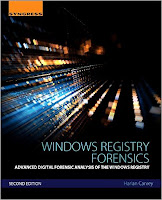 Book
Book
Speaking of RegRipper plugins, just a reminder that the newly published Windows Registry Forensics 2e not only includes descriptions of a number of current plugins, but also includes an entire chapter devoted just to RegRipper, covering topics such as how to use it, and how to write your own plugins.
Timeline Analysis
The book also covers, starting on page 53 (of the softcover edition), tools that I use to incorporate Registry information into timeline analysis. I've used to this methodology to considerable effect over the years, including very recently to locate a novel WMI persistence technique, which another analyst was able to completely unravel.
Mimikatz
For those who may not be aware, mimikatz includes the capability to clear the Event Log, as well as reportedly stop the Event Service from generating new events.
Okay, so someone can apparently stop the Windows Event Log service from generating event records, and then steal your credentials. If nothing else, this really illustrates the need for process creation monitoring on endpoints.
Addendum, 14 Apr: I did some testing last night, and found that when using the mimikatz functionality to clear the Windows Event Log, a Microsoft-Windows-EventLog/1102 event is generated. Unfortunately, when I tried the "event::drop" functionality, I got an error.
Something else to keep in mind is that this isn't the only way that adversaries can be observed interacting with the Windows Event Log. Not only are native tools (wevtutil.exe, PowerShell, WMI) available, but MS provides LogParser for free.
Ghost in the (Power)Shell
The folks at Carbon Black recently posted an article regarding the use of Powershell in attacks. As I read through the article, I wasn't abundantly clear on what was meant by the adversary attempting to "cloak" attacks by using PowerShell, but due in part to the statistics shared in the article, it does give a view into how PowerShell is being used in some environments. I'm going to guess that because many organizations still aren't using any sort of process creation monitoring, nor are many logging the use of Powershell, this is how the use of Powershell would be considered "cloaked".
Be sure to take a look at the United Threat Research report described in the Cb article, as well.
I ran across this corporate blog post regarding the Ramdo click-fraud malware recently, and one particular statement caught my eye, namely:
Documented by Microsoft in 2014, Ramdo continues to evolve to evade host-based and network-based detection.
I thought, hold on a second...if this was documented in April 2014 (2 yrs ago), what about it makes host-based detection so difficult? I decided to take a look at what some of the AV sites were saying about the malware. After all, the MSRT link indicates that the malware writes it's configuration information to a couple of Registry values, and the Win32/Ramdo.A write-up provides even more information along these lines.
I updated the RegRipper malware.pl plugin with checks for the various values identified by several sources, but because I have limited data for testing, I don't feel comfortable that this new version of the plugin is ready for release.
 Book
BookSpeaking of RegRipper plugins, just a reminder that the newly published Windows Registry Forensics 2e not only includes descriptions of a number of current plugins, but also includes an entire chapter devoted just to RegRipper, covering topics such as how to use it, and how to write your own plugins.
Timeline Analysis
The book also covers, starting on page 53 (of the softcover edition), tools that I use to incorporate Registry information into timeline analysis. I've used to this methodology to considerable effect over the years, including very recently to locate a novel WMI persistence technique, which another analyst was able to completely unravel.
Mimikatz
For those who may not be aware, mimikatz includes the capability to clear the Event Log, as well as reportedly stop the Event Service from generating new events.
Okay, so someone can apparently stop the Windows Event Log service from generating event records, and then steal your credentials. If nothing else, this really illustrates the need for process creation monitoring on endpoints.
Addendum, 14 Apr: I did some testing last night, and found that when using the mimikatz functionality to clear the Windows Event Log, a Microsoft-Windows-EventLog/1102 event is generated. Unfortunately, when I tried the "event::drop" functionality, I got an error.
Something else to keep in mind is that this isn't the only way that adversaries can be observed interacting with the Windows Event Log. Not only are native tools (wevtutil.exe, PowerShell, WMI) available, but MS provides LogParser for free.
Ghost in the (Power)Shell
The folks at Carbon Black recently posted an article regarding the use of Powershell in attacks. As I read through the article, I wasn't abundantly clear on what was meant by the adversary attempting to "cloak" attacks by using PowerShell, but due in part to the statistics shared in the article, it does give a view into how PowerShell is being used in some environments. I'm going to guess that because many organizations still aren't using any sort of process creation monitoring, nor are many logging the use of Powershell, this is how the use of Powershell would be considered "cloaked".
Be sure to take a look at the United Threat Research report described in the Cb article, as well.
Tuesday, April 05, 2016
Cool Stuff, re: WMI Persistence
In case you missed it, the blog post titled, "A Novel WMI Persistence Implementation" was posted to the Dell SecureWorks web site recently. In short, this blog post presented the results of several SecureWorks team members working together and bringing technical expertise to bear in order to run an issue of an unusual persistence mechanism to ground. The specifics of the issue are covered thoroughly in the blog post.
What was found was a novel WMI persistence mechanism that appeared to have been employed to avoid not just detection by those who administered the infected system, but also by forensic analysts. In short, the persistence mechanism used was a variation on what was discussed during a MIRCon 2014 presentation; you'll see what I mean you compare figure 1 from the blog post to slide 45 of the presentation.
After the blog post was published and SecureWorks marketing had tweeted about the blog post, they saw that Matt Graeber had tweeted a request for additional information. The ensuing exchange included Matt providing a command line for parsing embedded text from a binary MOF file:
mofcomp.exe -MOF:recovered.mof -MFL:ms_409.mof -Amendment:MS_409 binarymof.tmp
What this command does is go into the binary MOF file (binarymof.tmp), and attempt to extract the text that it was created from, essentially "decompiling" it, and placing that text into the file "recovered.mof".
It was no accident that Matt was asking about this; here is Matt's BlackHat 2015 paper, and his presentation.
What was found was a novel WMI persistence mechanism that appeared to have been employed to avoid not just detection by those who administered the infected system, but also by forensic analysts. In short, the persistence mechanism used was a variation on what was discussed during a MIRCon 2014 presentation; you'll see what I mean you compare figure 1 from the blog post to slide 45 of the presentation.
After the blog post was published and SecureWorks marketing had tweeted about the blog post, they saw that Matt Graeber had tweeted a request for additional information. The ensuing exchange included Matt providing a command line for parsing embedded text from a binary MOF file:
mofcomp.exe -MOF:recovered.mof -MFL:ms_409.mof -Amendment:MS_409 binarymof.tmp
What this command does is go into the binary MOF file (binarymof.tmp), and attempt to extract the text that it was created from, essentially "decompiling" it, and placing that text into the file "recovered.mof".
It was no accident that Matt was asking about this; here is Matt's BlackHat 2015 paper, and his presentation.
Windows Registry Forensics, 2E
 Okay, the book is out! At last! This is the second edition to Windows Registry Forensics, and this one comes with a good bit of new material.
 Chapter 1 lays out what I see as the core concepts of analysis, in general, as well as providing a foundational understanding of the Registry itself, from a binary perspective. I know that there are some who likely feel that they've seen all of this before, but I tend to use this information all the time.
Chapter 2 is again about tools. I only cover available free and open-source tools that run on Windows systems, for the simple fact that I do not have access to the commercial tools. Some of the old tools are still applicable, there are new tools available, and some tools are now under license, and in some cases, the strict terms of the license prevent me from including them in the book. Hopefully, chapter 1 laid the foundation for analysts to be able to make educated decisions as to which tool(s) they prefer to use.
Chapters 3 and 4 remain the same in their focus as with the first edition, but the content of the chapters has changed, and in a lot of aspects, been updated.
Chapter 5 is my answer to anyone who has looked or is looking for a manual on how to use RegRipper. I get that most folks download the tool and run it as it, but for my own use, I do not use the GUI. At all. Ever. I use rip.exe from the command line, exclusively. But I also want folks to know that there are more targeted (and perhaps efficient) ways to use RegRipper to your advantage. I also include information regarding how you can write your own plugins, but as always, if you don't feel comfortable doing so, please consider reaching to me, as I'm more that happy to help with a plugin. It's pretty easy to write a plugin if you can (a) concisely describe what you're looking for, and (b) provide sample data.
Now, I know folks are going to ask about specific content, and that usually comes as the question, "do you talk about Windows 10?" My response to that it to ask specifically what they're referring to, and very often, there's no response to that question. The purpose of this book is not to provide a list of all possible Registry keys and values of interest or value, for all possible investigations, and for all possible combinations of Windows versions and applications. That's simply not something that can be achieved. The purpose of this book is to provide an understanding of the value and context of the Windows Registry, that can be applied to a number of investigations.
Thoughts on Writing Books
There's no doubt about it, writing a book is hard. For the most part, actually writing the book is easy, once you get started. Sometimes it's the "getting started" that can be hard. I find that I'll go through phases where I'll be writing furiously, and when I really need to stop (for sleep, life, etc.), I'll take a few minutes to jot down some notes on where I wanted to go with a thought.
While I have done this enough to find ways to make the process easier, there are still difficulties associated with writing a book. That's just the reality. It's easier now than it was the first time, and even the second time. I'm much better at the planning for writing a book, and can even provide advice to others on how to best go about it (and what to expect).
At this point, after having written the books that I have, I have to say that the single hardest part of writing books is not getting feedback from the community.
Take the first edition of Windows Registry Forensics, for example. I received questions such as, "...are you planning a second edition?", and when I asked for input on what that second edition should cover, I didn't get a response.
I think that from a 50,000 foot view, there's an expectation that things will be different in the next version of Windows, but the simple fact is that, when it comes to Registry forensics, the basic principles have remained the same through all available versions. Keys are still keys, deleted keys are still discovered the same way, values are still values, etc. From an application layer perspective, its inevitable that each new version of Windows would include something "new", with respect to the Registry. New keys, new values, etc. The same is true with new versions of applications, and that includes malware, as well. While the basic principles remain constant, stuff at the application layer changes, and it's very difficult to keep up without some sort of assistance.
Writing a book like this would be significantly easier if those within the community were to provide feedback and input, rather than waiting for the book to be published, and ask, "...did you talk about X?" Even so, I hope that folks find the book useful, and that some who have received their copy of the book find the time to write a review. Thanks.
Subscribe to:
Posts (Atom)