A question that I've been wrestling with lately is, for a DFIR analyst, what is the value of data? Perhaps more importantly, who decides the value of available data?
Is it the client, when they state what their goals, what they're looking for from the examination? Or is it the analyst who interprets both the goals and the data, applying the latter to the former?
Okay, let me take a step back...this isn't the only time I've wrestled with this question. In fact, if you look here, you'll see that this is a question that has popped up in this blog before. There have been instances over the past almost two decades of doing infosec work that I, and others, have tussled with the question, in one form or another. And I do think that this is an important question to turn to and discuss time and again, not specifically to seek an answer from one person, but for all of us to share our thoughts and hear what others have to say and offer to the discussion.
Now, back to the question...who determines the relative value of data during an examination? Let's take a simple example; a client has an image of an employee's laptop (running Windows 7 SP1), and they have a question that they would like answered. That question could be, "Is/was the system infected with malware?", or "...did the employee perform actions in violation of acceptable use policies?", or "...is there evidence that data (PII, PHI, PFI, etc.) had been exfiltrated from the system?" The analyst receives the image, and runs through their normal in-processing procedures, and at that point, they have a potential wealth of information available to them; Prefetch files, Registry data, autoruns entries, the contents of various files (hosts, OBJECTS.DATA, qmgr0.dat, etc.), Windows Event Log records, the hibernation file, etc.
Just to be clear...I'm not suggesting an answer to the question. Rather, I'm putting the question out there for discussion, because I firmly believe that it's important for us, as a profession, to return to this question on a regular basis. Whether we're analyzing individual images, or performing enterprise incident response, I tend to think that sometimes we can get caught up in the work itself, and every now and then it's a good idea to take a moment and do a level set.
Data Interpretation
An issue that I see analysts struggling with is the interpretation of the data that they have available. A specific example is what is referred to as the Shim Cache data. Here are a couple of resources that describe what this data is, as well as the value of this data:
Mandiant whitepaper, 2012
Mandiant Presentation, 2013
FireEye blog post, 2015
The issue I've seen analysts at all levels (new examiners, experienced analysts, professional DFIR instructors) struggling with is in the interpretation of this data; specifically, updates to clients (as well as reports of analysis provided to a court of law) will very often refer to the time stamp associated with the data as indicating the date of execution of the resource. I've seen reports and even heard analysts state that the time stamp associated with a particular entry indicates when that file was executed, even though there is considerable documentation readily available, online and through training courses, that states that this is, in fact, NOT the case.
Data interpretation is not simply an issue with this one artifact. Very often, we'll look at an artifact or indicator in isolation, outside and separate from its context with respect to other data "near" it in some manner. Doing so can be extremely detrimental, leading an analyst down the wrong road, down a rabbit hole and away from the real issue at hand.
GETALLTHETHINGS
The question then becomes, if we, as a community and a profession, do not have a solid grasp of the value and correct interpretation of the data that we do have available to us now, is it necessarily a good idea to continue adding even more data for which we may not have even a passing understanding?
Lately, there has been considerable discussion of shell items on Windows systems. Eric's discussed the topic on his BinForay blog, and David Cowen recently conducted a SANS webcast on the topic. Now, shell items are not a new topic at all...they've been discussed previously within the community, including within this blog (here, and here). Needless to say, it's been known within the DFIR community for some time that shell items are the building blocks (in part, or in whole) for a number of Windows artifacts, including (but not limited to) Windows shortcut/*.lnk files, Jump Lists, as well as a number of Registry values.
Now, I'm not suggesting that we stop discussing shell items; in fact, I'm suggesting the opposite, that perhaps we don't discuss this stuff nearly enough, as a community or profession.
Circling back to the original premise for this post, how valuable is ALL the data available from shell items? Yes, we know that when looking at a user's shellbag artifacts, we can potentially see a considerable number of time stamps associated with a particular entry...an MRU time, several DOSDATE time stamps, and maybe even an NTFS MFT sequence number. All, or most, of this can be available along with a string that provides the path to an accessed resource. Further, in many cases, this same information can be derived from other data sources that are comprised of shell items, such as Windows shortcut files (and by association, Jump Lists), not to mention a wide range of Registry values.
Many analysts have said that they want to see ALL of the available data, and make a decision as to its relative value. But at what point is ALL the data TOO MUCH data for an analyst? There has to be some point where the currently available data is not being interpreted correctly, and adding even more misunderstood/misinterpreted data is detrimental the analyst, to the case, and most importantly, to the client.
Reporting
Let's look at another example; a client comes to you with a Windows server system, says that the system appears to have been infected with ransomware a week prior, and wants to know the source of the infection; how did the ransomware get on the system in the first place? At this point, you have what the client's looking for, and you also have a time frame on which to focus your examination. During your analysis, you determine the initial infection vector (IIV) for the ransomware, which appeared to have been placed on the system by someone who'd subverted the system's remote access capability. However, during your examination, you also notice that 9 months prior to the ransomware infection, another bit of malware seemed to have infected the system, possibly due to a user's errant web surfing. And you also see that about 5 months prior to that, there were possible indications of yet another malware infection of some kind. However, having occurred over a year ago, the IIV and any impact of the infection is indeterminate.
The question is now, do you provide all of this to the client? If the client asked a specific question, do you potentially bury that answer in all of your findings? Perhaps more importantly, when you do share all of your findings with them, do you then bill them for the time it took to get to that point? What if the client comes back and says, "...we asked you to answer question A, which you did; however, you also answered several other questions that we didn't ask, and we don't feel that we should pay for the time it took to do that analysis, because we didn't ask for it."
If a client asks you a specific question, to determine the access vector of a ransomware infection, do you then proceed to locate and report all of the potential malware infections (generic Trojans, BHOs, ect.) you could find, as well as a list of vulnerable, out-of-date software packages?
Again, I'm not suggesting that any of what I've described is right or wrong; rather, I'm offering this up for discussion.
Monday, May 30, 2016


Wednesday, May 11, 2016
...back in the Old Corps...
I was digging through some boxes recently and ran across a bit of "ancient history"....
Ah, diskettes...anyone remember those? When I was in college, this was how we did networking. Sneakernet. Copy the file to the diskette, carry it over to another computer. Pretty reliable protocol.
I have (3) MS-DOS 6.0 diskettes, MS-DOS 6.22 setup diskettes, (8) diskettes for Windows-for-Workgroups 3.11, and (13) diskettes for Windows 95.
And yes, I still have a diskette drive, one that connects to a system via USB. I would be interesting to see if I could set up a VM in VirtualBox running any of these systems.
I guess the days of tweaking your autoexec.bat file are long gone. Sigh.
I did find some interesting sites when I went looking around the purport to provide VirtualBox images:
Kirsle.net (this site refers the reader to downloading the files at Kirsle.net)
Vintage VMs, 386Experience
I wish I still had my OS/2 Warp disks. I was in grad school when OS/2 Warp 3.0 came out, and I went up to Frye's Electronics in Sunnyvale, CA, and purchased a copy of OS/2 2.1, the box of which had a $15 off coupon for when you purchased version 3.0. I remember installing it, and running a script provided by one of the CS professors that would optimize the driver loading sequence so that the system booted and ran quicker. I really liked being able to have multiple windows open doing different things, and web browser that came with Warp was the first one where you could drag-n-drop images from the browser to the desktop.
Here's a little bit more history...Windows 95 Plus, and Windows NT 4.0 Workstation, along with a couple of copies of Office. I also have the CDs for Windows NT 4.0 Server, Windows 2003 Server, and I have (2) copies of Windows XP.
Oh, and hey...this just happened! I found a VM someone had uploaded of OS/2 Warp 4.52, and it worked right out of the box (no pun intended...well, maybe just a little...)
 |
| MS-DOS, WFW, Win95 diskettes |
I have (3) MS-DOS 6.0 diskettes, MS-DOS 6.22 setup diskettes, (8) diskettes for Windows-for-Workgroups 3.11, and (13) diskettes for Windows 95.
And yes, I still have a diskette drive, one that connects to a system via USB. I would be interesting to see if I could set up a VM in VirtualBox running any of these systems.
I guess the days of tweaking your autoexec.bat file are long gone. Sigh.
I did find some interesting sites when I went looking around the purport to provide VirtualBox images:
Kirsle.net (this site refers the reader to downloading the files at Kirsle.net)
Vintage VMs, 386Experience
I wish I still had my OS/2 Warp disks. I was in grad school when OS/2 Warp 3.0 came out, and I went up to Frye's Electronics in Sunnyvale, CA, and purchased a copy of OS/2 2.1, the box of which had a $15 off coupon for when you purchased version 3.0. I remember installing it, and running a script provided by one of the CS professors that would optimize the driver loading sequence so that the system booted and ran quicker. I really liked being able to have multiple windows open doing different things, and web browser that came with Warp was the first one where you could drag-n-drop images from the browser to the desktop.
 |
| Windows, Office on CD |
 |
| OS/2 Warp 4.52, running in VirtualBox |
Saturday, May 07, 2016
Accessing Historical Information During DF Work
There are a number of times when performing digital forensic analysis work that you may want access to historical information on the system. That is to say, you'd like to reach a bit further into the past history of the system beyond what's directly available within the image.
Modern Windows systems can contain hidden caches of historical information that can provide an analyst with additional visibility and insight into events that had previously occurred on a system. Knowing where those caches are and how to access them can make all the difference in your analysis, and knowing how to access them efficiently doesn't significantly impact your analysis.
System Restore Points
In the course of the analysis work I do, I still see Windows XP and 2003 system images; most often, they'll be images of Windows 2003 Server systems. Specifically when analyzing XP systems, I've been able to extract Registry hives from Restore Points and get a partial view of how the system "looked" in the past.
One specific example that comes to mind is that during timeline analysis, I found that a Registry key had been modified (i.e., via the key LastWrite time). Knowing that a number of events could lead to the key being modified, I found the most recent previous version of the hive in the Restore Points, and found that at that time, one of the values wasn't visible beneath the key. The most logical conclusion was then that the modification of the key LastWrite time was the result of the value (in this case, used for malware persistence) being written to the key.
The great thing is that Windows actually maintains an easily-parsed log of Restore Points that were created, which include the date, as well as the reason for the RP being created. Along with the reasons that Microsoft provides for RPs being created, these logs can provide some much-needed context to your analysis.
RegBack Folder
Beginning with Vista, a number of system processes that ran as services were moved over to Scheduled Tasks that were part of the default installation of Windows. The specific task is named "RegIdleBackup", is scheduled to run every 10 days, and creates backup copies of the hives in the system32\config folder, placing those copies in the system32\config\RegBack folder.
VSCs
The images I work with tend to be from corporations, and in a great many instances, Volume Shadow Copies are not enabled on the systems. Some of the systems virtual machines, others images taken from servers or employee laptops. However, every now and then I do find a system image with difference files available, and it is sometimes fruitful to investigate the extent to which historical information may be available.
Now, the Windows Forensic Analysis books have an entire chapter that details tools and methods that can be used to access VSCs, and I've used the information in those chapters time and time again. Like I mentioned in a previous post, one of the reasons I write the books is so that I have a reference; there are a number of analysis tasks I'll perform, the first step of which is to pull one of the books of my shelf. As an update to the information in the books, and many thanks to David Cowen for sharing this will me, I've used libvshadow to access VSC metadata and folders when other methods didn't work.
What can be found in a VSC is really pretty amazing...which is probably why a lot of threat actors and malware (ransomware) will disable and delete VSCs as part of their process.
Hibernation File
A while back, I was working on an issue where we knew a system had been infected with a remote access Trojan (RAT). What initially got our client's attention was network alerts illustrating that the RAT was "phoning home" from this system. Once we received an image of the system, we found very little to indicate the presence of the RAT on the system.
However, the system was a laptop, and the image contained a hibernation file. Our analysis, along with the network alerts, provided us with an indication of when the RAT had been installed on the system, and the hibernation file had been created after that time, but before the system had been imaged. Using Volatility, we were able to not just see that the RAT had been running on the system; we were able to get the start time of the process, extract a copy of the RAT's executable image from memory, locate the persistence mechanism in the System hive extracted from memory, etc.
Remember, the hibernation file is a snapshot of the running system at a point in time, much like a photograph that your mom took of you on your first day of school. It's frozen in time, and can contain an incredible wealth of information, such as running processes, executable images, Registry keys/values, etc. If the hibernation file was last modified during the window of compromise, or anywhere within the time frame of the incident you're investigating, you may very well find some extremely valuable information to help add context to your examination.
 Windows.Old Folder
Not long ago, I went ahead and updated my personal laptop from Windows 7 to Windows 10. Once the update was complete, I ended up with a folder named "Windows.old". As I ran through the subfolders, reviewing the files available within each, I found that I had Registry hives (in the system32\config folder, RegBack folder, and user folders), Windows Event Log files, a recentfilecache.bcf file, etc. There was a veritable treasure trove of historical information about the system just sitting there, and the great thing was that it was all from Windows 7! Whenever I come out with a new book, the first question people ask is, "...does it cover Windows? " Well, if that's a concern, when you find a Windows.Old folder, it's a previous version of Windows, so everything you knew about Windows still applies.
Deleted Keys/Values
Another area of analysis that I've found useful time and time again is to look within the unallocated space of Registry hive files themselves for deleted keys and values. Much like a deleted file or record of some kind, keys and values deleted from the Registry will persist within the unallocated space within the hive file itself until that space is reclaimed and the information is overwritten.
Want to find out more about this subject? Check out this book...seriously. It covers what happens when keys and values are deleted, where they go, and tools you can use to recover them.
Modern Windows systems can contain hidden caches of historical information that can provide an analyst with additional visibility and insight into events that had previously occurred on a system. Knowing where those caches are and how to access them can make all the difference in your analysis, and knowing how to access them efficiently doesn't significantly impact your analysis.
System Restore Points
In the course of the analysis work I do, I still see Windows XP and 2003 system images; most often, they'll be images of Windows 2003 Server systems. Specifically when analyzing XP systems, I've been able to extract Registry hives from Restore Points and get a partial view of how the system "looked" in the past.
One specific example that comes to mind is that during timeline analysis, I found that a Registry key had been modified (i.e., via the key LastWrite time). Knowing that a number of events could lead to the key being modified, I found the most recent previous version of the hive in the Restore Points, and found that at that time, one of the values wasn't visible beneath the key. The most logical conclusion was then that the modification of the key LastWrite time was the result of the value (in this case, used for malware persistence) being written to the key.
The great thing is that Windows actually maintains an easily-parsed log of Restore Points that were created, which include the date, as well as the reason for the RP being created. Along with the reasons that Microsoft provides for RPs being created, these logs can provide some much-needed context to your analysis.
RegBack Folder
Beginning with Vista, a number of system processes that ran as services were moved over to Scheduled Tasks that were part of the default installation of Windows. The specific task is named "RegIdleBackup", is scheduled to run every 10 days, and creates backup copies of the hives in the system32\config folder, placing those copies in the system32\config\RegBack folder.
VSCs
The images I work with tend to be from corporations, and in a great many instances, Volume Shadow Copies are not enabled on the systems. Some of the systems virtual machines, others images taken from servers or employee laptops. However, every now and then I do find a system image with difference files available, and it is sometimes fruitful to investigate the extent to which historical information may be available.
Now, the Windows Forensic Analysis books have an entire chapter that details tools and methods that can be used to access VSCs, and I've used the information in those chapters time and time again. Like I mentioned in a previous post, one of the reasons I write the books is so that I have a reference; there are a number of analysis tasks I'll perform, the first step of which is to pull one of the books of my shelf. As an update to the information in the books, and many thanks to David Cowen for sharing this will me, I've used libvshadow to access VSC metadata and folders when other methods didn't work.
What can be found in a VSC is really pretty amazing...which is probably why a lot of threat actors and malware (ransomware) will disable and delete VSCs as part of their process.
Hibernation File
A while back, I was working on an issue where we knew a system had been infected with a remote access Trojan (RAT). What initially got our client's attention was network alerts illustrating that the RAT was "phoning home" from this system. Once we received an image of the system, we found very little to indicate the presence of the RAT on the system.
However, the system was a laptop, and the image contained a hibernation file. Our analysis, along with the network alerts, provided us with an indication of when the RAT had been installed on the system, and the hibernation file had been created after that time, but before the system had been imaged. Using Volatility, we were able to not just see that the RAT had been running on the system; we were able to get the start time of the process, extract a copy of the RAT's executable image from memory, locate the persistence mechanism in the System hive extracted from memory, etc.
Remember, the hibernation file is a snapshot of the running system at a point in time, much like a photograph that your mom took of you on your first day of school. It's frozen in time, and can contain an incredible wealth of information, such as running processes, executable images, Registry keys/values, etc. If the hibernation file was last modified during the window of compromise, or anywhere within the time frame of the incident you're investigating, you may very well find some extremely valuable information to help add context to your examination.
Not long ago, I went ahead and updated my personal laptop from Windows 7 to Windows 10. Once the update was complete, I ended up with a folder named "Windows.old". As I ran through the subfolders, reviewing the files available within each, I found that I had Registry hives (in the system32\config folder, RegBack folder, and user folders), Windows Event Log files, a recentfilecache.bcf file, etc. There was a veritable treasure trove of historical information about the system just sitting there, and the great thing was that it was all from Windows 7! Whenever I come out with a new book, the first question people ask is, "...does it cover Windows
Deleted Keys/Values
Another area of analysis that I've found useful time and time again is to look within the unallocated space of Registry hive files themselves for deleted keys and values. Much like a deleted file or record of some kind, keys and values deleted from the Registry will persist within the unallocated space within the hive file itself until that space is reclaimed and the information is overwritten.
Want to find out more about this subject? Check out this book...seriously. It covers what happens when keys and values are deleted, where they go, and tools you can use to recover them.
Wednesday, May 04, 2016
Updates
RegRipper Plugins
I don't often get requests on Github for modifications to RegRipper, but I got one recently that was very interesting. Duckexmachina said that they'd run log2timeline and found entries in one ControlSet within the System hive that wasn't in the one marked as "current", and as a result, those entries were not listed by the appcompatcache.pl plugin.
As such, as a test, I wrote shimcache.pl, which accesses all available ControlSets within the System hive, and displays the entries listed. In the limited testing I've done with the new plugin, I haven't yet found differences in the AppCompatCache entries in the available ControlSets; in the few System hives that I have available for testing, the LastWrite times for the keys in the available ControlSets have been identical.
As you can see in the below timeline excerpt, the AppCompatCache keys in both ControlSets appear to be written at shutdown:
Tue Mar 22 04:02:49 2016 Z
FILE - .A.. [107479040] C:\Windows\System32\config\SOFTWARE
FILE - .A.. [262144] C:\Windows\ServiceProfiles\NetworkService\NTUSER.DAT
FILE - .A.. [262144] C:\Windows\System32\config\SECURITY
FILE - .A.. [262144] C:\Windows\ServiceProfiles\LocalService\NTUSER.DAT
FILE - .A.. [18087936] C:\System Volume Information\Syscache.hve
REG - M... HKLM/System/ControlSet002/Control/Session Manager/AppCompatCache
REG - M... HKLM/System/ControlSet001/Control/Session Manager/AppCompatCache
FILE - .A.. [262144] C:\Windows\System32\config\SAM
FILE - .A.. [14942208] C:\Windows\System32\config\SYSTEM
Now there may be instances where this is not the case, but for the most part, what you see in the above timeline excerpt is what I tend to see in the recent timelines I've created.
I'll go ahead and leave the shimcache.pl plugin as part of the distribution, and see how folks use it. I'm not sure that adding the capability of parsing all available ControlSets is something that is necessary or even useful for all plugins that parse the System hive. If I need to see something from a historical perspective within the System hive, I'll either go to the RegBack folder and extract the copy of the hive stored there, or access any Volume Shadow Copies that may be available.
Tools
MS has updated their Sysmon tool to version 4.0. There's also this great presentation from Mark Russinovich that discusses how the tool can be used in an infrastructure. It's well worth the time to go through it.
Books
A quick update to my last blog post about writing books...every now and then (and it's not very often), when someone asks if a book is going to address "what's new" in an operating system, I'll find someone who will actually be able to add some detail to the request. For example, the question may be about new functionality to the operating system, such as Cortana, Continuum, new browsers (Edge, Spartan), new search functionality, etc., and the artifacts left on the system and in the Registry through their use.
These are all great questions, but something that isn't readily apparent to most folks is that I'm not a testing facility or company. I'm one guy. I do not have access to devices such as a Windows phone, a Surface device, etc. I'm writing this blog post using a Dell Latitude E6510...I don't have a touch screen device available to test functionality such as...well...the touch screen, a digital assistant, etc. I don't have access to a Windows phone.
RegRipper is open source and free. As some are aware, I end up giving a lot of the new books away. I don't have access to a device that runs Windows 10 and has a touch screen, or can run Cortana. I don't have access to MSDN to download and test new versions of Windows, MSOffice, etc.
Would I like to include those sorts of artifacts as part of RegRipper, or in a book? Yes, I would...I think it would be really cool. But instead of asking, "...does it cover...", ask yourself instead, "what am I willing to contribute?" It could be devices for testing, or the data extracted from said devices, along with a description of the testing performed, etc. I do what I can with the resources I have available, folks.
Analysis
I was pointed to this site recently, which begins a discussion of a technique for finding unknown malware on Windows systems. The page is described as "part 1 of 5", and after reading through it, while I think that it's a good idea to have things like this available to DFIR analysts, I don't agree with the process itself.
Here's why...I don't agree that long-running processes (hash computation/comparison, carving unallocated space, AV scans, etc.) are the first things that should be done when kicking off analysis. There is plenty of analysis that can be conducted in parallel while those processes are running, and the necessary data for that analysis should be extracted first.
Analysis should start with identified, discrete goals. After all, imaging and analyzing a system can be an expensive (in terms of time, money, staffing resources, etc.) process, so you want to have a reason for going down this road. Find all the bad stuff is not a goal; what constitutes bad in the context of the environment in which the system exists? Is the user a pen tester, or do they find vulnerabilities and write exploits? If so, bad takes on an entirely new context. When tasked with finding unknown malware, the first question should be, what leads us to believe that this system has malware on it? I mean, honestly, when a sysadmin or IT director walks into their office in the morning, do they have a listing of systems on the wall and just throw a dart at it, and whichever system the dart lands on suddenly has malware on it? No, that's not the case at all...there's usually something (unusual activity, process performance degradation, etc.) that leads someone to believe that there's malware on a system. And usually when these things are noticed, they're noticed at a particular time. Getting that information can help narrow down the search, and as such should be documented before kicking off analysis.
Once the analysis goals are documented, we have to remember that malware must execute in order to do damage. Well, that is...in most cases. As such, what we'd initially want to focus on is artifacts of process execution, and from there look for artifacts of malware on the system.
Something I discussed with another analyst recently is that I love analyzing Windows systems because the OS itself will very often record artifacts as the malware interacts with it's ecosystem. Some malware creates files and Registry keys/values, and this functionality can be found within the code of the malware itself. However, as some malware executes, there are events that may be recorded by the operating system that are not part of the malware code. It's like dropping a rock in a pond...there's nothing about the rock, in and of itself, that requires that ripples be produced; rather, this is something that the pond does as a reaction to the rock interacting with it. The same can very often be true with Windows systems and malware (or a dedicated adversary).
That being said, I'll look forward to reading the remaining four blog posts in the series.
I don't often get requests on Github for modifications to RegRipper, but I got one recently that was very interesting. Duckexmachina said that they'd run log2timeline and found entries in one ControlSet within the System hive that wasn't in the one marked as "current", and as a result, those entries were not listed by the appcompatcache.pl plugin.
As such, as a test, I wrote shimcache.pl, which accesses all available ControlSets within the System hive, and displays the entries listed. In the limited testing I've done with the new plugin, I haven't yet found differences in the AppCompatCache entries in the available ControlSets; in the few System hives that I have available for testing, the LastWrite times for the keys in the available ControlSets have been identical.
As you can see in the below timeline excerpt, the AppCompatCache keys in both ControlSets appear to be written at shutdown:
Tue Mar 22 04:02:49 2016 Z
FILE - .A.. [107479040] C:\Windows\System32\config\SOFTWARE
FILE - .A.. [262144] C:\Windows\ServiceProfiles\NetworkService\NTUSER.DAT
FILE - .A.. [262144] C:\Windows\System32\config\SECURITY
FILE - .A.. [262144] C:\Windows\ServiceProfiles\LocalService\NTUSER.DAT
FILE - .A.. [18087936] C:\System Volume Information\Syscache.hve
REG - M... HKLM/System/ControlSet002/Control/Session Manager/AppCompatCache
REG - M... HKLM/System/ControlSet001/Control/Session Manager/AppCompatCache
FILE - .A.. [262144] C:\Windows\System32\config\SAM
FILE - .A.. [14942208] C:\Windows\System32\config\SYSTEM
Now there may be instances where this is not the case, but for the most part, what you see in the above timeline excerpt is what I tend to see in the recent timelines I've created.
I'll go ahead and leave the shimcache.pl plugin as part of the distribution, and see how folks use it. I'm not sure that adding the capability of parsing all available ControlSets is something that is necessary or even useful for all plugins that parse the System hive. If I need to see something from a historical perspective within the System hive, I'll either go to the RegBack folder and extract the copy of the hive stored there, or access any Volume Shadow Copies that may be available.
Tools
MS has updated their Sysmon tool to version 4.0. There's also this great presentation from Mark Russinovich that discusses how the tool can be used in an infrastructure. It's well worth the time to go through it.
Books
A quick update to my last blog post about writing books...every now and then (and it's not very often), when someone asks if a book is going to address "what's new" in an operating system, I'll find someone who will actually be able to add some detail to the request. For example, the question may be about new functionality to the operating system, such as Cortana, Continuum, new browsers (Edge, Spartan), new search functionality, etc., and the artifacts left on the system and in the Registry through their use.
These are all great questions, but something that isn't readily apparent to most folks is that I'm not a testing facility or company. I'm one guy. I do not have access to devices such as a Windows phone, a Surface device, etc. I'm writing this blog post using a Dell Latitude E6510...I don't have a touch screen device available to test functionality such as...well...the touch screen, a digital assistant, etc. I don't have access to a Windows phone.
RegRipper is open source and free. As some are aware, I end up giving a lot of the new books away. I don't have access to a device that runs Windows 10 and has a touch screen, or can run Cortana. I don't have access to MSDN to download and test new versions of Windows, MSOffice, etc.
Would I like to include those sorts of artifacts as part of RegRipper, or in a book? Yes, I would...I think it would be really cool. But instead of asking, "...does it cover...", ask yourself instead, "what am I willing to contribute?" It could be devices for testing, or the data extracted from said devices, along with a description of the testing performed, etc. I do what I can with the resources I have available, folks.
Analysis
I was pointed to this site recently, which begins a discussion of a technique for finding unknown malware on Windows systems. The page is described as "part 1 of 5", and after reading through it, while I think that it's a good idea to have things like this available to DFIR analysts, I don't agree with the process itself.
Here's why...I don't agree that long-running processes (hash computation/comparison, carving unallocated space, AV scans, etc.) are the first things that should be done when kicking off analysis. There is plenty of analysis that can be conducted in parallel while those processes are running, and the necessary data for that analysis should be extracted first.
Analysis should start with identified, discrete goals. After all, imaging and analyzing a system can be an expensive (in terms of time, money, staffing resources, etc.) process, so you want to have a reason for going down this road. Find all the bad stuff is not a goal; what constitutes bad in the context of the environment in which the system exists? Is the user a pen tester, or do they find vulnerabilities and write exploits? If so, bad takes on an entirely new context. When tasked with finding unknown malware, the first question should be, what leads us to believe that this system has malware on it? I mean, honestly, when a sysadmin or IT director walks into their office in the morning, do they have a listing of systems on the wall and just throw a dart at it, and whichever system the dart lands on suddenly has malware on it? No, that's not the case at all...there's usually something (unusual activity, process performance degradation, etc.) that leads someone to believe that there's malware on a system. And usually when these things are noticed, they're noticed at a particular time. Getting that information can help narrow down the search, and as such should be documented before kicking off analysis.
Once the analysis goals are documented, we have to remember that malware must execute in order to do damage. Well, that is...in most cases. As such, what we'd initially want to focus on is artifacts of process execution, and from there look for artifacts of malware on the system.
Something I discussed with another analyst recently is that I love analyzing Windows systems because the OS itself will very often record artifacts as the malware interacts with it's ecosystem. Some malware creates files and Registry keys/values, and this functionality can be found within the code of the malware itself. However, as some malware executes, there are events that may be recorded by the operating system that are not part of the malware code. It's like dropping a rock in a pond...there's nothing about the rock, in and of itself, that requires that ripples be produced; rather, this is something that the pond does as a reaction to the rock interacting with it. The same can very often be true with Windows systems and malware (or a dedicated adversary).
That being said, I'll look forward to reading the remaining four blog posts in the series.
Monday, May 02, 2016
Thoughts on Books and Book Writing

Here's my take on what the book covers...not a review, just a description of the book itself for those who may have questions.
Does it cover ... ?
One question I get every time a book is released is, "Does it cover changes to
What I try to do with the books is address an analysis process, and perhaps show different ways that Registry data can be incorporated into the overall analysis plan. Here's a really good example of how incorporating Registry data into an analysis process worked out FTW. But that's just one, and a recent one...the book is full of other examples of how I've incorporated Registry data into an examination, and how doing so has been extremely valuable.
One of the things I wanted to do with this book was not just talk about how I have used Registry data in my analysis, but illustrate how others have done so, as well. As such, I set up a contest, asking people to send me short write-ups regarding how they've used Registry analysis in their case work. I thought it would be great to get different perspectives, and illustrate how others across the industry were doing this sort of work. I got a single submission.
My point is simply this...there really is not suitable forum (online, book, etc.) or means by which to address every change that can occur in the Registry. I'm not just talking about between versions of Windows...sometimes, it's simply the passage of time that leads to some change creeping into the operating system. For example, take this blog post that's less than a year old...Yogesh found that a value beneath a Registry key that contains the SSID of a wireless network. With the operating system alone, there will be changes along the way, possibly a great many. Add to that applications, and you'll get a whole new level of expansion...so how would that be maintained? As a list? Where would it be maintained?
As such, what I've tried to do in the book is share some thoughts on artifact categories and the analysis process, in hopes that the analysis process itself would cast a wide enough net to pick up things that may have changed between versions of Windows, or simply not been discussed (or not discussed at great length) previously.
Book Writing
Sometimes, I think about why I write books; what's my reason or motivation for writing the books that I write? I ask this question of myself, usually when starting a new book, or following a break after finishing a book.
I guess the biggest reason is that when I first started looking around for resources the covered DFIR work and topics specific to Windows systems, there really weren't any...at least, not any that I wanted to use/own. Some of those that were available were very general, and with few exceptions, you could replace "Windows" with "Linux" and have the same book. As such, I set out to write a book that I wanted to use, something I would refer to...and specifically with respect to the Windows Registry Forensics books, I still do. In fact, almost everything that remained the same between the two editions did so because I still use it, and find it to be extremely valuable reference material.
So, while I wish that those interested in something particular in a book, like covering "changes to the Registry in
Thursday, April 14, 2016
Training Philosophy

Specifically with respect to DFIR, there are training courses available that you can attend, and it doesn't take a great deal of effort to find many of these courses. You attend the training, sit in a classroom, listen to lecture and run through lab exercises. All of this is great, and a great way to learn something that is perhaps completely new to you, or simply a new way of performing a task. But what happens beyond that? What happens beyond what's presented, beyond the classroom? Do analysts take responsibility for their education, incorporating what they learned into their day-to-day job and then going beyond what's presented in a formal setting? Do they explore new data sources, tools, and processes? Or do they sign up again for the course the following year in order to get new information?
When I was on the IBM ISS ERS team, we had a team member tell us that they could only learn something if they were sitting in a classroom, and someone was teaching them the subject. On the surface, we were like, "wait...what?" After all, do you really want an employee and a fellow team member who states that they can't learn anything new without being taught, in a classroom? However, if you look beyond the visceral surface reaction to that statement, what they were saying was, they have too much going on operationally to take the time out to start from square 1 to learn something. The business model behind their position requires them to be as billable as possible, which ends up meaning that out of their business day, they don't have a great deal of time available for things like non-billable professional development. Taking them out of operational rotation, and putting them in a classroom environment where they weren't responsible for analysis, reporting, submitting travel claims, sending updates, and other billable commitments, would give them the opportunity to learn something new. But what was important, following the training, is what they did with it. Was that training away from the daily grind of analysis, expense reports and conference calls used as the basis for developing new skills, or was the end of the training the end of learning?
Learning New Skills

Jump ahead about 13 years, and my linear algebra professor during my graduate studies had the same philosophy. Where most professors would give a project and the students would struggle for the rest of the week to "get" the core part of the project, this professor would provide us with the core bit of code (we were using MatLab) to the exercise or lab, and our "project" was to learn. Of course, some did the minimum and moved on, and others would really push the boundaries of the subject. I remember one such project were I spent a lot of time observing not just the effect of the code on different shaped matrices, but also the effect of running the output back into the code.
So now, in my professional life, I still seek to learn new things, and employ what I learn in an exploratory manner. What happens when I do this new thing? Or, what happens if I take this one thing that I learned, and share it with someone else? When I learn something new, I like to try it out and see how to best employ it as part of my analysis process, even if it means changing what I do, rather than simply adding to it. As part of that, when someone mentions a tool, I don't wait for them to explain every possible use of the tool to me. After all, particularly if we're talking about the use of native Windows tool, I can very often go look for myself.
So you wanna learn...
If you're interested in trying your skills out on some available data, Mari recently shared this MindMap of forensic challenges with me. This one resource provides links to all sorts of challenges, and scenarios with data available for analysts to test their skills, try out new tools, or simply dust off some old techniques. The available data covers disk, memory, pcap analysis, and more.
This means that if an analyst wants to learn more about a tool or process, there is data available that they can use to develop their knowledge base, and add to their skillz. So, if someone talks about a tool or process, there's nothing to stop you from taking responsibility for your own education, downloading the data and employing the tool/process on your own.
Manager's Responsibility
When I was a 2ndLt, I learned that one of my responsibilities as a platoon commander was to ensure that my Marines were properly trained, and I learned that there were two aspects to that. The first was to ensure that they received the necessary training, be it formal, schoolhouse instruction, via an MCI correspondence course, or some other method. The second was to ensure that once trained, the Marine employed the training. After all, what good is it to send someone off to learn something new, only to have them return to the operational cycle and simply go back to what they were doing before they left? I mean, you could have achieved the same thing by letting them go on vacation for a week, and saved yourself the money spent on the training, right?
Now, admittedly, the military is great about training you to do something, and then ensuring that you then have opportunity to employ that new skill. In the private sector, particularly with DFIR training, things are often...not that way.
The Point
So, the point of all this is simple...for me, learning is a matter of doing. I'm sure that this is the case for others, as well. Someone can point to a tool or process, and give general thoughts on how it can be used, or even provide examples of how they've used it. However, for me to really learn more about the topic, I need to actually do something.
The exception to this is understanding the decision to use the tool or process. For example, what led an analyst to decide to run, say, plaso against an image, rather than extract specific data sources, in order to create and analyze a timeline while running an AV scan? What leads an analyst to decide to use a specific process or to look at specific data sources, while not looking at others? That's something that you can only get by engaging with someone and asking questions...but asking those questions is also taking responsibility for your own education.
Tuesday, April 12, 2016
Links
Ramdo
I ran across this corporate blog post regarding the Ramdo click-fraud malware recently, and one particular statement caught my eye, namely:
Documented by Microsoft in 2014, Ramdo continues to evolve to evade host-based and network-based detection.
I thought, hold on a second...if this was documented in April 2014 (2 yrs ago), what about it makes host-based detection so difficult? I decided to take a look at what some of the AV sites were saying about the malware. After all, the MSRT link indicates that the malware writes it's configuration information to a couple of Registry values, and the Win32/Ramdo.A write-up provides even more information along these lines.
I updated the RegRipper malware.pl plugin with checks for the various values identified by several sources, but because I have limited data for testing, I don't feel comfortable that this new version of the plugin is ready for release.
 Book
Book
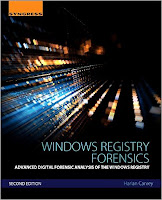
Speaking of RegRipper plugins, just a reminder that the newly published Windows Registry Forensics 2e not only includes descriptions of a number of current plugins, but also includes an entire chapter devoted just to RegRipper, covering topics such as how to use it, and how to write your own plugins.
Timeline Analysis
The book also covers, starting on page 53 (of the softcover edition), tools that I use to incorporate Registry information into timeline analysis. I've used to this methodology to considerable effect over the years, including very recently to locate a novel WMI persistence technique, which another analyst was able to completely unravel.
Mimikatz
For those who may not be aware, mimikatz includes the capability to clear the Event Log, as well as reportedly stop the Event Service from generating new events.
Okay, so someone can apparently stop the Windows Event Log service from generating event records, and then steal your credentials. If nothing else, this really illustrates the need for process creation monitoring on endpoints.
Addendum, 14 Apr: I did some testing last night, and found that when using the mimikatz functionality to clear the Windows Event Log, a Microsoft-Windows-EventLog/1102 event is generated. Unfortunately, when I tried the "event::drop" functionality, I got an error.
Something else to keep in mind is that this isn't the only way that adversaries can be observed interacting with the Windows Event Log. Not only are native tools (wevtutil.exe, PowerShell, WMI) available, but MS provides LogParser for free.
Ghost in the (Power)Shell
The folks at Carbon Black recently posted an article regarding the use of Powershell in attacks. As I read through the article, I wasn't abundantly clear on what was meant by the adversary attempting to "cloak" attacks by using PowerShell, but due in part to the statistics shared in the article, it does give a view into how PowerShell is being used in some environments. I'm going to guess that because many organizations still aren't using any sort of process creation monitoring, nor are many logging the use of Powershell, this is how the use of Powershell would be considered "cloaked".
Be sure to take a look at the United Threat Research report described in the Cb article, as well.
I ran across this corporate blog post regarding the Ramdo click-fraud malware recently, and one particular statement caught my eye, namely:
Documented by Microsoft in 2014, Ramdo continues to evolve to evade host-based and network-based detection.
I thought, hold on a second...if this was documented in April 2014 (2 yrs ago), what about it makes host-based detection so difficult? I decided to take a look at what some of the AV sites were saying about the malware. After all, the MSRT link indicates that the malware writes it's configuration information to a couple of Registry values, and the Win32/Ramdo.A write-up provides even more information along these lines.
I updated the RegRipper malware.pl plugin with checks for the various values identified by several sources, but because I have limited data for testing, I don't feel comfortable that this new version of the plugin is ready for release.
 Book
BookSpeaking of RegRipper plugins, just a reminder that the newly published Windows Registry Forensics 2e not only includes descriptions of a number of current plugins, but also includes an entire chapter devoted just to RegRipper, covering topics such as how to use it, and how to write your own plugins.
Timeline Analysis
The book also covers, starting on page 53 (of the softcover edition), tools that I use to incorporate Registry information into timeline analysis. I've used to this methodology to considerable effect over the years, including very recently to locate a novel WMI persistence technique, which another analyst was able to completely unravel.
Mimikatz
For those who may not be aware, mimikatz includes the capability to clear the Event Log, as well as reportedly stop the Event Service from generating new events.
Okay, so someone can apparently stop the Windows Event Log service from generating event records, and then steal your credentials. If nothing else, this really illustrates the need for process creation monitoring on endpoints.
Addendum, 14 Apr: I did some testing last night, and found that when using the mimikatz functionality to clear the Windows Event Log, a Microsoft-Windows-EventLog/1102 event is generated. Unfortunately, when I tried the "event::drop" functionality, I got an error.
Something else to keep in mind is that this isn't the only way that adversaries can be observed interacting with the Windows Event Log. Not only are native tools (wevtutil.exe, PowerShell, WMI) available, but MS provides LogParser for free.
Ghost in the (Power)Shell
The folks at Carbon Black recently posted an article regarding the use of Powershell in attacks. As I read through the article, I wasn't abundantly clear on what was meant by the adversary attempting to "cloak" attacks by using PowerShell, but due in part to the statistics shared in the article, it does give a view into how PowerShell is being used in some environments. I'm going to guess that because many organizations still aren't using any sort of process creation monitoring, nor are many logging the use of Powershell, this is how the use of Powershell would be considered "cloaked".
Be sure to take a look at the United Threat Research report described in the Cb article, as well.
Tuesday, April 05, 2016
Cool Stuff, re: WMI Persistence
In case you missed it, the blog post titled, "A Novel WMI Persistence Implementation" was posted to the Dell SecureWorks web site recently. In short, this blog post presented the results of several SecureWorks team members working together and bringing technical expertise to bear in order to run an issue of an unusual persistence mechanism to ground. The specifics of the issue are covered thoroughly in the blog post.
What was found was a novel WMI persistence mechanism that appeared to have been employed to avoid not just detection by those who administered the infected system, but also by forensic analysts. In short, the persistence mechanism used was a variation on what was discussed during a MIRCon 2014 presentation; you'll see what I mean you compare figure 1 from the blog post to slide 45 of the presentation.
After the blog post was published and SecureWorks marketing had tweeted about the blog post, they saw that Matt Graeber had tweeted a request for additional information. The ensuing exchange included Matt providing a command line for parsing embedded text from a binary MOF file:
mofcomp.exe -MOF:recovered.mof -MFL:ms_409.mof -Amendment:MS_409 binarymof.tmp
What this command does is go into the binary MOF file (binarymof.tmp), and attempt to extract the text that it was created from, essentially "decompiling" it, and placing that text into the file "recovered.mof".
It was no accident that Matt was asking about this; here is Matt's BlackHat 2015 paper, and his presentation.
What was found was a novel WMI persistence mechanism that appeared to have been employed to avoid not just detection by those who administered the infected system, but also by forensic analysts. In short, the persistence mechanism used was a variation on what was discussed during a MIRCon 2014 presentation; you'll see what I mean you compare figure 1 from the blog post to slide 45 of the presentation.
After the blog post was published and SecureWorks marketing had tweeted about the blog post, they saw that Matt Graeber had tweeted a request for additional information. The ensuing exchange included Matt providing a command line for parsing embedded text from a binary MOF file:
mofcomp.exe -MOF:recovered.mof -MFL:ms_409.mof -Amendment:MS_409 binarymof.tmp
What this command does is go into the binary MOF file (binarymof.tmp), and attempt to extract the text that it was created from, essentially "decompiling" it, and placing that text into the file "recovered.mof".
It was no accident that Matt was asking about this; here is Matt's BlackHat 2015 paper, and his presentation.
Windows Registry Forensics, 2E
 Okay, the book is out! At last! This is the second edition to Windows Registry Forensics, and this one comes with a good bit of new material.
 Chapter 1 lays out what I see as the core concepts of analysis, in general, as well as providing a foundational understanding of the Registry itself, from a binary perspective. I know that there are some who likely feel that they've seen all of this before, but I tend to use this information all the time.
Chapter 2 is again about tools. I only cover available free and open-source tools that run on Windows systems, for the simple fact that I do not have access to the commercial tools. Some of the old tools are still applicable, there are new tools available, and some tools are now under license, and in some cases, the strict terms of the license prevent me from including them in the book. Hopefully, chapter 1 laid the foundation for analysts to be able to make educated decisions as to which tool(s) they prefer to use.
Chapters 3 and 4 remain the same in their focus as with the first edition, but the content of the chapters has changed, and in a lot of aspects, been updated.
Chapter 5 is my answer to anyone who has looked or is looking for a manual on how to use RegRipper. I get that most folks download the tool and run it as it, but for my own use, I do not use the GUI. At all. Ever. I use rip.exe from the command line, exclusively. But I also want folks to know that there are more targeted (and perhaps efficient) ways to use RegRipper to your advantage. I also include information regarding how you can write your own plugins, but as always, if you don't feel comfortable doing so, please consider reaching to me, as I'm more that happy to help with a plugin. It's pretty easy to write a plugin if you can (a) concisely describe what you're looking for, and (b) provide sample data.
Now, I know folks are going to ask about specific content, and that usually comes as the question, "do you talk about Windows 10?" My response to that it to ask specifically what they're referring to, and very often, there's no response to that question. The purpose of this book is not to provide a list of all possible Registry keys and values of interest or value, for all possible investigations, and for all possible combinations of Windows versions and applications. That's simply not something that can be achieved. The purpose of this book is to provide an understanding of the value and context of the Windows Registry, that can be applied to a number of investigations.
Thoughts on Writing Books
There's no doubt about it, writing a book is hard. For the most part, actually writing the book is easy, once you get started. Sometimes it's the "getting started" that can be hard. I find that I'll go through phases where I'll be writing furiously, and when I really need to stop (for sleep, life, etc.), I'll take a few minutes to jot down some notes on where I wanted to go with a thought.
While I have done this enough to find ways to make the process easier, there are still difficulties associated with writing a book. That's just the reality. It's easier now than it was the first time, and even the second time. I'm much better at the planning for writing a book, and can even provide advice to others on how to best go about it (and what to expect).
At this point, after having written the books that I have, I have to say that the single hardest part of writing books is not getting feedback from the community.
Take the first edition of Windows Registry Forensics, for example. I received questions such as, "...are you planning a second edition?", and when I asked for input on what that second edition should cover, I didn't get a response.
I think that from a 50,000 foot view, there's an expectation that things will be different in the next version of Windows, but the simple fact is that, when it comes to Registry forensics, the basic principles have remained the same through all available versions. Keys are still keys, deleted keys are still discovered the same way, values are still values, etc. From an application layer perspective, its inevitable that each new version of Windows would include something "new", with respect to the Registry. New keys, new values, etc. The same is true with new versions of applications, and that includes malware, as well. While the basic principles remain constant, stuff at the application layer changes, and it's very difficult to keep up without some sort of assistance.
Writing a book like this would be significantly easier if those within the community were to provide feedback and input, rather than waiting for the book to be published, and ask, "...did you talk about X?" Even so, I hope that folks find the book useful, and that some who have received their copy of the book find the time to write a review. Thanks.
Wednesday, March 23, 2016
Links
RegRipper Plugin Update
Okay, this isn't so much an update as it is a new plugin. Patrick Seagren sent me a plugin called cortana.pl, which he's been using to extract Cortana searches from the Registry hives. Patrick sent the plugin and some test data, so I tested the plugin out and added it to the repository.
Process Creation Monitoring
When it comes to process creation monitoring, there appears to be a new kid on the block. NoVirusThanks is offering their Process Logger Service free for personal use.
Looking at the web site, the service appears to record process creation event information in a flat text file, with the date and time, process ID, as well as the parent process ID. While this does record some basic information about the processes, it doesn't look like it's the easiest to parse and include in current analysis techniques.
Other alternatives include native Windows auditing for Process Tracking (along with an update to improve the data collected), installing Sysmon, or going for a solution of a commercial nature such as Carbon Black. Note that incorporating the process creation information into the Windows Event Log (via either process) means that the data can be pulled from live systems via WMI or Powershell, forwarded to a central logging server (Splunk?), or extracted from an acquired image.
Process creation monitoring can be extremely valuable for detecting and responding to things such as Powershell Malware, as well as providing critical information for responders to determine the root cause of a ransomware infection.
AirBusCyberSecurity recently published this post that walks through dynamic analysis of "fileless" malware; in this case, Kovter. While it's interesting that they went with a pre-compiled platform, pre-stocked with monitoring tools, the results of their analysis did demonstrate how powerful and valuable this sort of technique (monitoring process creation) can be, particularly when it comes to detection of issues.
As a side note, while I greatly appreciate the work that was done to produce and publish that blog post, there are a couple of things that I don't necessarily agree with in the content that begin with this statement:
Kovter is able to conceal itself in the registry and maintain persistence through the use of several concealed run keys.
None of what's done is "concealed". The Registry is essentially a "file system within a file", and none of what the malware does with respect to persistence is particularly "concealed". "Run" keys have been used for persistence since the Registry was first used; if you're doing any form of DFIR work and not looking in the Run keys, well, that still doesn't make them "concealed".
Also, I'm not really sure I agree with this "fileless" thing. Just because persistence is maintained via Registry value doesn't make something "fileless".
Ransomware and Attribution
Speaking of ransomware engagements, a couple of interesting articles have popped up recently with respect to ransomware attacks and attribution. This recent Reuter's article shares some thoughts from analysts regarding attribution for observed attacks. Shortly after this article came out, Val Smith expanded upon information from the article in his blog post, and this ThreatPost article went on to suggest that what analyst's are seeing is really "false flag" operations.
While there are clearly theories regarding attribution for the attacks, there doesn't appear to be any clear indicators or evidence...not that are shared, anyway...that tie the attacks to a particular group, or geographic location.
This article popped up recently, describing how another hospital was hit with ransomware. What's interesting about the article is that there is NO information about how the bad guys gained access to the systems, but the author of the article refers to and quotes a TrustWave blog post; is the implication that this may be how the systems were infected? Who knows?
Carving
David Cowen recently posted a very interesting article, in which he shared the results of tool testing, specifically several file carving tools. I've seen comments and reviews from others who've read this same post that've said that David one tool or another "near the bottom", but to be honest, that doesn't appear to be the case at all. The key to this sort of testing is to understand the strengths and "weaknesses" of various tools. For example, bulk extractor was listed as the fastest tool in the test, but David also included the statement that it would benefit from more filters, and BE was the only free option.
Testing such as this, as well as what folks like Mari have done, is extremely valuable in not only extending our knowledge as a community, but also for showing others how this sort of thing can be done, and then shared.
Malware Analysis and Threat Intel
I ran across this interesting post regarding Dridex analysis recently...what attracted my attention was this statement:
...detail how I go about analyzing various samples, instead of just presenting my findings...
While I do think that discussing not just the "what" but also the "how" is extremely beneficial, I'm going to jump off of the beaten path here for a bit and take a look at the following statement:
...got the loader binary off virustotal...
The author of the post is clearly stating where they got the copy of the malware that they're analyzing in the post, but this statement jumped out at me, for an entirely different reason all together.
When I read posts such as this, as well as what is shared as "threat intel", I look at it from the perspective of an DF analyst and an incident responder, asking myself, "..how can I use this on an engagement?" While I greatly appreciate the effort that goes into creating this sort of content, I also realize that very often, a good deal of "threat intel" is developed purely through open source collection, without the benefit of context from an active engagement. Now, this is not a bad thing...not at all. But it is something that needs to be kept in mind.
In examples such as this one, understanding that the analysis relies primarily on a malware sample collected from VT should tell us that any mention of the initial infection vector (IIV) is likely going to be speculation, or the result of open source collection, as well. The corollary is that the IIV is not going to be the result of seeing this during an active incident.
I'll say it again...information such as this post, as well as other material shared as "threat intel"...is a valuable part of what we do. However, at the same time, we do need to understand the source of this information. Information shared as a result of open source collection and analysis can be used to create filters or triggers, which can then be used to detect these issues much earlier in the infection process, allowing responders to then get to affected systems sooner, and conduct analysis to determine the IIV.
Okay, this isn't so much an update as it is a new plugin. Patrick Seagren sent me a plugin called cortana.pl, which he's been using to extract Cortana searches from the Registry hives. Patrick sent the plugin and some test data, so I tested the plugin out and added it to the repository.
Process Creation Monitoring
When it comes to process creation monitoring, there appears to be a new kid on the block. NoVirusThanks is offering their Process Logger Service free for personal use.
Looking at the web site, the service appears to record process creation event information in a flat text file, with the date and time, process ID, as well as the parent process ID. While this does record some basic information about the processes, it doesn't look like it's the easiest to parse and include in current analysis techniques.
Other alternatives include native Windows auditing for Process Tracking (along with an update to improve the data collected), installing Sysmon, or going for a solution of a commercial nature such as Carbon Black. Note that incorporating the process creation information into the Windows Event Log (via either process) means that the data can be pulled from live systems via WMI or Powershell, forwarded to a central logging server (Splunk?), or extracted from an acquired image.
Process creation monitoring can be extremely valuable for detecting and responding to things such as Powershell Malware, as well as providing critical information for responders to determine the root cause of a ransomware infection.
AirBusCyberSecurity recently published this post that walks through dynamic analysis of "fileless" malware; in this case, Kovter. While it's interesting that they went with a pre-compiled platform, pre-stocked with monitoring tools, the results of their analysis did demonstrate how powerful and valuable this sort of technique (monitoring process creation) can be, particularly when it comes to detection of issues.
As a side note, while I greatly appreciate the work that was done to produce and publish that blog post, there are a couple of things that I don't necessarily agree with in the content that begin with this statement:
Kovter is able to conceal itself in the registry and maintain persistence through the use of several concealed run keys.
None of what's done is "concealed". The Registry is essentially a "file system within a file", and none of what the malware does with respect to persistence is particularly "concealed". "Run" keys have been used for persistence since the Registry was first used; if you're doing any form of DFIR work and not looking in the Run keys, well, that still doesn't make them "concealed".
Also, I'm not really sure I agree with this "fileless" thing. Just because persistence is maintained via Registry value doesn't make something "fileless".
Ransomware and Attribution
Speaking of ransomware engagements, a couple of interesting articles have popped up recently with respect to ransomware attacks and attribution. This recent Reuter's article shares some thoughts from analysts regarding attribution for observed attacks. Shortly after this article came out, Val Smith expanded upon information from the article in his blog post, and this ThreatPost article went on to suggest that what analyst's are seeing is really "false flag" operations.
While there are clearly theories regarding attribution for the attacks, there doesn't appear to be any clear indicators or evidence...not that are shared, anyway...that tie the attacks to a particular group, or geographic location.
This article popped up recently, describing how another hospital was hit with ransomware. What's interesting about the article is that there is NO information about how the bad guys gained access to the systems, but the author of the article refers to and quotes a TrustWave blog post; is the implication that this may be how the systems were infected? Who knows?
Carving
David Cowen recently posted a very interesting article, in which he shared the results of tool testing, specifically several file carving tools. I've seen comments and reviews from others who've read this same post that've said that David one tool or another "near the bottom", but to be honest, that doesn't appear to be the case at all. The key to this sort of testing is to understand the strengths and "weaknesses" of various tools. For example, bulk extractor was listed as the fastest tool in the test, but David also included the statement that it would benefit from more filters, and BE was the only free option.
Testing such as this, as well as what folks like Mari have done, is extremely valuable in not only extending our knowledge as a community, but also for showing others how this sort of thing can be done, and then shared.
Malware Analysis and Threat Intel
I ran across this interesting post regarding Dridex analysis recently...what attracted my attention was this statement:
...detail how I go about analyzing various samples, instead of just presenting my findings...
While I do think that discussing not just the "what" but also the "how" is extremely beneficial, I'm going to jump off of the beaten path here for a bit and take a look at the following statement:
...got the loader binary off virustotal...
The author of the post is clearly stating where they got the copy of the malware that they're analyzing in the post, but this statement jumped out at me, for an entirely different reason all together.
When I read posts such as this, as well as what is shared as "threat intel", I look at it from the perspective of an DF analyst and an incident responder, asking myself, "..how can I use this on an engagement?" While I greatly appreciate the effort that goes into creating this sort of content, I also realize that very often, a good deal of "threat intel" is developed purely through open source collection, without the benefit of context from an active engagement. Now, this is not a bad thing...not at all. But it is something that needs to be kept in mind.
In examples such as this one, understanding that the analysis relies primarily on a malware sample collected from VT should tell us that any mention of the initial infection vector (IIV) is likely going to be speculation, or the result of open source collection, as well. The corollary is that the IIV is not going to be the result of seeing this during an active incident.
I'll say it again...information such as this post, as well as other material shared as "threat intel"...is a valuable part of what we do. However, at the same time, we do need to understand the source of this information. Information shared as a result of open source collection and analysis can be used to create filters or triggers, which can then be used to detect these issues much earlier in the infection process, allowing responders to then get to affected systems sooner, and conduct analysis to determine the IIV.
Monday, March 14, 2016
Links and Stuff
Sysmon
I've spent some time discussing MS's Sysmon in this blog, describing how useful it can be, not only in a malware testing environment, but also in a corporate environment.
Mark Russinovich gives a great use case for Sysmon, from RSA in this online PowerPoint presentation. If you have any questions about Sysmon and how useful it can be, this presentation is definitely worth the time to browse through it.
Ransomware and Computer Speech
Ransomware has been in the "news" quite a bit lately; not just the opportunistic stuff like Locky, but also what appears to be more targeted stuff. IntelSecurity has an interesting write-up on the Samsam targeted ransomware, although a great deal of the content of that PDF is spent on the code of the ransomware, and not so much the TTPs employed by the threat group. This sort of thing is a great way to showcase your RE skillz, but may not be as relevant to folks who are trying to find this stuff within their infrastructure.
I ran across a write up regarding a new type of ransomware recently, this one called Cerber. Apparently, this particular ransomware, as part of the infection, drops a *.vbs script on the system that makes the computer tell the user that its infected. Wait...what?
Well, I started looking into it and found several sites that discussed this, and provided examples of how to do it. It turns out that its really pretty simple, and depending upon the version of Windows you're using, you may have a greater range of options available. For example, per this site, on Windows 10 you can select a different voice (a female "Anna" voice, rather than the default male "David" voice), as well as change the speed or volume of the speech.
...and then, much hilarity ensued...
Document Macros
Okay, back to the topic of ransomware, some of it (Locky, for example) ends up on systems as a result of the user opening a document that contains macros, and choosing to enable the content.
If you do find a system that's been infected (not just with ransomware, but anything else, really...), and you find a suspicious document, this presentation from Decalage provides a really good understanding of what macros can do. Also, take a look at this blog post, as well as Mari's post, to help you determine if the user chose to enable the content of the MS Office document.
Why bother with this at all? That's a great question, particularly in the face of ransomware attacks, where some organizations are paying tens or hundreds of thousands of dollars to get their documents back...how can they then justify paying for a DFIR investigation? Well, my point is this...if you don't know how the stuff gets in, you're not going to stop it the next time it (or something else) gets in.
You need to do a root cause investigation.
Do not...I repeat, do NOT...base any decisions made after an infection, compromise, or breach on assumption or emotion. Base them on actual data, and facts. Base them on findings developed from all the data available, not just some of it, with the gaps filled in with speculation.
Jump Lists
One way to determine which files a user had accessed, and with which application, is by analyzing Jump Lists. Jump Lists are a "new" artifact, as of Windows 7, and they persist through to Windows 10. Eric Zimmerman recently posted on understanding Jump Lists in depth; as you would expect, his post is written from the perspective of a tool developer.
Eric noted that the format for the DestList stream on Windows 10 systems has changed slightly...that an offset changed. It's important to know and understand this, as it does affect how tools will work.
Mysterious Records in the Index.dat File
I was conducting analysis on a Windows 2003 server recently, and I found that a user account created in Dec 2015 contained activity within the IE index.dat file dating back to 2013...and like any other analyst, I thought, "okay, that's weird". I noted it my case notes and continued on with my analysis, knowing that I'd get to the bottom of this issue.
First, parsing the index.dat. Similar to the Event Logs, I've got a couple of tools that I use, one that parses the file based on the header information, and the other that bypasses the header information all together and parses the file on a binary basis. These tools provide me with visibility into the records recorded within the files, as well as allowing me to add those records to a timeline as necessary. I've also developed a modified version of Jon Glass's WebCacheV01.dat parsing script that I use to incorporate the contents of IE10+ web activity database files in timelines.
So, back to why the index.dat file for a user account (and profile) created in Dec 2015 contained activity from 2013. Essentially, there was malware on the system in 2013 running with System privileges and utilizing the WinInet API, which resulted in web browser activity being recorded in the index.dat file within the "Default User" profile. As such, when the new user account was created in Dec 2015, and the account was used to access the system, the profile was created by copying content from the "Default User" profile. As IE wasn't being used/launched via the Windows Explorer shell (another program was using the WinInet API), the index.dat file was not subject to the cache clearance mechanisms we might usually expect to see (by default, using IE on a regular basis causes the cache to be cleared every 20 days).
Getting to the bottom of the analysis didn't take days or weeks of analysis...it just took a few minutes to finish up documenting (yes, I do that...) what I'd already found, and then circling back to confirm some findings, based on a targeted approach to analysis.
I've spent some time discussing MS's Sysmon in this blog, describing how useful it can be, not only in a malware testing environment, but also in a corporate environment.
Mark Russinovich gives a great use case for Sysmon, from RSA in this online PowerPoint presentation. If you have any questions about Sysmon and how useful it can be, this presentation is definitely worth the time to browse through it.
Ransomware and Computer Speech
Ransomware has been in the "news" quite a bit lately; not just the opportunistic stuff like Locky, but also what appears to be more targeted stuff. IntelSecurity has an interesting write-up on the Samsam targeted ransomware, although a great deal of the content of that PDF is spent on the code of the ransomware, and not so much the TTPs employed by the threat group. This sort of thing is a great way to showcase your RE skillz, but may not be as relevant to folks who are trying to find this stuff within their infrastructure.
I ran across a write up regarding a new type of ransomware recently, this one called Cerber. Apparently, this particular ransomware, as part of the infection, drops a *.vbs script on the system that makes the computer tell the user that its infected. Wait...what?
Well, I started looking into it and found several sites that discussed this, and provided examples of how to do it. It turns out that its really pretty simple, and depending upon the version of Windows you're using, you may have a greater range of options available. For example, per this site, on Windows 10 you can select a different voice (a female "Anna" voice, rather than the default male "David" voice), as well as change the speed or volume of the speech.
...and then, much hilarity ensued...
Document Macros
Okay, back to the topic of ransomware, some of it (Locky, for example) ends up on systems as a result of the user opening a document that contains macros, and choosing to enable the content.
If you do find a system that's been infected (not just with ransomware, but anything else, really...), and you find a suspicious document, this presentation from Decalage provides a really good understanding of what macros can do. Also, take a look at this blog post, as well as Mari's post, to help you determine if the user chose to enable the content of the MS Office document.
Why bother with this at all? That's a great question, particularly in the face of ransomware attacks, where some organizations are paying tens or hundreds of thousands of dollars to get their documents back...how can they then justify paying for a DFIR investigation? Well, my point is this...if you don't know how the stuff gets in, you're not going to stop it the next time it (or something else) gets in.
You need to do a root cause investigation.
Do not...I repeat, do NOT...base any decisions made after an infection, compromise, or breach on assumption or emotion. Base them on actual data, and facts. Base them on findings developed from all the data available, not just some of it, with the gaps filled in with speculation.
Jump Lists
One way to determine which files a user had accessed, and with which application, is by analyzing Jump Lists. Jump Lists are a "new" artifact, as of Windows 7, and they persist through to Windows 10. Eric Zimmerman recently posted on understanding Jump Lists in depth; as you would expect, his post is written from the perspective of a tool developer.
Eric noted that the format for the DestList stream on Windows 10 systems has changed slightly...that an offset changed. It's important to know and understand this, as it does affect how tools will work.
Mysterious Records in the Index.dat File
I was conducting analysis on a Windows 2003 server recently, and I found that a user account created in Dec 2015 contained activity within the IE index.dat file dating back to 2013...and like any other analyst, I thought, "okay, that's weird". I noted it my case notes and continued on with my analysis, knowing that I'd get to the bottom of this issue.
First, parsing the index.dat. Similar to the Event Logs, I've got a couple of tools that I use, one that parses the file based on the header information, and the other that bypasses the header information all together and parses the file on a binary basis. These tools provide me with visibility into the records recorded within the files, as well as allowing me to add those records to a timeline as necessary. I've also developed a modified version of Jon Glass's WebCacheV01.dat parsing script that I use to incorporate the contents of IE10+ web activity database files in timelines.
So, back to why the index.dat file for a user account (and profile) created in Dec 2015 contained activity from 2013. Essentially, there was malware on the system in 2013 running with System privileges and utilizing the WinInet API, which resulted in web browser activity being recorded in the index.dat file within the "Default User" profile. As such, when the new user account was created in Dec 2015, and the account was used to access the system, the profile was created by copying content from the "Default User" profile. As IE wasn't being used/launched via the Windows Explorer shell (another program was using the WinInet API), the index.dat file was not subject to the cache clearance mechanisms we might usually expect to see (by default, using IE on a regular basis causes the cache to be cleared every 20 days).
Getting to the bottom of the analysis didn't take days or weeks of analysis...it just took a few minutes to finish up documenting (yes, I do that...) what I'd already found, and then circling back to confirm some findings, based on a targeted approach to analysis.
Sunday, March 13, 2016
Event Logs
 I've discussed Windows Event Log analysis in this blog before (here, and here), but it's been a while, and I've recently been involved in some analysis that has led me to believe that it might be a good idea to bring up the topic again.
 Formats
I've said time and again...to the point that many of you are very likely tired of hearing me say it...that the version of Windows that you're analyzing matters. The available artifacts and their formats differ significantly between versions of Windows, and any discussion of (Windows) Event Logs is a great example of this fact.
Windows XP and 2003 use (I say "use" because I'm still seeing these systems in my analysis; in the past month alone I've analyzed a small handful of Windows 2003 server images) a logging format referred to as "Event Logs". MS does a great job in documenting the structure of the Event Log/*.evt file format, header, records, and even the EOF record structure. In short, these Event Logs are a "circular buffer" to which individual records are written. The limiting factor for these Event Logs is the file size; as new records are written, older records will simply be overwritten. These systems have three main Event Logs; Security (secevent.evt), System (sysevent.evt), and Application (appevent.evt). There may be others but they are often application specific.
Windows Vista systems and beyond use a "binary XML" format for the Windows Event Log/*.evtx files. Besides the different format structure for event records and the files themselves, perhaps one of the most notable aspects of Windows Event Logs is the number of log files available. On a default installation of Windows 7, I counted 140+ *.evtx files; on a Windows 10 system, I counted 289 files. Now, this does not mean that records are written to these logs all the time; in fact, some of the Windows Event Log files may never be written to, based on the configuration and use of the system. However, it's often likely that if you're following clusters of indicators as part of your analysis process (i.e., looking for groups of indicators close together, rather than one single indicator or event, that indicate a particular action) it's likely that you'll find more indications of the event in question.
Tools
Of the tools I use (and provide along with the book materials) in my daily work, there are two specifically related to (Windows Event) Logs.
First, there is evtparse.exe. This tool does not use the Windows API to parse Event Logs/*.evt files on a binary basis, bypassing the header information and basically "carving" *.evt files for valid records.
The ability to parse individual event records from *.evt files, regardless of what the file header says with respect the number of event records, etc., is valuable. I originally wrote this tool after I ran into a case where the Event Logs had been cleared. When this occurred, the "current" *.evt files were deleted (sectors comprising the files became part of unallocated space) and "new" *.evt files were created from available sectors within unallocated space. What happened was that one of the *.evt files contained header information that indicated that there were no event records in the file, but there was clearly something there. I was able to recover or "carve" valid event records from the file. I've also used evtparse.pl as the basis for a tool that would carve unstructured data (pagefile, unallocated space, even a memory dump) for *.evt records.
The other tool I use is evtxparse.exe. Note the "" in the name. This is NOT the same thing as evtparse.exe. Evtxparse.exe is part of a set of tools, used with wevtx.bat, LogParser (a free tool from MS), and eventmap.txt to parse either an individual *.evtx file or multiple *.evtx files into the timeline/TLN format I use for my analysis. The wevtx.bat file launches LogParser to parse the file(s), writing the parsed records to a temporary file, which is then parsed by evtxparse.exe. During that parsing, the eventmap.txt file is used to apply a modicum of "threat intel" (in short, stuff I've learned from previous engagements...) to the entries being included in the timeline events file, so that its easier for me to identify pivot points for analysis.
A major caveat to this is that LogParser relies on the native DLLs/API of the system on which it's being run. This means that you can't successfully run LogParser on Windows XP while trying to parse *.evtx files, nor can you successfully run LogParser on Windows 10 to parse Windows 2003 *.evt files (without first running wevtutil to change the format of the *.evt files to *.evtx).
Both tools are provided as Windows executables, along with the Perl source code.
When I run across *.evtx files that LogParser has difficulty parsing, my go-to tool is Willi Ballenthin's EVTXtract. There have been several instances where this tool set has worked extremely well, particularly when the Windows Event Logs that I'm interested in are reported by other tools as being "corrupt". In one particular instance, we'd found that the Windows Event Logs had been cleared, and we were able to not only retrieve a number of valid event records from unallocated space, but we were able to locate THE smoking gun record that we were looking for.
Gaps
Not long ago, I was asked a question about gaps in Windows Event Logs; specifically, is there something out there that allows someone to remove specific records from an active Windows Event Log on a live machine? Actually, this question has come up twice since the beginning of this year alone, in two different contexts.
There has been talk about there being, or that there have been, tools for removing specific records from Windows Event Logs on live systems, but all the talk comes back to the same thing...no one I've even spoken to has any actual data showing that this actually happened. There's been mention of a tool called "WinZapper" likely having been used, but when I've asked if the records were parsed and sorted by record number to confirm this, no one has any explicit data to support the fact that the tool had been used; it all comes back to speculation, and "it could have been used".
As I mentioned, this is pretty trivial to check. Wevtx.bat, for example, contains a LopParser command line that includes printing the record number for each event. You can run this command line on a Windows 7 (or 10) system to parse *.evtx files, or on a Windows XP system to parse *.evt files, and get similar results.
Evtparse.exe (note that there is no "x" in the tool name...) includes a switch for listing event records sequentially, displaying only the record number and time generated value for each event record. This output can then easily be sorted to look for gaps, or parsed via a script to do the same thing. For example, using either tool, you can then simply import the output into Excel and sort based on the record numbers and search it manually/visually, or write a script that looks for gaps in the record numbers.
So, when someone asks me if it's possible that specific event records were removed from a log, the first question I would ask in response would be, were records removed from the log? After all, this is pretty trivial to check, and if there are no gaps, then the question itself becomes academic.
Creating Event Records
There are a number of ways to create event records on live systems, should you be inclined to do so. For example, MS includes the eventcreate.exe tool, which allows you to create event records (with limitations; be sure to read the documentation).
Visual Basic can be used to write to the Event Log; for an example, see this StackOverflow post. Note that the post also links to this MSDN page, but as is often the case on the InterWebs, the second response goes off-topic.
You can also use Powershell to create new Windows Event Logs, or create event records.
Wednesday, February 24, 2016
Links: Plugin Updates and Other Things
Plugin Updates
Mari has done some fascinating research into MS Office Trust Records and posted her findings here. Based on her sharing her findings and sample data, I was able to update the trustrecords.pl plugin. Further, Mari's description of what she had done was so clear and concise that I was able to replicate what she did and generate some of my own sample data.
The last update to the trustrecords.pl plugin was from 16 July 2012; since then, no one's used it or apparently had any issues with it or questions about what it does. For this update, I added a check for the VBAWarnings value, and added parsing of the last 4 bytes of the TrustRecords value data, printing "Enable Content button clicked" if the data is is in accordance with Mari's findings. I also changed how the plugin determines which version of Office is installed. I also made sure to update the trustrecords_tln.pl plugin accordingly, as well.
So, from the sample data that Mari provided, the output of the trustrecords.pl plugin looks like this:
**Word**
----------
Security key LastWrite: Wed Feb 24 15:58:02 2016 Z
VBAWarnings = Enable all macros
Wed Feb 24 15:08:55 2016 Z : %USERPROFILE%/Downloads/test-document-domingo.doc
**Enable Content button clicked.
...and the output of the trustrecords_tln.pl plugin looks like this:
1456326535|REG|||TrustRecords - %USERPROFILE%/Downloads/test-document-domingo.doc [Enable Content button clicked]
Addendum, 25 Feb
After publishing this blog post yesterday, there was something that I ran across in my own testing that I felt was important to point out. Specifically, when I first opened MSWord 2010 and went to the Trust Center, I saw the default Macro Settings, illustrated in the image to the right; this is with no VBAWarnings value in the Registry. Once I started selecting other options, the VBAWarnings value was created.
What this seems to indicate is that if the VBAWarnings value exists in the Registry, even if the Macro Settings appear as seen in the image above (the data for the value would be "2"), that someone specifically changed the value. So, if the VBAWarnings value doesn't exist in the Registry, it appears (based on limited testing) that the default behavior is to disable macros with a notification. If the setting is changed, the VBAWarnings value is created. If the VBAWarnings value is set to "2", then it may be that the Macro Settings were set to something else, and then changed back.
For example, take a look at the plugin output I shared earlier in this post. You'll notice that the LastWrite time of the Security key is 50 min later than the TrustRecords time stamp for the document. In this case, this is due to the fact that Mari produced the sample data (hive) for the document, and then later modified the Macro Settings because I'd reached back to her and said that the hive didn't contain a VBAWarnings value.
Something else to think about...has anyone actually used the reading_locations.pl plugin? If you read Jason's blog post on the topic, it seems like it could be pretty interesting in the right instance or case. For example, if an employee was thought to have modified a document and claimed that they hadn't, this data might show otherwise.
**end addendum**
Also, I ran across a report of malware using a persistence mechanism I hadn't seen before, so I updated termserv.pl to address the "new" key.
Process Creation Monitoring
My recent look into and description of PECapture got me thinking about process creation monitoring again.
Speaking of process creation monitoring, Dell SecureWorks recently made information publicly available regarding the AdWind RAT. If you read through the post, you'll see that the RAT infection process spawns a number of external commands, rather than using APIs to do the work. As such, if you're recording process creation events on your endpoints, filters can be created to watch for these commands in order to detect this (and other) activity.
Malicious LNK
Wait, what? Since when did those two words go together? Well, as of the morning of 24 Feb, the ISC handlers have made it "a thing" with this blog post. Pretty fascinating, and thanks to the handlers for walking through how they pulled things out of the LNK file; it looks as if their primary tool was a hex editor.
A couple of things...
First, process creation monitoring of what this "looks like" when executing would be very interesting to see. If there's one thing that I've found interesting of late is how DFIR folks can nod their heads knowingly at something like that, but when it comes to actual detection, that's another matter entirely. Yes, the blog post lists the command line used but the question is, how would you detect this if you had process creation monitoring in place?
Second, in this case, the handlers report that "the ACE file contains a .lnk file"; so, the ACE file doesn't contain code that creates the .lnk file, but instead contains the actual .lnk file itself. Great...so, let's grab Eric Zimmerman's LECmd tool, or my own code, and see what the NetBIOS name is of the system on which the LNK file was created. Or, just go here to get that (I see the machine name listed, but not the volume serial number...). But I'd like to parse it myself, just to see what the shell items "look like" in the LNK file.
As a side note, it's always kind of fascinating to me how some within the "community" will have data in front of them, and for whatever reason, just keep it. Just as an example (and I'm not disparaging the work the handlers did, but commenting on an observation...), the handlers have the LNK file, but they're not sharing the vol SN, NetBIOS name, or shell items included in the LNK file, just the command line and the embedded payload. I'm sure that this is a case of "this is what we feel is important, and the other stuff isn't...", but what happens when others find something similar? How do we start correlating, mapping and linking similar incidents if some data that might reveal something useful about the author is deemed unnecessary by some?
Like I said, not disparaging the work that the handlers did, just thinking out loud a bit.
8Kb One-Liner
There was a fascinating post over at Decalage recently regarding a single command line that was 8Kb long. They did a really good walk-through for determining what a macro was up to, even after the author took some pretty significant steps to make getting to a human-readable format tough.
I think it would be fascinating to get a copy of this sample and run it on a system with SysMon running, to see what the process tree looks like for something like this. That way, anyone using process creation monitoring could write a filter rule or watchlist to monitor for this in their environment.
From the Trenches
The "From the Trenches" stuff I've been posting doesn't seem to have generated much interest, so I'm going to discontinue those posts and move on to other things.
Mari has done some fascinating research into MS Office Trust Records and posted her findings here. Based on her sharing her findings and sample data, I was able to update the trustrecords.pl plugin. Further, Mari's description of what she had done was so clear and concise that I was able to replicate what she did and generate some of my own sample data.
The last update to the trustrecords.pl plugin was from 16 July 2012; since then, no one's used it or apparently had any issues with it or questions about what it does. For this update, I added a check for the VBAWarnings value, and added parsing of the last 4 bytes of the TrustRecords value data, printing "Enable Content button clicked" if the data is is in accordance with Mari's findings. I also changed how the plugin determines which version of Office is installed. I also made sure to update the trustrecords_tln.pl plugin accordingly, as well.
So, from the sample data that Mari provided, the output of the trustrecords.pl plugin looks like this:
**Word**
----------
Security key LastWrite: Wed Feb 24 15:58:02 2016 Z
VBAWarnings = Enable all macros
Wed Feb 24 15:08:55 2016 Z : %USERPROFILE%/Downloads/test-document-domingo.doc
**Enable Content button clicked.
...and the output of the trustrecords_tln.pl plugin looks like this:
1456326535|REG|||TrustRecords - %USERPROFILE%/Downloads/test-document-domingo.doc [Enable Content button clicked]
Addendum, 25 Feb
 |
| Default Macro Settings (MSWord 2010) |
What this seems to indicate is that if the VBAWarnings value exists in the Registry, even if the Macro Settings appear as seen in the image above (the data for the value would be "2"), that someone specifically changed the value. So, if the VBAWarnings value doesn't exist in the Registry, it appears (based on limited testing) that the default behavior is to disable macros with a notification. If the setting is changed, the VBAWarnings value is created. If the VBAWarnings value is set to "2", then it may be that the Macro Settings were set to something else, and then changed back.
For example, take a look at the plugin output I shared earlier in this post. You'll notice that the LastWrite time of the Security key is 50 min later than the TrustRecords time stamp for the document. In this case, this is due to the fact that Mari produced the sample data (hive) for the document, and then later modified the Macro Settings because I'd reached back to her and said that the hive didn't contain a VBAWarnings value.
Something else to think about...has anyone actually used the reading_locations.pl plugin? If you read Jason's blog post on the topic, it seems like it could be pretty interesting in the right instance or case. For example, if an employee was thought to have modified a document and claimed that they hadn't, this data might show otherwise.
**end addendum**
Also, I ran across a report of malware using a persistence mechanism I hadn't seen before, so I updated termserv.pl to address the "new" key.
Process Creation Monitoring
My recent look into and description of PECapture got me thinking about process creation monitoring again.
Speaking of process creation monitoring, Dell SecureWorks recently made information publicly available regarding the AdWind RAT. If you read through the post, you'll see that the RAT infection process spawns a number of external commands, rather than using APIs to do the work. As such, if you're recording process creation events on your endpoints, filters can be created to watch for these commands in order to detect this (and other) activity.
Malicious LNK
Wait, what? Since when did those two words go together? Well, as of the morning of 24 Feb, the ISC handlers have made it "a thing" with this blog post. Pretty fascinating, and thanks to the handlers for walking through how they pulled things out of the LNK file; it looks as if their primary tool was a hex editor.
A couple of things...
First, process creation monitoring of what this "looks like" when executing would be very interesting to see. If there's one thing that I've found interesting of late is how DFIR folks can nod their heads knowingly at something like that, but when it comes to actual detection, that's another matter entirely. Yes, the blog post lists the command line used but the question is, how would you detect this if you had process creation monitoring in place?
Second, in this case, the handlers report that "the ACE file contains a .lnk file"; so, the ACE file doesn't contain code that creates the .lnk file, but instead contains the actual .lnk file itself. Great...so, let's grab Eric Zimmerman's LECmd tool, or my own code, and see what the NetBIOS name is of the system on which the LNK file was created. Or, just go here to get that (I see the machine name listed, but not the volume serial number...). But I'd like to parse it myself, just to see what the shell items "look like" in the LNK file.
As a side note, it's always kind of fascinating to me how some within the "community" will have data in front of them, and for whatever reason, just keep it. Just as an example (and I'm not disparaging the work the handlers did, but commenting on an observation...), the handlers have the LNK file, but they're not sharing the vol SN, NetBIOS name, or shell items included in the LNK file, just the command line and the embedded payload. I'm sure that this is a case of "this is what we feel is important, and the other stuff isn't...", but what happens when others find something similar? How do we start correlating, mapping and linking similar incidents if some data that might reveal something useful about the author is deemed unnecessary by some?
Like I said, not disparaging the work that the handlers did, just thinking out loud a bit.
8Kb One-Liner
There was a fascinating post over at Decalage recently regarding a single command line that was 8Kb long. They did a really good walk-through for determining what a macro was up to, even after the author took some pretty significant steps to make getting to a human-readable format tough.
I think it would be fascinating to get a copy of this sample and run it on a system with SysMon running, to see what the process tree looks like for something like this. That way, anyone using process creation monitoring could write a filter rule or watchlist to monitor for this in their environment.
From the Trenches
The "From the Trenches" stuff I've been posting doesn't seem to have generated much interest, so I'm going to discontinue those posts and move on to other things.
Friday, February 19, 2016
Links
Plugin Update
Thanks to input (and a couple of hives) from two co-workers yesterday, I was able to update the appcompatcache.pl RegRipper plugin to work correctly with Windows 10 systems. In one case, the hive I was testing was reportedly from a Surface tablet.
Last year, Eric documented the changes to that he'd observed in the structure format from Windows 10; they appear to similar to Windows 8.1.
Something interesting that I ran across was similar to the last two images in Eric's blog post; specifically, the odd entries that appeared similar in format to (will appear wrapped):
00000000 0004000300030000 000a000028000000 014c 9E2F88E3.Twitter wgeqdkkx372wm
If you look closely at the entries in the images from Eric's blog, you'll see that the time stamp reads "12/31/1600 5:00:00pm -0700". Looking at the raw data for one of the examples I had available indicated that the 64-bit time stamp was "00 09 00 00 00 00 00 00". The entry at the offset should be a 64-bit FILETIME object, but for some reason with the oddly-formatted entries, what should be the time stamp field is...something else. Eric's post is from April 2015 (almost a year ago) and as yet, there doesn't appear to have been any additional research conducted as to what these entries refer to.
For the appcompatcache.pl plugin, the time stamp is not included in the output if it's essentially 0. For the appcompatcache_tln.pl plugin, the "0" time stamp value is still be included in TLN output, so you'll likely have a few entries clustered at 1 Jan 1970.
Hunting for Executable Code in Windows Environments
I ran across this interesting blog post this morning. What struck me most about it is that it's another means for "hunting" in a Windows environment that looks to processes executing on the endpoint.
This tool, PECapture (runs as a GUI or a service), captures a copy of the executable, as well as the execution time stamp and a hash.
I have to say that as much as I think this is a great idea, it doesn't appear to capture the full command line, which I've found to be very valuable. Let's say an adversary is staging the data that was found for exfil, and uses a tool like WinRAR; capturing the command line would also allow you to capture the password they use. In a situation like that, I don't need a copy of rar.exe (or whatever it's been named to...), but I do need the full command line.
I think that for the time being, I'll continue using Sysmon, but I add that if you're doing malware testing, having both Sysmon and PECapture running on your test system might be a very good idea. One of the things that some malware will do is run intermediate, non-native executables, which are then deleted after use, so having the ability to capture a copy of the executable would be very useful.
I do think that it's interesting that this tool is yet another does part of what Carbon Black does...
Yet Another "From the Trenches"
I had to dig back further into the vault for one of my first "consulting" gigs...
Years and years ago (I should've started, "Once, in a galaxy far, far away...."), while I was still on active duty, I applied for and was able to attend the Naval Postgraduate School. While preparing to conduct testing and data collection for my master's thesis, I set up a small network in an unused room; the network consisted of a 10-Base2 network (server, two workstations) connected to a 10-BaseT network (server, 2 workstations), connected to Cisco routers, and the entire thing was connected to the campus 10-Base5 backbone via a "vampire" tap. The network servers were Windows NT 3.51, and the workstations were all Windows 95, running on older systems that I'd repurposed; I had spent considerable time searching the MS KnowledgeBase, just to get information on how to set up Win95 on most of the systems.
For me, the value of setting up this network was what I learned. If you looked at the curriculum for the school at the time, you could find six classes on "networking", spread across three departments...none of which actually taught students to set up a network. So for me, this was invaluable experience.
While I was processing out of the military, I spent eight months just hanging around the Marine Detachment at DLI. I was just a "floater" officer, and spent most of my time just making the Marines nervous. However, I did end up with a task...the Marine Commandant, Gen Krulak, had made the statement that Marines were authorized to play "Marine DOOM", which was essentially a Marine-specific WAD for DOOM. So, in the spring of '97, the Marine Det had purchased six Gateway computer systems, and had them linked together via a 10BaseT network (the game ran on a network protocol called "IPX"). The systems were all set up on a circular credenza-type desk, with six individual stations separated by partitions. I'd come back from exercising during lunch and see half a dozen Marines enthusiastically playing the game.
At one point, we had a Staff Sergeant in the detachment...I'm not sure why he was there, as he didn't seem to be assigned to a language class, but being a typical Marine SSgt, he began looking for an office to make his own. He settled on the game room, and in order to make the space a bit more usable, decided to separate the credenza-desk in half, and then turn the flat of each half against the opposite wall. So the SSgt got a bunch of Marines (what we call a "workin' party") and went about disassembling the small six-station LAN, separating the credenza and turning things around. They were just about done when I happened to walk by the doorway, and I popped my head in just to see how things were going. The SSgt caught my eye, and came over...they were trying to set the LAN back up again, and it wasn't working. The SSgt was very enthusiastic, as apparently they were almost done, and getting the LAN working again was the final task. So putting on my desktop support hat, I listened to the SSgt explain how they'd carefully disassembled and then re-assembled it EXACTLY as it had been before. I didn't add the emphasis with the word "exactly"...the SSgt had become much more enthusiastic at that word.
 So I began looking at the backs of the computer systems nearest to me, and sure enough all of the systems had been connected. When I got to the system that was as the "end", I noticed that the coax cable had been run directly into the connector for the network card. I knew enough about networking and Marines that I had an idea of what was going on...and sure enough, when I moved the keyboard aside, I saw the t-connector and 50 ohm terminator sitting there. To verify the condition of the network, I asked the SSgt to try the command to test the network, and he verified that there was "no joy". I was reaching down into one of the credenza stations, behind the computer and no one could see what I was doing...I quickly connected the terminator to the t-connector, connected it to the jack on the NIC, and then reconnected the coax cable. I told the SSgt to try again, and was almost immediately informed (by the Marine's shouts) that things were working again. The SSgt came running over to ask me what I'd done.
To this day, I haven't told him. ;-)
Thanks to input (and a couple of hives) from two co-workers yesterday, I was able to update the appcompatcache.pl RegRipper plugin to work correctly with Windows 10 systems. In one case, the hive I was testing was reportedly from a Surface tablet.
Last year, Eric documented the changes to that he'd observed in the structure format from Windows 10; they appear to similar to Windows 8.1.
Something interesting that I ran across was similar to the last two images in Eric's blog post; specifically, the odd entries that appeared similar in format to (will appear wrapped):
00000000 0004000300030000 000a000028000000 014c 9E2F88E3.Twitter wgeqdkkx372wm
If you look closely at the entries in the images from Eric's blog, you'll see that the time stamp reads "12/31/1600 5:00:00pm -0700". Looking at the raw data for one of the examples I had available indicated that the 64-bit time stamp was "00 09 00 00 00 00 00 00". The entry at the offset should be a 64-bit FILETIME object, but for some reason with the oddly-formatted entries, what should be the time stamp field is...something else. Eric's post is from April 2015 (almost a year ago) and as yet, there doesn't appear to have been any additional research conducted as to what these entries refer to.
For the appcompatcache.pl plugin, the time stamp is not included in the output if it's essentially 0. For the appcompatcache_tln.pl plugin, the "0" time stamp value is still be included in TLN output, so you'll likely have a few entries clustered at 1 Jan 1970.
Hunting for Executable Code in Windows Environments
I ran across this interesting blog post this morning. What struck me most about it is that it's another means for "hunting" in a Windows environment that looks to processes executing on the endpoint.
This tool, PECapture (runs as a GUI or a service), captures a copy of the executable, as well as the execution time stamp and a hash.
I have to say that as much as I think this is a great idea, it doesn't appear to capture the full command line, which I've found to be very valuable. Let's say an adversary is staging the data that was found for exfil, and uses a tool like WinRAR; capturing the command line would also allow you to capture the password they use. In a situation like that, I don't need a copy of rar.exe (or whatever it's been named to...), but I do need the full command line.
I think that for the time being, I'll continue using Sysmon, but I add that if you're doing malware testing, having both Sysmon and PECapture running on your test system might be a very good idea. One of the things that some malware will do is run intermediate, non-native executables, which are then deleted after use, so having the ability to capture a copy of the executable would be very useful.
I do think that it's interesting that this tool is yet another does part of what Carbon Black does...
Yet Another "From the Trenches"
I had to dig back further into the vault for one of my first "consulting" gigs...
Years and years ago (I should've started, "Once, in a galaxy far, far away...."), while I was still on active duty, I applied for and was able to attend the Naval Postgraduate School. While preparing to conduct testing and data collection for my master's thesis, I set up a small network in an unused room; the network consisted of a 10-Base2 network (server, two workstations) connected to a 10-BaseT network (server, 2 workstations), connected to Cisco routers, and the entire thing was connected to the campus 10-Base5 backbone via a "vampire" tap. The network servers were Windows NT 3.51, and the workstations were all Windows 95, running on older systems that I'd repurposed; I had spent considerable time searching the MS KnowledgeBase, just to get information on how to set up Win95 on most of the systems.
For me, the value of setting up this network was what I learned. If you looked at the curriculum for the school at the time, you could find six classes on "networking", spread across three departments...none of which actually taught students to set up a network. So for me, this was invaluable experience.
While I was processing out of the military, I spent eight months just hanging around the Marine Detachment at DLI. I was just a "floater" officer, and spent most of my time just making the Marines nervous. However, I did end up with a task...the Marine Commandant, Gen Krulak, had made the statement that Marines were authorized to play "Marine DOOM", which was essentially a Marine-specific WAD for DOOM. So, in the spring of '97, the Marine Det had purchased six Gateway computer systems, and had them linked together via a 10BaseT network (the game ran on a network protocol called "IPX"). The systems were all set up on a circular credenza-type desk, with six individual stations separated by partitions. I'd come back from exercising during lunch and see half a dozen Marines enthusiastically playing the game.
At one point, we had a Staff Sergeant in the detachment...I'm not sure why he was there, as he didn't seem to be assigned to a language class, but being a typical Marine SSgt, he began looking for an office to make his own. He settled on the game room, and in order to make the space a bit more usable, decided to separate the credenza-desk in half, and then turn the flat of each half against the opposite wall. So the SSgt got a bunch of Marines (what we call a "workin' party") and went about disassembling the small six-station LAN, separating the credenza and turning things around. They were just about done when I happened to walk by the doorway, and I popped my head in just to see how things were going. The SSgt caught my eye, and came over...they were trying to set the LAN back up again, and it wasn't working. The SSgt was very enthusiastic, as apparently they were almost done, and getting the LAN working again was the final task. So putting on my desktop support hat, I listened to the SSgt explain how they'd carefully disassembled and then re-assembled it EXACTLY as it had been before. I didn't add the emphasis with the word "exactly"...the SSgt had become much more enthusiastic at that word.

To this day, I haven't told him. ;-)
Subscribe to:
Posts (Atom)