Monday, March 31, 2008

WFA slashdotted!

Yes, WFA was slashdotted! Thanks to Don for the review!

In the past (Aug 2004), Richard Bejtlich showned a correlation between a book review appearing on Slashdot.org, and higher traffic to his blog, as well as "better" numbers at book vendors sites. Hopefully I can expect to see a similar effect...

Addendum, 1 April
Okay, this isn't a joke...here's a portion of the WFA page on Amazon from today (1 April 2008), prior to 3pm EST:


Comparatively speaking, "Windows Forensics and Incident Recovery" is listed as follows:


All in all, pretty cool. ;-)

Friday, March 28, 2008

Registry Analysis - What Is It??

That's right...what is this thing we call "Registry analysis"? When someone performs "Registry analysis", what are they doing?

Okay...raise your hand if, for you, Registry analysis consists of looking for strings (using strings, or BinText, or your favorite tool), or maybe using grep() to do regex searches for IP addresses, email addresses, or something else.

Great, thanks. You can put your hands down.

Now, raise your hand if when performing Registry analysis, you open the hive files you're interested in with one of the popular Registry viewers (EnCase, FTK, ProDiscover, or even good ol' RegEdit), and "look around for anything interesting". Keep it up there if you use some sort of checklist or spreadsheet of Registry keys that may be of interest for your case or exam.

Okay...great. Go ahead and put your hands down.

So, what's wrong with either of these methodologies? Cumbersome? Inefficient? In some cases, ineffective? Ever wonder what you're missing? How about...A LOT?

The fact of the matter is, I really believe that Registry analysis isn't being performed today nearly as much as it should because it isn't "easy". I mean, sure, you've got this file that contains all this data, all this potential "evidence" (depending upon the audience, of course), but you don't know (a) how to get it, and maybe even (b) how to interpret it. After all, Registry viewers don't give you what you need, do they? They just present the data as is...it's up to you, the investigator or analyst to make heads or tails of it.

What if you just want to get the most recent document accessed...not just by the user, but via various applications, such as RealPlayer, maybe an image viewer, Excel, Adobe Reader, or even just by one of the common dialogs? If you're just looking for documents accessed, there are a LOT of places to look in the Registry...and using a checklist can take a long time. Also, due to encoding used by various vendors, regular ASCII/Unicode string searches won't work. So what if your "checklist" could be run against the Registry hive file itself?

What about those times when you have to correlate between multiple Registry keys, such as when you're trying to find out about those installed BHOs, or trying to determine when a USB thumb drive was last plugged into the system? How cumbersome is that?

How would you like to rip through your Registry analysis, getting just what you need, presented in the way you need it, or at least a way that's usable? Forget spreadsheets and checklists...how about plugins (stuff like Nessus and Metasploit use plugins, right?) that reach out and get what you want? How about...in order to update this tool, plugins just need to be dropped into a directory, and they're ready to use? How about it this all came with a GUI and a nice "FindAllEvidence" button?
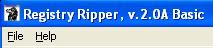
What if you could also get timestamped data (ie, most recently accessed documents, UserAssist entries, etc.) so that you could import it into a format such as Excel, or even XML (for use with Simile TimeLine)?

Know what's really cool about the timestamped data? In order for it to be placed in the user's Registry hive file (NTUSER.DAT), the user account needs to be logged into the system. Sounds pretty simple, doesn't it? Hit most public lists, though, and you'll see questions such as, "how do I tell when a user was logged on if auditing of logon events isn't recorded in the Security Event Log?" (I'm paraphrasing, of course). Well, in most cases, when someone logs on, they do something...right? Look at all of the user activity that is recorded (I say 'recorded" because in many ways, the Registry is a log file, of sorts) in the user's hive file...and then correlate that to other activity (Internet browser history, etc.) that may be available.

Sound pretty cool? How about flippin' sweet?!?

The fact is, there's "lookin' at" the Registry, and then there's doing real Registry analysis and getting the data you need.

Addendum
Some might be wondering, "What is it about Registry analysis that's so hot? After all, I get all of the information/evidence I need from the file system." Well, I can only speak to those things that I've determined through Registry analysis...logon history, files accessed, files NOT accessed, applications that had been installed, run, and then uninstalled, etc. There is a great deal of information...much of it historical, much of it associated in some way with a time stamp...right there in the Registry.

Addendum, 1 Apr
Okay, this isn't a joke...but I added three plugins to the RegRipper last night. One for the Uninstall key in the Software hive (all entries sorted based on the key LastWrite times), as well as one for the USBStor key, and another for the DeviceClasses keys...both in the System hive.

Adding a plugin for the Protected Storage System Provider is going to be problematic until I get some info how to decrypt the data in the "Item Data" values.

Thursday, March 13, 2008

New WFA Review Posted

Rob Lee posted a review of Windows Forensic Analysis today...check it out!

I have to tell you, it's a good one! Rob really hits home with some very important points about the book, particularly regarding flow. That's something I'll have to work on for 2/e. That's right...a second edition. I plan to make it more than an update, more than just adding new stuff. One of the problems I see with the current edition is like Rob said...flow. How does one sit down and find something more than just information about a tool or file? Sure, books have indexes (hint, hint) and that's a great place to start, but talking about how Prefetch files or a particular Registry key is useful will only get you so far. What I need to do is figure out a way to tie this all together into something that describes how to use this stuff in an actual...you know...examination. After all, that's the point, isn't it?

I do have some thoughts and ideas on where to go, but to be honest, I'd really like to hear from folks regarding what might work.

Wednesday, March 05, 2008

Event Log Analysis

In keeping with the Getting Started posts, I wanted to include something that may be of interest with regards to finding corroborating artifacts when performing computer forensic analysis.

Many times, when performing CF analysis, we end up trying to find out when a particular user may have logged into a system, or into a Windows domain. There may be other artifacts, as well, that may lead us to the Windows Event Log (right now, I'm just talking about the Windows 2000, XP, and 2003 Event Logs). There are a number of different ways to go about this, using the commercial tools such as EnCase and ProDiscover, but sometimes the analyst may want to extract the .evt files from the acquired image and parse them. In such instances, the Windows API (used by the Event Viewer and a number of other tools) may report that the .evt file is "corrupted".

This has happened enough to others that I don't even bother any longer, and instead resort to tools such as EvtUI, a GUI-enabled Perl script based on the Evt2Xls Perl script that I wrote to parse .evt files on a binary basis, by-passing the MS API and producing something a bit more usable. EvtUI runs against an .evt file and parses out all of the event records into an Excel binary-compatible spreadsheet. The Time_Generated field of the event record structure is formated so that it can be used to sort on in the spreadsheet. EvtUI also produces a report file, which gives the analyst an overview of the .evt records based on the frequency of the various sources and event IDs. I found this particular functionality useful enough that I pulled it out into its own tool (I call it "evtrpt") and added a frequency count for event types (Info, Warning, Error, Success, and Failure). The report file also gives you the date ranges of all of the event records.

Another thing that EvtUI lets the analyst do is enter exceptions. I've seen instances with really large .evt files (when combined with an extremely verbose audit configuration) where .evt file will have more than 65,535 records...and this is the limit of entries for Excel. So, the analyst can run EvtUI once, and then check the report...if there are more than 65,535 records, she can choose event IDs to enter as exceptions and then re-run EvtUI.

Now, once you've gotten this far, the question then becomes, how do you analyze the data you've got? Well, what you look for depends not only on your case, but what's being audited (which you can see very easily by parsing the PolAdtEv value from the Security Registry hive file. This is only a start, though...I suggest that anyone who does or wants to do Event Log analysis check out the following sites:

EventID.net (indispensable and well worth the $24/yr subscription)
Eric Fitzgeralds' blog
Rob "Van" Hensing's Blog
Windows 2000 Security Event Descriptions (pt 1, 2)

Tips
There was an intrusion investigation where the intruder was suspected of having created an account (done in many cases in order to maintain persistence) within the domain. Auditing for logon events was not enabled, but auditing for account management events was...and I was able to quickly find an event ID 624 record showing the creation of the suspicious

Other Resources

EventLogRecord structure
Windows Event Log Reference (Vista, 2008)
GrokEVT (Python-based)
ScreenClean

Monday, February 25, 2008

Getting Started, pt II

Okay, in the face of recent (and completely bullsh*t) claims by Sen. Clinton that Sen. Obama plagiarized speeches (so the guy used some phrases...so what?), I thought that it would be best that I was up-front and came clean...I did not have se...oh, geez...wait a sec...

I was on the e-Evidence site this morning and saw a paper listed from Kennesaw State University, entitled,
"Digital Forensics on the Cheap: Teaching Forensics Using Open Source Tools", from Richard Austin. This paper goes right along with what I was referring to in my earlier post, but also takes it a step further with regards to using specific tools, in this case, Helix and Autopsy. This is a great read and definitely very useful.

So, you're probably wondering...what's the point? Well, lists of free and open-source tools, as well as to documents that describe their use can be used to provide a solid foundation in the fundamentals (and even in more advanced information and techniques) of computer forensic analysis. Some college (community college as well as university) courses may not have the budget for some of the more expensive tools, but can provide the time and impetus necessary for folks wanting to learn and develop skillz to do so.

The availability and access to images and tools for creating and obtaining images, as well as the access to tools for analysis also provide a foundation for training programs, as well, in order to develop more advanced skill sets. Not only that, but new areas of computer forensic analysis can be explored...for example, it's not entirely difficult to locate malware on a system, but one of the areas that isn't explored is how it got there in the first place. Training sessions, brown-bag or white-board discussions all lend themselves very well to advancing the knowledge base of any group of forensic analysts, and the availability of the tools and images put the basis for these training sessions within reach of anyone with a Windows system and some storage space.

One final thought to close out this post (but not this subject)...has anyone thought about using these resources as part of an interview process? I can easily see three immediate ways of doing so...
  • 1. Query the interviewee with regards to familiarity with the tools and/or techniques themselves; if familiarity is mentioned or discovered during the interview process, ask probing questions about the use of the tools (Note: this requires the interviewer to be prepared).

  • 2. Prior to the actual interview, have a candidate perform an exercise...point them to a specific image, and give them instructions on what tools to use (or not to use). Part of the interview can then be a review of their process/methodology.

  • 3. If an interview is conducted on-site, with the candidate coming into the facility (rather than a remote interview), have the candidate sit down at a workstation and solve some problem.
The whole point of the use of these tools and techniques as training and evaluation resources would be to get analysts thinking and processing information beyond the point of "Nintendo forensics", going beyond pushing a button to get information...because how do you know if the information you receive is valid or not? Does it make sense? Is there a way to dig deeper or perhaps validate that information, or is there a technique that will provide validation of your data?

When First Responders Attack!!

It still happens...an "event" or "incident" occurs within an organization, and the initial response from the folks on-site (most often, the organization's IT staff) obliterates some or all of the "evidence" of the event. Consultants are called to determine "how they got in", "how far they got" into the infrastructure, and "what data was taken", and as such, are unable to completely answer those questions (if at all) due to what happened in the first hours (or in some cases, days) after the incident was discovered.

Check out Ignorance wrecking evidence, from AdelaideNow in Australia. It's an excellent read from the perspective of law enforcement, but a good deal of what's said applies across the board.

One of the things that consultants see very often is a disparity between what first responders say they did during an initial interview, and what the analyst sees during an examination. Very often, the consultant is told that the first responders took the system offline, but didn't do anything else. However, analysis of the image shows that installing and running anti-virus and -spyware tools, deleting files, and even restoring files from backup all happened. A great deal of this can be seen once the approximate timeline of the incident is determined...and very often, you'll see an administrator login, install or delete/remove stuff, etc., and then say that they didn't do anything.

Why would this matter? Let's take a look...

Many analysts still rely on traditional examination techniques, focusing on file MAC times, etc. So an admin logs into a system and runs an AV or anti-spyware scan (or both...or just 'pokes around'...something that happens a LOT more than I care to think about...), so now all of the file access times on the system have been modified, and perhaps some files have been deleted. Anyone remember this article on anti-forensics that appeared in CIO Magazine? Why worry about that stuff, when there is more activity of this nature occurring due to either the operating system itself, or due to regular, day-to-day IT network ops?

So what's the solution? Education and training, starting with senior management. They have to make it important. After all, they're the ones that tell IT that systems have to stay up, right? If senior management were really aware of how many times (and how easily) their organization got punked or p0wned by some 15 yr old kid, then maybe they'd put some serious thought and effort into protecting their organization, their IT assets, and more importantly, the (re: YOUR) data that they store and process.

Thursday, February 21, 2008

Important Memory Update

I ran across this info today, and thought that I'd post it...it seems quite important, in that it pertains to the use of physical memory (RAM) to deal with whole disk encryption (WDE), referred to as "cold boot attacks on disk encryption".

This looks like very cool stuff. Give it a read, and let me know what you think.

Don't forget that TechPathways provides a tool called ZeroView, which can reportedly be used to detect WDE.

Wednesday, February 20, 2008

Getting started, or forensic analysis on the cheap

Quite often, I'll see posts or receive emails from folks asking about how to get started in the computer forensic analysis field. What most folks don't realize is that "getting into" this field really isn't so much about the classes you took at a college or the fact that you have a copy of EnCase. What it's about is how well you know your stuff, what you're capable of doing, and if you're capable of learning new stuff.

For example, who would you want to hire or work with...someone who only knows how to use one tool (for example, EnCase), or someone who can explain how EnCase does what it does (such as file signature analysis) and can come up with solutions for the problems and challenges that we all run into?

What I've decided to do is compile a list of free (as in "beer") resources that can be used by schools and individuals to develop labs, training exercises, etc., for the purposes of providing an educational background in the field of computer forensic analysis. With nothing more than a laptop and an Internet connection, anyone interested in computer forensics analysis can learn quite a lot without ever spending any $.

Imaging
FTK Imager 2.5.3 (and Lite 2.5.1)
George M. Garner, Jr's FAU
dcfldd - Wiki
dc3dd

Image/File Integrity Verification
MD5Deep

Images/Analysis Challenges
Lance's Forensic Practicals (#1 and #2) (no EnCase? Use FTK Imager to convert the .E0x files to dd format)
NIST Hacking Case
DFTT Tool Testing Images
HoneyNet Project Challenges
VMWare Appliances (FTK Imager will allow you to add these - most of which are *nix-based - as evidence items and create dd-format images)

Analysis Applications
TSK 2.51 (as of 10 Feb 2008...includes Windows versions of the tools, but not the Autopsy Forensic Browser - see the Wiki for how to use the tools)
NOTE: DFLabs is developing PTK, an alternative Sleuthkit interface, and they are reportedly working on a full Windows version, as well!
ProDiscover 4.9 Basic Edition
PyFlag

Mounting/Booting Images
VDK & VDKWin
LiveView (ProDiscover Basic will allow you to create the necessary .vmdk file for a dd-format image)
VMPlayer

Analysis Tools
Perl ('nuff said!!) - my answer for everything, it seems ;-)

File Analysis
MiTec Registry File Viewer - import Registry hive files
TextPad
Rifiuti - INFO2 file parser
BinText - like strings, but better
Windows File Analyzer

File Carving
Scalpel

Browser History
WebHistorian

Archive Utilities
Universal Extractor
jZip
PeaZip

AV and Related Tools
Miss Identify - identify Win32 PE files (different from an AV scan)
GriSoft AVG Free Edition anti-virus
Avira AntiVir PersonalEdition anti-virus
McAfee Stinger - standalone tool to scan for specific malware
ThreatFire (requires live system, best when used w/ AV)
GMER Rootkit Detection (requires live system)

Packet Capture and Analysis
PacketMon
WireShark

Other Tools
According to Claus at the GSD blog , Mozilla uses SQLite databases to store information, so if you're doing browser analysis, you may want to take a look at SQLite DB Browser, or SQLiteSpy. If you want to create your own databases in SQLite, check out SQLite Administrator. So, you can use these tools not only for analysis of the Mozilla files, but also with creating your own databases for use with other tools (ie, Perl).

Please keep in mind that this is just a list...and not an exhaustive one...of technical resources that are available. There are many, many other tools available.

Also, all of the technical tools and techniques are for naught if you (a) cannot follow a process, and (b) cannot document what you do.

Jesse rides again!

Jesse Kornblum has done it again! Jesse's one of those guys who releases some really amazing tools for use in the IR and forensic analysis space, and he's done it again with "Miss Identify".

Miss Identify is a tool to look for Win32 applications through the use of file signature analysis. By default, it looks for Win32 apps (per the PE header) that do not have executable file extensions. As with Jesse's other tools, Miss Identify is rich with features, all of which are configurable from the command line.

So, you're probably thinking...okay, so what? You can already do this sort of thing with other tools, right? What makes this tool so Super Bad, McLovin?? Well, right now, there are a number of ways that a forensic analyst can identify malware in an acquired image, including checking the logs of any AV app that is already installed, or mounting the image and running an AV scanner or hash set comparison tool. However, two issues arise with these approaches...one is that there are legitimate tools that can and are used for malicious purposes. The other is that signatures (AV signatures, hashes, etc.) don't always work. However, there is one thing that all malware must be, and that is executable!

Miss Identify can also print strings that are found in the files, as well. This is great because you may find an executable file in the system32 directory that has a Microsoft-sounding name, but does not contain the MS copyright info embedded in the resource strings. This would be a "clue".

The use of Miss Identify doesn't replace other analysis and data reduction techniques, but instead augments them. This is without a doubt a useful tool, and one that should be considered for use by all sysadmins, first responders, as well as forensic analysts.

A round of applause for Jesse, everyone!

Also, I love the "Hollywood teaser" Jesse used to let everyone know what was coming! Speaking of teasers, isn't IronMan coming out soon....? Can you think of a better way to get Marvel Comics and Black Sabbath to come together??? ;-)

Addendum: I reached out to Jesse and mentioned to him that it might be useful to parse out the file version information from an executable, rather than all of the strings. Also, reading through the comments to Jesse's blog, there are some very useful tips pointed out...for example, finding an executable file in a user's browser cache might be considered by some examiners to be a "clue"... ;-)

Friday, February 15, 2008

CIO article on the need for forensics

CIO Magazine out of the UK has an interesting article titled In-depth Investigation that discusses the need for computer forensics capabilities. While it is from across the pond, the message of the article is extremely applicable here in the US, as wel.

I know that as I agree with it, many folks are going to think, "well, yeah, you're a consultant...of course you agree with this article, because it recommends that companies hire you!" And yes, that's true...I am a consultant, and in most cases a company would have to hire someone like me to come in and do the kind of work that is recommended.

However, even taking e-discovery out of the equation for a moment, with the increase in state notification laws (goin' federal in the near future...), as well as the regulatory stuff (SEC, PCI Council, FISMA, HIPAA, etc.), a forensics capability is being mandated. The decision has been left to organizations, and they've opted not to develop the capability...and now many organizations are being told that they have to have it.

My personal thought on this is that ideally what an organization would want to do is develop an in-house capability for tier 1 response...trained folks whose job it is to respond to, triage, and diagnose a technical IT incident. By "trained", I mean in the basics, such as NSM, incident response, troubleshooting, etc...enough to be able to triage and accurately diagnose level 1 and 2 incidents, as well as preserve data until outside professionals can respond to level 3 or 4 incidents.

That leads to one other thought...many times when folks like me recommend that an outside third-party be called to perform incident response and/or computer forensic activities, it's not so much because we want your money (well, that IS part of it...), but look at it this way...if your organization is mandated (by the PCI Council, for example) to have a pen test performed, how well do you think they're going to accept the results when your report says that your own IT employees performed the pen test against the systems they set up, and they found no way to get in? Having an outside third party do this kind of thing adds credibility to the report...besides, this is what we do all the time. ;-)

New Docs at SWGDE

The Scientific Working Group on Digital Evidence (SWGDE) has released some new documents, the most notable of which are the Vista Technical Notes, and the document on "Live Capture".

The document on Live Capture was very interesting! At only 5 pages in length (the first page is formal disclaimer stuff...), there isn't a whole lot of detail, and the timeliness of the document may be questionable, but the point is that the document does reference the benefits of performing "live capture"...a term which encompasses three different activities. The document spends only a small paragraph discussing RAM dumps, and in that paragraph refers to "DD" as a software tool that can be used for collecting the contents of memory...on Windows systems, this is no longer the case (unless you have an old copy of the version of dd.exe sitting around). Further, this article in the Forensic Magazine mentions the use of dcfldd (version 1.3.4 was reportedly used when writing the article) to dump RAM from a Windows system...however, the command line listed in the article no longer seems to work (although for some odd reason, on a Windows XP SP2 system, replacing "\\.\PhysicalMemory" with "/dev/mem" seems to get something). Oddly enough, the document doesn't mention ProDiscover (which had the ability to collect RAM and volatile data before EnCase), nor does it mention Nigilant32.

The section of the document that addresses live acquisition is also extremely short and bereft of any real content...I'd love to know what "careful planning" they are referring to, just as I'm sure others reading the document who've never done a live acquisition must be wondering.

But hey...don't get me wrong...I think it's a great thing that the document is out. The more these techniques and methodologies are discussed and presented, the more likely they are to be used and then become part of standard procedures.

Thursday, February 07, 2008

DFRWS 2008 Announcement

The DFRWS 2008 CfP and Challenge have been posted!

The CfP invites contributions on a wide range of subjects, including:
  • Incident response and live analysis
  • File system and memory analysis
  • Small scale and mobile devices
  • Data hiding and recovery
  • File extraction from data blocks (“file carving”)
And here's a couple that should be interesting:
  • Anti-forensics and anti-anti-forensics
  • Non-traditional approaches to forensic analysis
Submission deadline is 17 Mar, with author notification about 6 wks later.

I may submit something on Registry analysis...we'll have to see. This may be a good segue into a book...I've been thinking that based on some new tools I've been working on, as well as data collected since Windows Forensic Analysis was published, I may have enough to put together a book just on Registry analysis.

This year's challenge is similar to 2005's, except that this time the issue is Linux memory analysis.

This year, the conference is in Baltimore ("Bahlmer"), MD, 11-13 Aug 2008.

Thursday, January 31, 2008

Enter Sandman

You're probably wondering, "Since when did Metallica have anything to do with Windows forensics?"

My answer to that is...since ALWAYS!

Okay...enough of that. The Sandman I'm referring to isn't the one from the Metallica song. Rather this one has to do with the Windows hibernation file (get it? "sleep". "Sandman". get it? no...you don't...). Evidently Nicholas and Mattheiu has been working on a C library for reading/writing the Windows hibernation file. This sounds really cool, and it looks as if they're going to include Python bindings, as well as a couple of sample apps, one of which will reportedly convert a hibernation file into a dd-style memory dump. Very cool. Keep in mind, however, that a hibernation file doesn't contain the current contents of memory, but rather the contents of memory from when the file was created.

Sandman looks like a good tool to have in your kit, and I can't wait to try it out.

Artifact Repositories, part deux

I wanted to take my last post on this topic just a bit further...

I received an email from someone recently asking me about checklists for determining the attack vector of an incident. Yeah, I know...that's a pretty broad question, but I do see the issue here. Sure, some folks are "finding stuff", but the question is now becoming, how did it get there? That's the next logical question, I suppose, and it is being asked.

Over on F-Secure, I saw this post this morning about a PHP IRC Bot. This is just one example, but once the IRC bot is located on the infected system, how does one go about determining how it got there? One thought would be to look at the method you used to locate the bot...say, scanning with an AV scanner...and use that as a starting point. What did the AV scanner identify the malware as? Once you get a name, go to the vendor's web site and see what it says about infection vectors. Again...this is one way to go about the process, not the way.

Another example is this...I'm sure that finding a bot or backdoor isn't too difficult, particularly if you have volatile data or the malware is easily detected by the scanner you're using. But how did it get there? Was the attack vector a downloader from a malicious web site that pulled down a Trojan or bot that was then used to put the backdoor on the system?

At this point, you might be thinking..."who cares?" After all, you found the bad stuff, right? But is that really sufficient? If you you don't discover the root cause, how do you protect yourself in the future? How do you protect other systems?

Another aspect to consider are the application artifacts. Hogfly recently posted on intel gathering...what are the artifacts of the use of the three applications he listed in the post? Does anyone know? After all, one thing to be concerned about is USB devices...but how many are considering remote storage repositories? Anyone remember this three year old blog post regarding the GMail Drive? Some of the artifacts listed in the post are easily added to any sort of Registry scanning tool... ;-)

I'm thinking that it's about time to add a little something to our investigative process. Artifact repositories will very likely make it much easier to determine root causes, keeping in mind, though, that such a thing isn't really a comprehensive solution. Training or instruction in OS and application basics will provide a better understanding of how to determine root causes, particularly when there a multiple possibilities.

Sunday, January 27, 2008

Artifact Repositories

I see posts in a number of lists asking about (and for) forensic artifacts for P2P applications...lately, there have been several about LimeWire. For the most part, general questions regarding P2P apps drift toward...well...general questions, like "has anyone ever dealt with this" kind of questions. When specific apps are named, like LimeWire, specific questions are asked, such as "what are the contents of this file?" I can easily see how these issues would be relevant to cases involving files being shared, whether they are illicit images, or company proprietary information and IP.

It has occurred to me, time and again, that what is needed is a central repository of forensic artifact information. Something like a searchable database portal where you can login, type in a few keywords, and obtain a listing of relevant articles. These articles could be downloadable PDF documents...something that you can take with you, print out, etc. These articles would be written for forensic analysts, by forensic analysts...that way, they would contain relevant information, as well as have tips for techniques to use for data extraction and analysis, or even the tools themselves.

Now, the question becomes...if this repository were to contain more than just a few articles on forensic artifacts of P2P applications, but instead covered other areas, and even addressed other OSs, is this something you would pay for? Far too often in this community, when something is provided for free, it languishes unused...be it tools, information, or books. An annual subscription fee would be necessary to keep something like this up and running.

Now, articles would be updated, of course, and information would constantly be added to the library. Something like this could also have a forum where information could be exchanged, and clarify questions could be asked. Also, a subscriber could request additional information or make a request for the latest version of the app to be examined.

Is there anything else you'd like to see, or wouldn't like to see in something like this? Does this make any sense at all?

Tuesday, January 22, 2008

Free AV Scanners

Many times during an examination, you may want to do a little data reduction, by scanning your image for the presence of malware. While this should not be considered a 100% guarantee that there is no malware if there are no hits, this may lead you to something and narrow your search a bit. Again, this is just a tool, something that as a forensic analyst you can use.

Start by mounting the image as a read-only drive letter using Mount Image Pro or VDKWin. Then scan the drive letter with your AV scanner of choice. Some free AV scanner options include:

GriSoft AVG Free Edition
avast! Home Edition (free for home/non-commercial use)
ClamWin
Avir AntiVirus PersonalEdition
Comodo AV
Windows Defender (spyware)

Some rankings reports (includes free and for-pay):
PCWorld
Top10 Reviews
GCN Lab
Top Windows AV

Note that some of the available AV products may include a command line interface (F-Prot, for example) which means that you can run the scanner after hours using a Scheduled Task.

So, what's in your wallet? What is your AV scanner of choice (free or otherwise)?

Sunday, January 13, 2008

IR Immediate Actions

As you may remember, in December 2007 I presented at the HTCIA conference in Hong Kong, the first HTCIA conference for this chapter. It was a great conference, and a great opportunity to meet a lot of folks in this field (see the Speaker's page).

While there, I presented on Registry Analysis and Windows Memory Analysis, both of which seemed to be well received. One question came up during discussions of Windows Memory Analysis...during the presentation, I talk about different tools and techniques that are available for extracting the contents of RAM, and also talk about the difference between tools I can use as a private individual and those I can use as a consultant. At one point, someone asked me which tools and techniques I use most often as a consultant...and my response was simply "none of them". The reason for this is that in most all of the responses I've dealt with, the system (or systems) have already been turned off, rebooted, or sufficiently imposed upon by others (AV scans, running multiple tools, etc.) that even if I did, as a consultant, have an option available for collecting the contents of RAM available to me, doing so would be of little benefit to either my analysis, or any information I could provide to the customer.

Part of the issue is that as a consultant, I am extremely limited in the tools I can use to collect the contents of physical memory from a system, not so much due to the availability of a particular tool, but more so due to the license agreement associated with that tool.

However, a bigger issue is that the immediate actions performed by most first responders on-site are to take systems offline, shutdown them down, or "clean" and reboot them prior to any calls for outside assistance being made. While this may be pertinent for business preservation and continuity, it most often has a detrimental impact on any follow-on analysis that may take place.

If there is data leakage due to an intrusion (or this is suspected, or this is just a question that needs to be answered...), then the immediate reaction is (apparently) to shut the system down. This may be pertinent, particularly if there is no incident response plan in place that lets people know what they need to do, and time is required to notify and get approval for follow-on activities (such as calling consultants). This reaction appears to be fairly ingrained, and I'm not suggesting that we change it by saying DO NOT shut systems down. What I am going to suggest is that we modify those immediate actions such that pertinent information is collected from systems before they are shut down.

Wait...what? It looks like what I am saying is, go ahead and shut the systems down, or reboot them, or "clean" them...and I am. This is going to happen anyway. There's nothing I can say or do, either on this blog or as a paid consultant, to change that. In order to change that behavior, there has to be an incident response plan (CSIRP) in place that tells people what to do, and when someone shuts a system off inappropriately or incorrectly, that issue needs to be addressed. The issue is that some kind of overwhelming stimulus needs to be put in place to change this behavior, and until this happens, nothing anyone can say or do is going to change that. So...it's gonna happen anyway, and instead of changing it, let's go ahead and go with it...but throw something else in there along the way.

What can we do? Well, one thing is to put tools on systems (for a list of tools, check out my book) when they are set up, or at least at some point prior to an incident occurring. If you can't put tools and a simple batch file on systems (for whatever reason...the most common of which seems to be, "...we don't know how..."), then issue each admin/responder a CD with tools, and a thumb drive. Then make it a policy within the organization that a batch file (could be a DOS batch file, or WMI script, etc.) be run and the output saved to a thumb drive, shared drive, etc., prior to the system being taken offline.

Tuesday, January 08, 2008

Response to "antiforensics"

On one of the online forums this evening, someone posted about reading the latest issue of 2600 and finding an article that mentions the use of "antiforensics" techniques, specifically with regards to one forensic analysis application in particular.

My response was this:

[Most of] these techniques don't defeat tools...they defeat examiners.

Thoughts?

Saturday, January 05, 2008

Metadata, again...

I've blogged about metadata for various file types before, and the other day I saw a question regarding metadata in MS Works documents. That was pretty interesting, so I fired up my 'leet Google h4x0R skillz and entered in metadata + "MS Works" as my search terms, and I ended up finding something called Meta-Extractor from the folks at the National Library of New Zealand. This tool appears to be Java-based, is about a 10.7MB download, and appears to extract metadata from a variety of file formats...to include MS Works! That's interesting...I didn't even know that MS Works docs had metadata! My first real intro into Word metadata involved the Blair doc...and I'm aware that other Office OLE file formats have metadata, as well.

Another such tool is Metagoofil, from DarkNet. I haven't tried this one...but then I haven't had a great deal of need for things like metadata. When I have, I've written my own tools.

One of the more interesting ways to generate some cool metadata is to use MergeStreams to merge an Excel spreadsheet into a Word doc. I used to present on this at LE conferences all the time, along with things like NTFS alternate data streams, and hiding data in the Registry...but it looks like this stuff is just kewl nerd stuff and nothing more...

Tuesday, January 01, 2008

First Post of '08

So, here it is...the first post of 2008 on my blog...what to say, what to say? I'm not a big fan of the "predictions" posts, pontificating on what's going to happen in the coming year. For the most part, who knows? Anything we do see in the media regarding data breaches is...well...tainted by the media, so we're not going to have any idea of the validity of what we're seeing.

Let's do some highlights...

From the perspective of this blog and the subject matter, the highlights for 2007 were the release of Windows Forensic Analysis in May, followed at the end of the year by the release of Perl Scripting for IT Security (the cover on Amazon says "IT", but the book on my bookshelf says
"Windows"...it was published by Elsevier).

Another highlight, as it relates to the WFA book, is that Richard Bejtlich posted his Best Books Bejtlich Read in 2007, and ranked WFA #3! High praise, indeed, considering that Richard is a *BSD guy!

Goals I'd like to achieve in the coming year include:
  1. Finish development on Windows memory parsing tools (or at least progress along in the stages....)
  2. Finish development of a Windows Registry preprocessor (basically, extract the Registry hive files from an image and drop them into a "thresher", and the wheat gets separated from the chaff...)
  3. Include more Vista- and Windows 2008-specific data in #1 and #2 above
  4. Do more codification and documentation of frameworks and processes related to my day job; things like live response, CSIRP development, documentation of data extraction and analysis processes for Windows platforms, etc.
I think that's about enough, don't you? Keep the goals achievable...there's nothing like looking back over a year (or a customer engagement!!) and realizing that the goals were to grandeous and volumonous, and simply weren't reached.

If you got some goals, thoughts or comments that relate to the subject matter of this blog, feel free to post a comment...and have a great 2008!

Addendum:
Andrew Hay's Predictions for '08